 Click to zoom
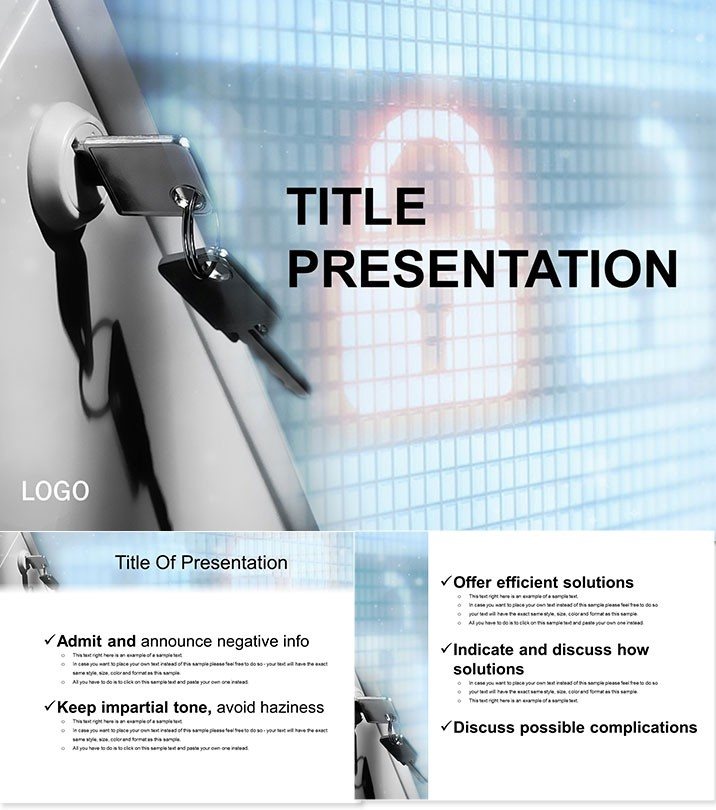
Online Safety Education PPT Template
| Format | .pptx |
| Slides | 3 unique layouts |
| Aspect ratio | 16:9 |
| Compatibility | PowerPoint |
| Animated | No |
| Language | English |
| License | Commercial |
| File size | — |
| Version | v1.0 |
| Last updated | October 2013 |
What's inside
Digital threats lurk everywhere - equip users with our Online Safety PowerPoint Templates to navigate safely. For teachers, IT trainers, and parents, it covers internet perils and protections via engaging, non-alarmist visuals, promoting confident online collaboration.
Impact? Empowers proactive defense, reducing risks. $22 lifetime, PowerPoint 2016+. Surf securely. Download now for safe explorations.
Safety Nets: Vital Features
Three masters, three secure-themed backgrounds, 28 diagrams, seven reassuring schemes.
- Threat Icons: Visual cues for phishing, privacy breaches.
- Step-by-Step Guides: Flows for password strength.
- Inclusive Design: Simple language for all ages.
- Update Friendly: Slots for emerging threats.
Builds digital literacy effortlessly.
Secure Slides: Layered Learning
Slide 1: Web basics overview. Slide 4: Common risks matrix. Core 17-23: Defense strategies timelines.
End 25-28: Best practices quizzes. Schemes: Blues for trust, alerts in orange.
Fosters dialogue on safety.
Safety in Scenarios
Classrooms teach cyber hygiene; corporates train compliance. Parents host family sessions.
Excels over generics with scenario simulations.
Beyond Basic Barriers
Plain text scares; this educates empathetically. Expert-sourced for relevance.
Timeless protection, one purchase.
Lock in learning. Customize for cyber confidence.
Frequently Asked Questions
Ages covered?
8+, with adaptations for younger.
Editable threats?
Yes, modular updates.
Schemes number?
Seven safety-focused.
Print options?
Handouts ready.
Tech reqs?
Standard PowerPoint.
Refund?
30 days secure.
Good for
- Project roadmaps and sprint plans
- Product launch timelines
- Quarterly or annual review decks
- Company history and milestone summaries
Licence
reviews
Presented an internet safety lesson to middle schoolers, the phishing risk matrices and password strength flowcharts made the threats feel real but manageable.
The blues for trust to alerts in orange are effective, but the template is very text-heavy for younger kids; I had to simplify the language a lot.
The defense strategies timelines and the common risks matrix helped my IT department create a new training module.
I used it for a parent workshop, the non-alarmist visuals made the cybersecurity talk less scary for the non-tech parents.
It is a good educational template for digital literacy, the 28 diagrams cover the essentials, but the design feels a bit like a government pamphlet.
FAQ
Will it work in Google Slides?
Are fonts embedded?
Can I use this for client work?
What's the refund policy?
Do you update the template after purchase?
Similar templates
See all PowerPoint Templates →


All 1 slides