 Click to zoom
Online Medical PowerPoint Template: Healthcare Insights
| Format | .pptx |
| Slides | 3 unique layouts |
| Aspect ratio | 16:9 |
| Compatibility | PowerPoint |
| Animated | No |
| Language | English |
| License | Commercial |
| File size | — |
| Version | v1.0 |
| Last updated | October 2022 |
What's inside
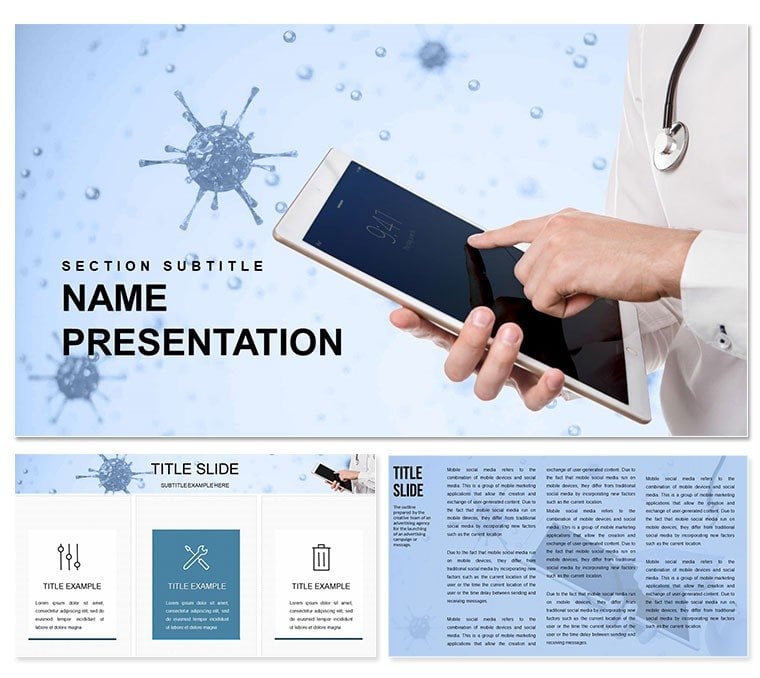
In the realm of healthcare, where every slide can bridge the gap between patient care and informed decisions, clarity isn't optional - it's essential. Our Online Medical PowerPoint template steps in as your ally, offering a polished framework for presenting patient data, treatment protocols, and pharmaceutical advancements. With 28 specialized diagrams, three master layouts, and three background styles across seven intuitive color schemes, this tool is tailored for doctors, nurses, and healthcare administrators who need to convey sensitive information with professionalism and precision. Built for PowerPoint 2016 and beyond, it handles everything from electronic health record overviews to telemedicine session recaps, ensuring your message lands with impact.
The beauty lies in its adaptability: diagrams like organ system flowcharts or dosage timelines are pre-formatted for quick data insertion, freeing you to focus on the human element of care. Whether you're briefing a team on post-procedure outcomes or educating staff on data security protocols, these visuals transform abstract stats into relatable stories, much like how leading hospitals use infographics to demystify diagnostics.
Core Features That Streamline Medical Communications
Explore the elements that make this template indispensable for healthcare pros. The 28 diagrams cover a spectrum from anatomical illustrations to statistical breakdowns, all scalable and annotation-ready.
- Three Master Slides: Structured for agenda-setting intros, detailed body sections, and conclusive Q&A, with placeholders for HIPAA-compliant notes.
- Three Background Options: Opt for sterile whites for clinical focus, soft blues for calming patient interactions, or grid patterns for data-heavy slides.
- Seven Color Schemes: Medically inspired palettes - think vital sign reds paired with diagnostic greens - optimized for color-blind accessibility.
- Editable Icons and Graphics: Over 50 medical symbols, from stethoscopes to molecular structures, ready to layer into your narrative.
Editing is straightforward: Import your EHR data into a pie chart for procedure success rates, then animate reveals to pace your delivery. This ensures presentations feel dynamic yet controlled, ideal for virtual grand rounds or compliance training.
Practical Use Cases: From Clinics to Conferences
Consider a busy clinic coordinator preparing a quarterly performance review. Instead of sifting through endless tables, they drop in a Gantt chart from the template to timeline vaccination drives, highlighting coverage gaps with targeted highlights. A pharma rep might use the process flow diagrams to walk investors through drug trial phases, emphasizing safety milestones without jargon overload.
For educational webinars, layer in timeline slides to trace epidemic responses, drawing parallels to real-world efforts like those in public health campaigns. A step-by-step integration guide:
- Assess Your Content: Outline key topics, such as patient intake flows or outcome metrics, and match them to diagram types.
- Populate and Customize: Use Excel links for live data updates, then refine icons to reflect specialties like cardiology or oncology.
- Test for Clarity: Preview on projectors, adjusting fonts for readability from afar.
- Engage and Iterate: Incorporate feedback loops, like poll slides, to make sessions interactive.
This method not only accelerates prep but also enhances retention, as visual aids like these echo the clarity of medical journals, making dense info digestible.
Tips to Integrate into Your Daily Practice
Enhance efficiency by syncing with tools like Microsoft Teams for collaborative edits during shift handovers. For security, leverage PowerPoint's password protection on sensitive slides. Versus generic templates, this one's medical-specific layouts prevent miscommunications, such as confusing symptom trackers with treatment maps.
It's versatile for non-clinical uses too, like administrative budgeting for supply chains. Download for $22 and empower your next presentation to heal through understanding - get the Online Medical PowerPoint template today.
Frequently Asked Questions
Does it support medical imaging integration? Yes, you can embed .jpg or .png files into slides, with diagrams overlaying for annotated views.
Are the diagrams HIPAA-friendly? The template itself is neutral; ensure your data handling complies with regulations when adding content.
Can I use it on mobile devices? Optimized for desktop editing, but viewable on iPad via PowerPoint app for on-the-go reviews.
What if I need more than 28 diagrams? Easily duplicate and modify existing ones, or expand with PowerPoint's insert tools.
Is it suitable for telemedicine presentations? Perfectly - its clean designs work well on video calls, with minimal bandwidth needs.
How do I change the color schemes? Select a slide, go to Design tab, and apply variants; custom tweaks via Format Shape.
Good for
- Project roadmaps and sprint plans
- Product launch timelines
- Quarterly or annual review decks
- Company history and milestone summaries
Licence
reviews
Used the Gantt chart to timeline vaccination drives for a public health review, the coverage gaps highlighted easily.
The organ system flowcharts were useful, but the process flow diagrams for drug trials lacked enough steps for our phase 4 data.
Just needed a HIPAA-compliant patient data slide for a telehealth recap, the sterile white background kept it clean.
The pie chart for procedure success rates was easy to import from our EHR system, saved a lot of manual entry.
Fine for a quick admin update, but the medical icons are the same clipart you get for free elsewhere.
FAQ
Will it work in Google Slides?
Are fonts embedded?
Can I use this for client work?
What's the refund policy?
Do you update the template after purchase?
Similar templates
See all PowerPoint Templates →



All 1 slides