 Click to zoom
Monitors Online Store Keynote Template: Streamline Your Tech Sales Pitches
| Format | .pptx |
| Slides | 3 unique layouts |
| Aspect ratio | 16:9 |
| Compatibility | PowerPoint |
| Animated | No |
| Language | English |
| License | Commercial |
| File size | — |
| Version | v1.0 |
| Last updated | October 2022 |
What's inside
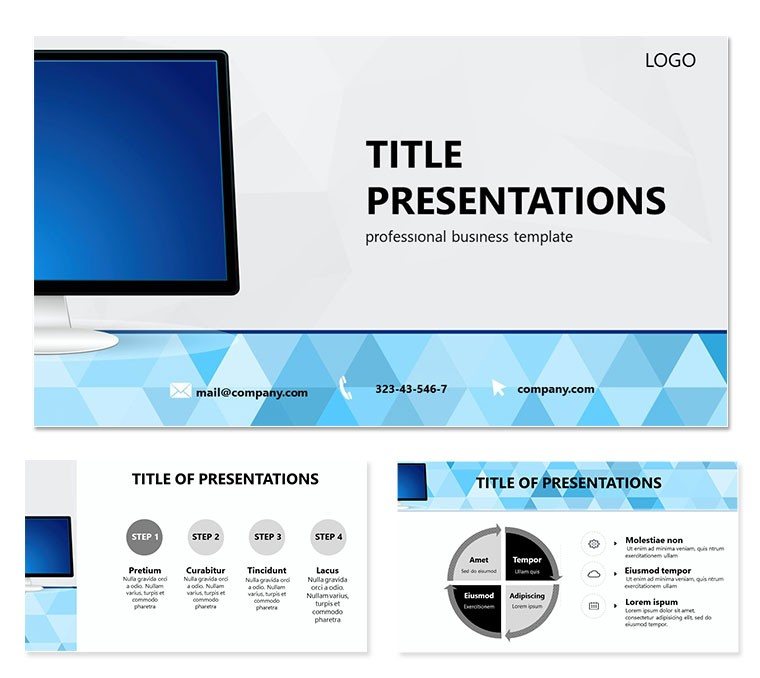
Imagine walking into a boardroom or virtual meeting where your presentation on the latest monitor lineup doesn`t just inform - it captivates. The Monitors Online Store Keynote Template turns that vision into reality, crafted specifically for IT professionals, e-commerce managers, and sales teams diving into the world of computer hardware. With its focus on monitors as the gateway to immersive digital experiences, this template helps you highlight everything from high-resolution displays for gaming to ergonomic designs for office setups. Whether you`re pitching to retailers or outlining online store expansions, these 28 meticulously designed slides make complex specs feel approachable and exciting.
At its core, this template isn`t about flashy effects - it`s about clarity and persuasion. Picture breaking down a monitor`s refresh rate or color gamut without overwhelming your audience; instead, you guide them through a narrative that builds toward a clear call to action, like boosting online sales. Compatible with Keynote on Mac, it arrives in editable .key and .kth formats, ready for your tweaks. And with sources in .jpg for quick previews, you can hit the ground running. Download it for $22 and transform how you sell screens that sell stories.
Unlocking the Core Features of Your Monitors Presentation
Diving deeper, this template packs three master slides and three background options, giving you flexibility without the hassle. The backgrounds evoke a modern digital interface, subtle enough to keep eyes on your content but bold enough to nod to the tech theme. Then come the 28 diagrams - each one a powerhouse for visualizing data. From simple bar charts comparing screen sizes to intricate flowcharts mapping out supply chains for online orders, these aren`t generic placeholders; they`re tailored for monitor metrics like pixel density or connectivity options.
- Versatile Diagrams: Use pie charts to slice market share among brands or timelines to track product launches - each adapts seamlessly to your numbers.
- Seven Color Schemes: Switch from cool blues for professional pitches to vibrant greens for eco-friendly monitor highlights, ensuring brand alignment every time.
- Editable Elements: Drag, drop, and resize icons representing USB ports or HDMI cables; fonts scale effortlessly for legibility on any screen.
One standout is the comparison slide, where you can juxtapose budget versus premium models side-by-side, emphasizing advantages like anti-glare coatings. It`s like having a virtual showroom in your deck, making it easier for stakeholders to envision the end-user experience.
Seamless Integration for E-Commerce Narratives
For online store managers, the template shines in sections dedicated to customer journeys. Start with an agenda slide outlining your talk, then flow into funnel diagrams showing how monitor searches lead to carts. A real-world tip: Pair this with Keynote`s built-in transitions for a smooth pan from product specs to pricing strategies, mimicking the ease of browsing an e-store. Professionals at firms like Best Buy have leaned on similar visuals to drive quarterly targets, proving that targeted diagrams can turn data dumps into decision-makers` delight.
Real-World Applications: From Pitch to Purchase
Let`s get practical - how does this template fit into your workflow? Consider a sales VP prepping for a client demo on curved ultrawides. Slide one: A hero image of the monitor in action, overlaid with key stats. Follow with a SWOT analysis diagram, where strengths like immersive viewing angles pop in custom colors. By slide 15, you`re into ROI projections via line graphs, showing how stocking these boosts average order value.
- Prep Phase: Import your data into the editable tables - Keynote`s smart guides keep everything aligned.
- Customize: Swap in your logo on the master slide; adjust color schemes to match your brand`s palette.
- Present: Rehearse with Keynote`s presenter view, noting how diagrams animate to reveal insights progressively.
- Follow-Up: Export as PDF for sharing, with hyperlinks to your online store intact.
In educational settings, instructors use these for tech courses, illustrating how monitors evolved from CRTs to OLEDs through engaging infographics. The beauty lies in its adaptability - no need to start from scratch when time is tight before a webinar.
Tailoring for IT Roadmaps and Retail Strategies
Shift gears to internal use: IT directors mapping out hardware upgrades find the Gantt-style diagrams invaluable for scheduling deployments. Layer in pros and cons of bulk online purchases versus in-store, using balanced scales visuals that resonate logically. It`s this thoughtful structure that elevates routine updates into strategic discussions, much like how Apple`s keynote decks prioritize simplicity to spotlight innovation.
Compared to building from blank slides, this template shaves hours off design time, letting you focus on refining your message. Icons for wireless syncing or eye-care features add that polished touch, ensuring your deck feels current and credible.
Customization Tips to Make It Yours
Ready to personalize? Begin with the backgrounds - tone down the digital grid for a softer corporate vibe or amp it up for a gaming expo. For diagrams, experiment with the seven schemes; a monochromatic set works wonders for minimalist pitches, while full-spectrum pops for creative agencies pitching AR monitor integrations.
Pro tip: Layer text over diagram placeholders using Keynote`s text-on-path tool for curved labels on circular charts, like orbiting satellite views of global sales data. And don`t overlook the masters - set global fonts to something clean like San Francisco for that native Mac feel. If you`re collaborating, share the .key file via iCloud; changes sync in real-time, keeping your team aligned.
For accessibility, ensure high-contrast colors in your chosen scheme - vital when presenting to diverse audiences. This template`s vector-based elements scale without pixelation, so zoom in on fine details like port diagrams without losing quality.
Why This Template Stands Out in Your Toolkit
In a sea of generic slides, the Monitors Online Store Keynote Template emerges as your go-to for tech-forward storytelling. It bridges the gap between raw specs and relatable benefits, helping you not just present data, but inspire action - like sealing that online partnership deal. Whether dissecting competitor landscapes or forecasting e-commerce trends, its diagrams empower you to communicate with confidence.
Elevate your next pitch today - download for $22 and watch your presentations power up.
Frequently Asked Questions
What file formats are included with the Monitors Online Store Keynote Template?
You`ll get .key for full editing, .kth for themes, and .jpg previews for quick reviews.
Is this template compatible with older versions of Keynote?
Yes, it works with Keynote 2016 and later on macOS.
How many color options do the diagrams offer?
There are seven distinct color schemes to match your branding needs.
Can I use this for non-IT presentations?
Absolutely - adapt the diagrams for any data-driven talk, like retail analytics.
Does it include animations?
Basic transitions are built-in; enhance with Keynote`s animation tools as needed.
Good for
- Project roadmaps and sprint plans
- Product launch timelines
- Quarterly or annual review decks
- Company history and milestone summaries
Licence
reviews
Used for class presentation and it helped
It is okay but simple
FAQ
Will it work in Google Slides?
Are fonts embedded?
Can I use this for client work?
What's the refund policy?
Do you update the template after purchase?
Similar templates
See all Keynote templates →



All 1 slides