 Click to zoom
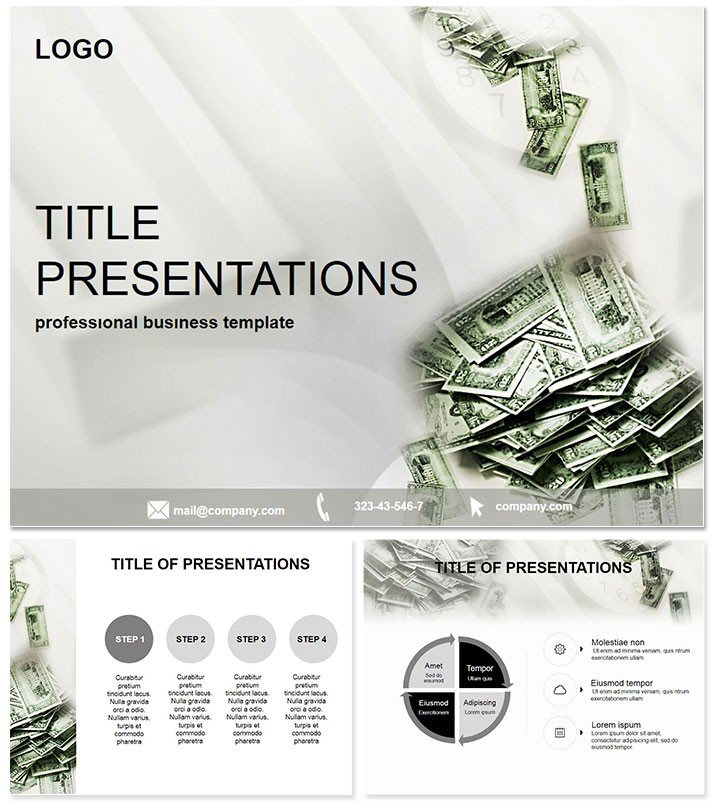
Money Making Business Keynote Template
| Format | .pptx |
| Slides | 3 unique layouts |
| Aspect ratio | 16:9 |
| Compatibility | PowerPoint |
| Animated | No |
| Language | English |
| License | Commercial |
| File size | — |
| Version | v1.0 |
| Last updated | October 2021 |
What's inside
Imagine closing a deal not with spreadsheets, but with visuals that make your audience see dollar signs. That`s the power of our Money Making Business Keynote Template - a ready-to-use powerhouse designed for finance whizzes, entrepreneurs, and accounting teams who want to turn complex revenue data into compelling narratives. Compatible with Keynote 2016 and later, this template packs 28 diagrams across 3 masters and 3 backgrounds, all editable in minutes. Whether you`re pitching investment opportunities or breaking down profit margins, it delivers professional polish without the hassle.
Why does it matter? In a world where attention spans are shorter than a quarterly report, this template helps you stand out. Crafted for real-world impact, it integrates seamlessly into your workflow, saving hours on design so you can focus on strategy. One-time purchase grants lifetime license - unlock endless customizations today.
Unlock Key Features for Financial Mastery
Dive deeper into what sets this template apart. With 7 vibrant color schemes, you can match your brand`s energy, from sleek corporate blues to bold growth greens. Each of the 28 diagrams is vector-based for crisp scaling, ensuring your charts look sharp on any screen size.
- Revenue Flow Diagrams: Visualize cash inflows and outflows with intuitive arrows and icons, perfect for explaining business models.
- Profit Breakdown Charts: Pie and bar graphs that dissect earnings sources, making it easy to highlight high performers.
- Investment ROI Timelines: Gantt-style slides to project returns, impressing stakeholders with data-driven foresight.
- Budget Allocation Maps: Hierarchical trees showing fund distribution, ideal for team alignment meetings.
These aren`t just static slides; they`re flexible tools that adapt to your story. Switch backgrounds for light or dark modes, and tweak masters for consistent branding. Compatible with macOS and iOS Keynote apps, it`s your go-to for remote or in-person pitches.
Real-World Applications in Business Finance
Picture this: You`re a startup founder seeking venture capital. Instead of bland numbers, you unveil a dynamic revenue projection slide that animates growth trajectories - watch investors lean in. Or as a financial advisor, use the profit matrices to simplify tax strategies for clients, turning confusion into clarity.
In corporate settings, accounting managers rely on these for quarterly reviews. One user, a mid-sized firm CFO, shared how swapping default Keynote charts for these diagrams cut presentation prep time by 40% while boosting board engagement. It`s not hype; it`s proven efficiency for high-stakes environments.
Versus Default PowerPoint Tools
Why not stick with Keynote`s built-ins? Defaults are functional but forgettable - lacking the thematic cohesion that ties financial concepts together. This template bridges that gap, offering pre-aligned elements that default options can`t match, like themed icons for assets and liabilities. Result? Presentations that feel bespoke, not boilerplate.
Seamless Integration and Customization Tips
Getting started is a breeze: Download, open in Keynote, and drag your data into placeholders. Pro tip: Layer animations sparingly - fade in revenue streams to build suspense during live demos. For teams, share .key files via iCloud for collaborative edits, ensuring everyone stays on-brand.
Targeted for finance pros, it`s versatile enough for sales forecasts or economic trend analyses. Customize instantly with your logo, and you`re set for that next earnings call.
Why Choose This for Your Next Pitch?
Beyond aesthetics, it`s about trust - clean designs signal expertise, making your audience more receptive to your money-making strategies. With lifetime access, update it yearly without extra costs. Ready to monetize your message? Download the Money Making Business Keynote Template now and start turning slides into sales.
Frequently Asked Questions
What software versions does this template support?
It`s fully compatible with Keynote 2016 and newer versions on macOS and iOS.
How many color options are available?
Enjoy 7 distinct color schemes to match any corporate palette.
Can I use this for non-financial presentations?
Absolutely - adapt the diagrams for any data-heavy topic like marketing metrics.
Is editing beginner-friendly?
Yes, with intuitive placeholders and drag-and-drop functionality.
What file formats are included?
You get .key, .kth, and .jpg sources for versatility.
Does it include animations?
Basic transitions are built-in; add custom ones as needed.
Good for
- Project roadmaps and sprint plans
- Product launch timelines
- Quarterly or annual review decks
- Company history and milestone summaries
Licence
reviews
The revenue flow diagrams saved my quarterly review; the arrows are very intuitive.
Used this for a VC pitch and the ROI timelines actually helped us secure funding.
Wish the budget allocation maps were a little more detailed but the layout is solid.
My accounting team liked the crisp scaling on the pie charts.
It's a bit basic for the price but the vector quality is good.
FAQ
Will it work in Google Slides?
Are fonts embedded?
Can I use this for client work?
What's the refund policy?
Do you update the template after purchase?
Similar templates
See all Keynote templates →


All 1 slides