 Click to zoom
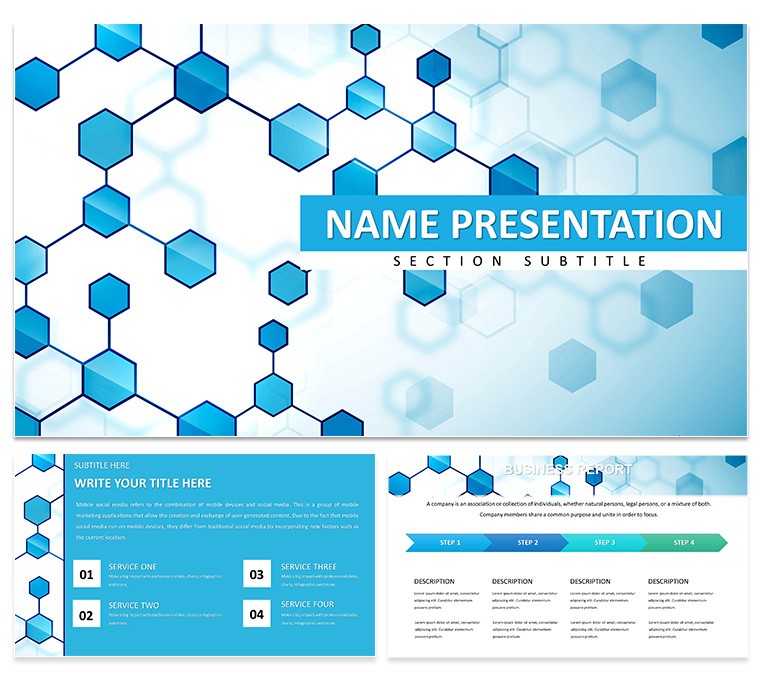
Modern Networked PowerPoint Template: Weaving Connections in Every Slide
| Format | .pptx |
| Slides | 3 unique layouts |
| Aspect ratio | 16:9 |
| Compatibility | PowerPoint |
| Animated | No |
| Language | English |
| License | Commercial |
| File size | — |
| Version | v1.0 |
| Last updated | February 2026 |
What's inside
In the interconnected world of technology and business, your presentations need to mirror that web of relationships just as effectively. Enter the Modern Networked PowerPoint Template - a sleek arsenal for IT leaders, digital strategists, and forward-thinking executives who want to diagram networks, chart data flows, and map strategies with effortless sophistication. This isn't your average slide deck; it's a visual conduit that turns tangled concepts into clear pathways, ensuring your audience follows every link you lay out.
Picture a cybersecurity briefing where node-based diagrams reveal vulnerability chains, or a marketing rollout showcasing affiliate ecosystems - all rendered in crisp, adjustable symbols that adapt to your narrative. With 28 diagrams, seven color schemes, three masters, and three backgrounds, this template equips you with the tools to customize without compromise. Built for PowerPoint 2016+, its flexible charts and editable elements let you infuse your brand's voice, making corporate pitches or tech demos feel personal and powerful.
The beauty lies in its ability to balance originality with clarity, drawing eyes to connections that matter while sidelining the superfluous. Whether you're a startup founder linking investor touchpoints or a dev team outlining microservices, this template amplifies your message. Why settle for static lines when you can create dynamic webs? Download it for $22 today and start forging presentations that resonate like a well-routed signal.
Discover the Building Blocks: Essential Features Explored
This template's strength pulses through its networked core, where every feature supports seamless storytelling. The 28 diagrams include everything from simple hub-and-spoke models to intricate mesh layouts, all primed for your data inputs.
- Adjustable Symbols: Swap icons for servers, users, or clouds with a click, scaling them to emphasize bottlenecks or breakthroughs.
- Seven Color Schemes: From electric blues evoking digital realms to earthy tones for grounded business talks, each palette enhances link visibility.
- Three Masters: Streamline your structure with dedicated layouts for overviews, deep dives, and action items.
- Flexible Charts: Bend bar graphs into network overlays or timelines into dependency trees, all while maintaining pixel-perfect alignment.
These elements combine to create decks that not only inform but invite interaction, turning passive viewers into engaged collaborators.
Strategic Applications: Where Networks Meet Narratives
Designed for the pulse of modern business, this template excels in environments demanding relational visuals. Envision a supply chain manager using interconnected nodes to trace logistics webs, highlighting efficiencies with glowing paths. Or a social media strategist mapping influencer ecosystems, where each link pulses with engagement stats.
Navigating Tech Talks with Network Precision
The slide progression builds logically: Diagram Page 1 kicks off with a central nexus slide, ideal for your thesis statement on interconnected systems. By Page 5, branching trees emerge for decision matrices - populate with pros and cons for agile sprints. Midway, Pages 14-18 deliver full network canvases, perfect for visualizing blockchain transactions or cloud migrations, with editable edges that thicken for high-impact routes.
Closing strong, Page 28's expansive web recaps stakeholder interdependencies, a visual handshake that seals your pitch. Quick customization hack: Layer transparency on outer nodes to focus on core hubs, mimicking real-world priorities.
- Drag symbols from the library to your canvas, auto-snapping to predefined grids.
- Input data via linked Excel for real-time updates on flow metrics.
- Apply fade-ins to connections, unveiling relationships sequentially for suspenseful reveals.
Such tactics elevate routine reports into riveting roadmaps.
Beyond IT: Versatile for Marketing and Ops
Extend its reach to digital campaigns, where funnel diagrams trace user paths from click to conversion. In operations, it's invaluable for org charts that reveal reporting lines with subtle curves, fostering team alignment. Versus basic PowerPoint connectors, this template's pre-vectored paths offer smoother curves and smarter grouping, slashing edit time dramatically.
Your Customization Roadmap: From Download to Delivery
Unzipping the file launches you into a intuitive interface - select a master, choose your scheme, and the entire set updates in harmony. Target specific diagrams by duplicating pages, then refine symbols: resize for emphasis, recolor for categories, or animate paths to simulate data propagation.
Workflow integration shines here - embed hyperlinks in nodes for drill-downs, or sync with project management tools for live status visuals. A seasoned tip: Use the third background's faint grid for alignment during builds, then switch to clean for finals. In under 45 minutes, your bespoke network deck is primed for prime time.
Insights from the Field: Networks in Action
A digital agency creative director recounted leveraging these diagrams for a client pitch on omnichannel strategies, where visualized touchpoints clinched the deal by clarifying synergies. In another vein, an IT consultant adapted the meshes for ERP implementations, demystifying module links for non-tech execs.
These tales underscore the template's role in bridging gaps, turning abstract strategies into tangible triumphs. Now, weave your own success story with this essential tool.
Don't let disjointed slides dim your ideas - download the Modern Networked PowerPoint Template for $22 and connect the dots to standout success.
Frequently Asked Questions
Are the network diagrams resizable?
Yes, all vector symbols and paths scale infinitely without quality loss, fitting any slide dimension.
How do the color schemes work?
Apply globally or per diagram, with options that highlight connections for better scannability.
Is it suitable for non-tech presentations?
Definitely, adapt for business ecosystems like partner networks or sales pipelines.
Can I add my own icons?
Easily - import SVGs or use PowerPoint's library, integrating seamlessly with existing elements.
What about master slide variations?
Three tailored for intros, bodies, and conclusions, each optimized for network-heavy content.
Does it integrate with external data?
Yes, supports linked charts from Excel or Google Sheets for dynamic updates.
Good for
- Project roadmaps and sprint plans
- Product launch timelines
- Quarterly or annual review decks
- Company history and milestone summaries
Licence
reviews
The swot analysis grid with icons is standard but effective. Used it for a strategy session.
The icons in each quadrant were a bit cheesy. Replaced them with simpler ones.
My team filled it out live during the meeting. The text boxes were easy to type in.
I think the colors were too bright. Changed to softer tones.
Simple and does the job. The arrows showing relationships were a nice extra.
FAQ
Will it work in Google Slides?
Are fonts embedded?
Can I use this for client work?
What's the refund policy?
Do you update the template after purchase?
Similar templates
See all PowerPoint Templates →



All 1 slides