 Click to zoom
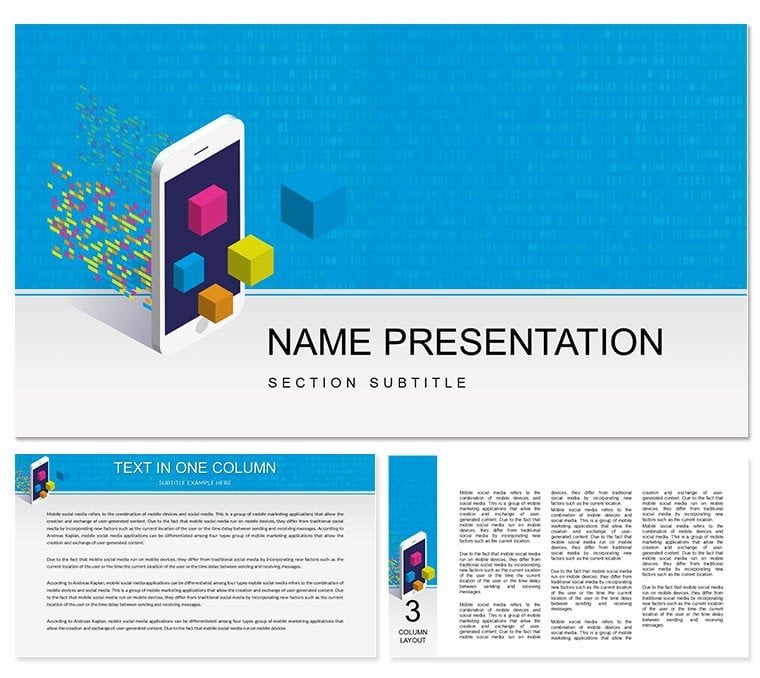
Mobile App Development PowerPoint Template for Stunning Presentations
| Format | .pptx |
| Slides | 3 unique layouts |
| Aspect ratio | 16:9 |
| Compatibility | PowerPoint |
| Animated | No |
| Language | English |
| License | Commercial |
| File size | — |
| Version | v1.0 |
| Last updated | April 2025 |
What's inside
Discover our Mobile App Development PowerPoint Template, crafted for app developers, startups, and tech companies. This ready-to-use PPT tool features a thematic background, fully editable slides, and formatted text to help you create professional presentations fast. Whether you`re pitching a mobile app concept, showcasing UI/UX designs, or presenting development timelines to investors, this template simplifies the process with a sleek, modern design tailored to the mobile app industry.
Key Features of Our Mobile App Development PowerPoint Template
Our template offers:
- 20+ Editable Slides: Customize layouts, colors, and content with ease.
- Diagrams and Charts: Display app analytics, project milestones, or market trends.
- Thematic Design: Reflects mobile app development with engaging visuals.
- Time-Saving: Build polished presentations without starting from scratch.
Perfect for highlighting app features, prototyping stages, or securing funding, this tool ensures your ideas shine.
Why Choose This Template for Your Next Pitch?
Stand out with a presentation that blends style and functionality. The built-in diagrams simplify complex data - like user acquisition stats or development costs - while the thematic design keeps your audience hooked. Unlike generic templates, it`s optimized for mobile app professionals, adding value to your pitch. Ready to impress stakeholders? and elevate your next project presentation. Check out our for more tips.
Good for
- Project roadmaps and sprint plans
- Product launch timelines
- Quarterly or annual review decks
- Company history and milestone summaries
Licence
reviews
Last night before the deadline, this template got me a passable slide deck. The map icons were a nice touch.
Some of the chart layouts are confusing, spent too long figuring out which one to use.
Good for a quick financial summary, the column comparisons are straightforward.
The mockup with those device frames? Useless for me, but the data tables were alright.
Works fine for internal team meetings, nothing fancy but it's clean.
FAQ
Will it work in Google Slides?
Are fonts embedded?
Can I use this for client work?
What's the refund policy?
Do you update the template after purchase?
Similar templates
See all PowerPoint Templates →

All 1 slides