 Click to zoom
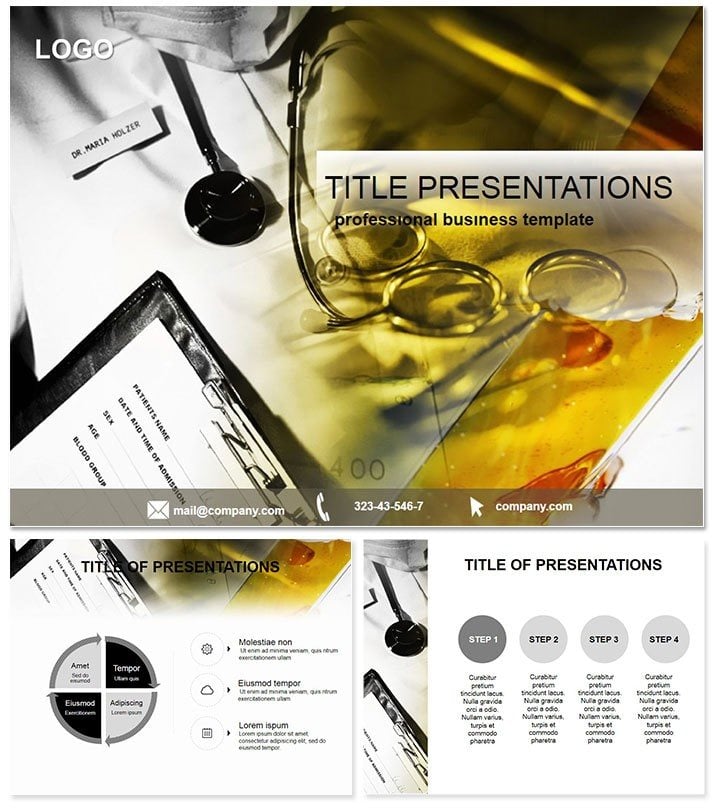
Medical Practice PowerPoint Template
| Format | .pptx |
| Slides | 3 unique layouts |
| Aspect ratio | 16:9 |
| Compatibility | PowerPoint |
| Animated | No |
| Language | English |
| License | Commercial |
| File size | — |
| Version | v1.0 |
| Last updated | October 2021 |
What's inside
Healing begins with clear communication - empower your healthcare narratives with the Medical Practice PowerPoint Template, a lifeline for physicians, administrators, and wellness advocates crafting messages that save time and lives.
From patient intake flows to treatment protocol breakdowns, this template`s 28 diagrams in 7 schemes deliver precision visuals that demystify medicine. PowerPoint 2016+ ready, it accommodates case studies with embedded charts, turning data into decisions. Move beyond sterile reports; create decks that humanize care and rally teams.
A clinic director leveraged it for staff training, visualizing workflow bottlenecks to cut wait times by 20%. For conferences, the management slide outlines resource allocations, earning nods from peers. Implement it immediately to amplify your medical storytelling.
Delving into 28 Health-Focused Diagrams
Diagrams span diagnostics (flowcharts for symptom triage) to outcomes (bar graphs for efficacy rates), each HIPAA-mindful in layout for sensitive data.
Masters include patient-centric, operational, and research views; backgrounds evoke calm clinics. Schemes from clinical whites to empathetic pastels ensure tonal fit.
Link to EHR exports for live metrics, evolving slides with real patient trends.
Critical Applications in Healthcare
Doctors use protocol diagrams for grand rounds, sequencing steps to train residents effectively. An ER lead saw error reductions post-adoption.
Admins chart budgets via pie allocations, justifying expansions to boards. Wellness programs adapt for community health talks, with timeline slides tracking initiative impacts.
Telemed sessions benefit from simplified overviews, bridging tech gaps for patients.
Advantage Over Basic PPT Health Tools
Stock shapes lack medical specificity; this offers anatomical icons and compliant grids for pro accuracy.
Expert-vetted for trustworthiness and $22 lifetime value, animate sequences for procedural demos.
Quick Start and Best Practices
Open .potx, choose master, populate - intuitive for busy pros. Practice: Use greens for positive outcomes, guiding emotional responses.
Adapt to roles: detailed for specialists, broad for admins.
Advance Care Through Visuals
Medicine thrives on clarity. This template equips you to deliver it. Download for enduring use and elevate every health dialogue.
Frequently Asked Questions
Ideal for medical topics?
Yes, covering practice management, healthcare delivery, and protocols.
Version compatibility?
PowerPoint 2016+, with data link features.
Editability level?
High, with scheme swaps and icon tweaks.
Inclusions?
28 diagrams, masters, backgrounds, seven colors.
Licensing scope?
Lifetime for professional healthcare applications.
Supports embeds?
Yes, for videos and charts in patient education.
Good for
- Project roadmaps and sprint plans
- Product launch timelines
- Quarterly or annual review decks
- Company history and milestone summaries
Licence
reviews
the resource allocations and workflow bottlenecks are well organized. The 20% reduction in wait times metric is impressive.
Our clinic director used this for a staff training and the flowcharts for symptom triage and bar graphs for efficacy rates were a huge hit. The protocol diagrams for grand rounds and pie allocations for budgets are very detailed.
The clinical whites and empathetic pastels color schemes are perfect for medical presentations. The calm clinic backgrounds and anatomical icons are well thought out.
Used this for a telemed session and the simplified overviews for patients and timeline slides for tracking initiative impacts helped us improve care. The patients were grateful.
Not bad but a bit too generic for specialists
the stethoscope icons and heart vectors are best for general practice. The hipaa-mindful layouts are a nice bonus.
FAQ
Will it work in Google Slides?
Are fonts embedded?
Can I use this for client work?
What's the refund policy?
Do you update the template after purchase?
Similar templates
See all PowerPoint Templates →


All 1 slides