 Click to zoom
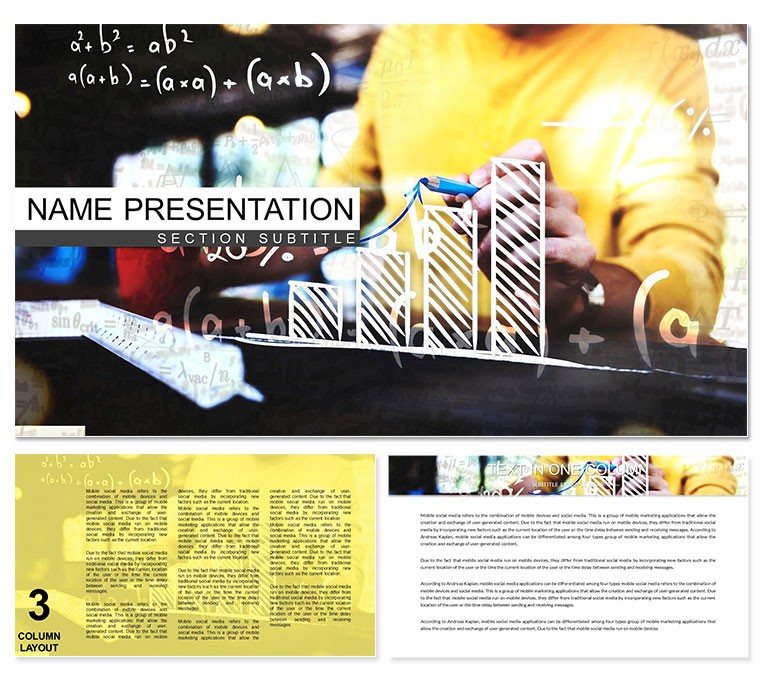
Math Education Keynote Template - Fully Editable KEY | ImagineLayout
| Format | .pptx |
| Slides | 3 unique layouts |
| Aspect ratio | 16:9 |
| Compatibility | PowerPoint |
| Animated | No |
| Language | English |
| License | Commercial |
| File size | — |
| Version | v1.0 |
| Last updated | March 2026 |
What's inside
What's Inside the Download
What is a Mathematical Sciences Keynote template? A Mathematical Sciences Keynote template is an Apple Keynote file (.key / .kth) designed for math teachers, professors, and STEM educators - providing pre-built diagram slides, color-coded visual structures, and data-ready layouts suited to explaining mathematical concepts, visualizing numerical relationships, and delivering structured academic presentations.
28 diagram slides and 7 color schemes are included in the paid version. The diagram set addresses the specific structural needs of STEM education presenters: formula breakdown layouts where equations are parsed visually into component parts, data flow diagrams for showing mathematical process sequences, statistical chart frameworks for presenting numerical distributions, and concept comparison slides for juxtaposing theorem approaches or method alternatives. Three slide masters handle lecture structure - an opening title format, a content-heavy diagram format, and a summary or Q&A closing format. Three background variations support both projected classroom use and printed handout use.
The color language is deliberately restrained: deep teal and slate for structure, white and near-white for content zones, with controlled accent use on key formula elements or emphasis regions. Academic audiences read mathematical content first and design second, so the visual system stays out of the way. Unlike diagram sets designed for general business strategy - where color signals brand - the color here signals mathematical priority: which element is the dependent variable, which is the operational step, which is the result.
Technical Specs
FeatureDetailsDiagram slides28 across 7 color schemes (paid tier)Slide masters3 masters + 3 background variationsFile formats.key (editable), .kth (Keynote theme)Keynote compatibilityKeynote 12 and later on macOSFormula and text placeholdersUpdate without ungrouping surrounding diagram containersDiagram connector behaviorArrows and flow lines adjust when connected shapes are repositionedColor scheme switching7 palettes managed via master slide - single-point propagation across all 28 diagramsAspect ratio16:9 widescreenFree tier3 masters + 3 backgrounds only - no diagram contentLicenseSingle-user commercial and educational use; no redistributionFrom Strategy Decks to Boardroom Pitches
A university mathematics professor preparing a semester-opening lecture on calculus foundations needed to present derivative concepts visually across a 45-minute session. Building custom formula breakdown diagrams from Keynote's shape library - with consistent connector styles, label placement, and color coding across 12 slides - would have required 6-8 hours of design work. Using the pre-built formula visualization diagrams from this set, the professor adapted the content in under 90 minutes, replacing placeholder equations with actual course material and adjusting color emphasis on the key result zones.
A STEM curriculum consultant at an educational publisher used the process sequence diagrams to map a 6-step mathematical proof structure for a client training presentation. The flow direction in this set moves left to right with vertical branching for sub-steps - matching the logical reading direction of mathematical derivations without requiring diagram reconstruction. The consultant reused the same diagram structure across five consecutive proof presentations by swapping only the label content.
High school math department heads running teacher training workshops have used the statistical chart frameworks to demonstrate data visualization methods for classroom use. The chart diagrams here separate data series by color zone rather than by pattern fill - which projects more clearly on a whiteboard screen than cross-hatched or dotted fill patterns, which lose definition at distance. Mathematics Lessons Keynote themes pair naturally for multi-topic curriculum series. Browse the full Education and Training Keynote category for related academic themes.
Download and start editing immediately.
Adapting the Template to Your Brand
How do I add my institution's colors to this Keynote template? Open the .key file in Keynote 12, go to View - Edit Master Slides, and update the primary background and accent colors in the master palette. All 28 diagram slides inherit the updated colors automatically.
- Step 1 - Open the .key file in Keynote 12 or later (1 minute)
- Step 2 - Replace placeholder text - topic titles, formula labels, axis names - with course-specific content (5-8 minutes)
- Step 3 - Update institution brand colors or select one of the 7 built-in schemes via master slide palette (2 minutes)
- Step 4 - Adjust diagram connector paths and label positions for complex equations if needed (3-5 minutes)
- Step 5 - Export as .key for classroom use or PDF for printable handouts (1 minute)
Editing difficulty: Beginner to Moderate. Text replacement and color switching require no design skill. Connector repositioning and formula diagram adjustment benefit from basic Keynote experience. A teacher with no design background can produce a fully adapted deck in under 20 minutes for standard lecture content.
The Cost of Not Using a Template
Building a 28-slide mathematical presentation from scratch in Keynote requires: constructing consistent diagram containers for each slide type, establishing a visual system that distinguishes formula components from supporting context, designing connectors that flow logically for left-to-right mathematical reading, and maintaining stylistic consistency across 7 distinct palette options. A graphic designer familiar with academic content needs 20-30 hours to produce a comparable set from zero.
Formula diagrams in this set place equation components in labeled shape containers with colored borders that encode their mathematical role - input variables in one color, operations in another, outputs in a third. That color-role mapping functions as a reading aid that helps students track mathematical operations across multiple diagram steps without re-reading surrounding text. Building the same encoding system from Keynote primitives without a reference set requires establishing the convention deliberately and then applying it consistently - which is where ad hoc builds typically fail.
Pair with the Mathematical Signs Keynote theme for decks that combine formula visualization with symbolic notation reference slides.
Download and start editing immediately.
Which version of Keynote is required?Keynote 12 or later on macOS is required for full editing access - including master slide color propagation, grouped diagram editing, and formula placeholder updates. Earlier Keynote versions may open the file but cannot guarantee that master slide palette changes propagate correctly across all 28 diagram slides. The .kth theme file installs via the Keynote theme browser for reuse in new presentations and requires the same Keynote version.
Is this template suitable for university-level courses, or just K-12?The diagram structures are format-neutral and content-agnostic - the placeholder text replaces with any level of mathematical content, from basic arithmetic visualizations at K-12 level to abstract algebra, calculus, or statistics content at university level. The visual layout density and font size hierarchy are designed for projected lecture use, which suits both classroom and lecture hall environments. Comparable template sets in this category have been used for graduate-level seminars and professional training workshops.
What is the difference between the free ($10) and paid ($18) versions?The free tier at $10 provides 3 slide masters and 3 background variations - the structural foundation for a presentation without any pre-built diagram content. The paid version at $18 adds all 28 diagrams across 7 color schemes. For any teaching or lecture scenario that relies on visual explanation of mathematical concepts, the diagram content in the paid version is the functional deliverable. The free tier is useful for teams who need the visual style and master slide framework but plan to build custom diagram content independently.
Can I use this template for paid tutoring sessions or commercial training?Yes. Single-user commercial use is permitted, including paid private tutoring sessions, commercial training workshops, and educational publisher projects. The license does not permit sharing the .key or .kth files with other educators or uploading the template to shared file systems where multiple people can download it independently. Each instructor who will edit the file independently should hold their own license.
Does the template support animation for revealing formula steps progressively?The template ships without pre-set animations, which keeps file size manageable and avoids animations that may not fit a particular lecture pace. All diagram elements are compatible with Keynote's Animate panel - build-in effects can be applied to individual formula components, connector lines, and shape groups to reveal equation steps progressively during a live lecture. A simple build-in reveal sequence for a formula diagram typically takes 3-5 minutes to set up in Keynote's animation panel.
What is the refund policy?Refunds for digital downloads at ImagineLayout are evaluated on a case-by-case basis. A refund is typically approved when the file is technically defective and cannot be opened in Keynote 12 on macOS as specified. Refunds are not issued for buyer's remorse after the file has been successfully downloaded. Review the full refund policy on the ImagineLayout website before completing the purchase if this is relevant to your situation.
Good for
- Project roadmaps and sprint plans
- Product launch timelines
- Quarterly or annual review decks
- Company history and milestone summaries
Licence
reviews
I used this for a client update and the structure made the numbers easy to present. The graphs are already set up which saved me time.
It’s okay for basic slides, nothing really complex in design here.
I liked the simple icons, they made the report less boring.
Some spacing feels a bit off on longer text slides but manageable.
Good enough for internal reporting without spending too much time adjusting.
FAQ
Will it work in Google Slides?
Are fonts embedded?
Can I use this for client work?
What's the refund policy?
Do you update the template after purchase?
Similar templates
See all Keynote templates →



All 1 slides