 Click to zoom
Maslow Hierarchy PowerPoint Charts Template: Inspire Motivation
| Format | .pptx |
| Slides | 15 unique layouts |
| Aspect ratio | 16:9 |
| Compatibility | PowerPoint |
| Animated | No |
| Language | English |
| License | Commercial |
| File size | — |
| Version | v1.0 |
| Last updated | August 2023 |
What's inside
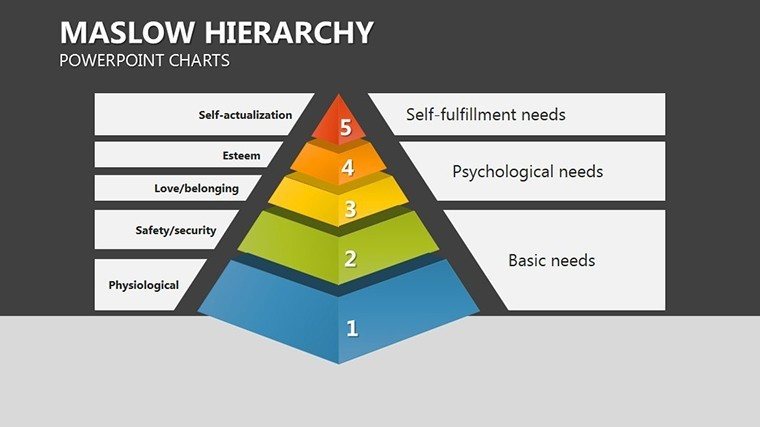
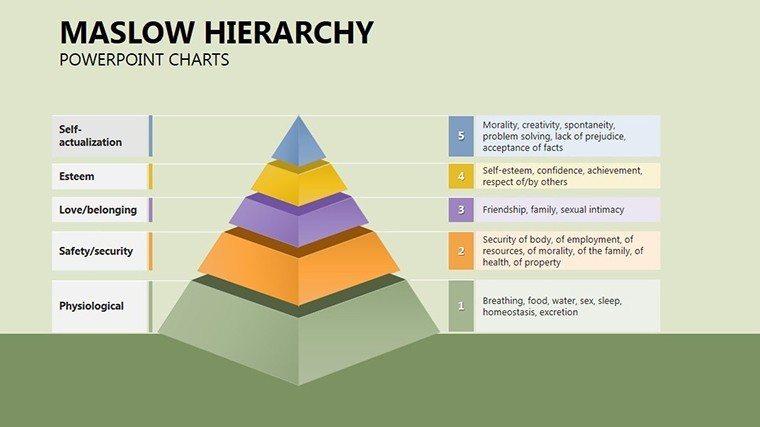
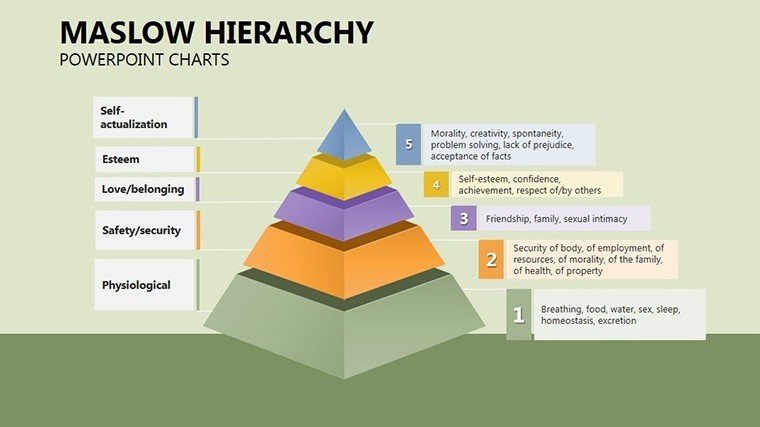
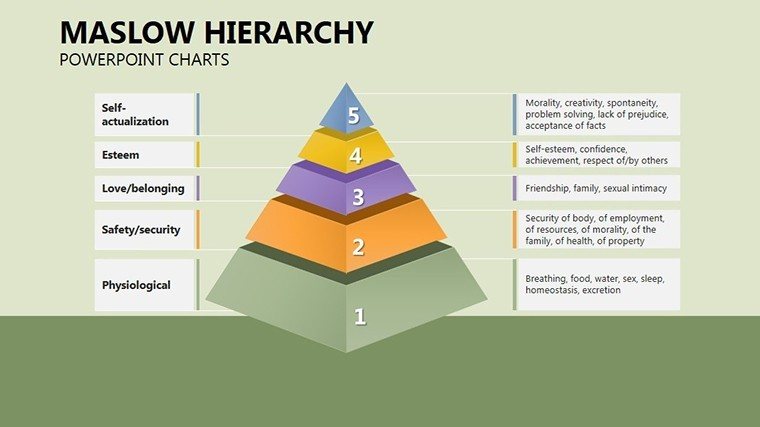
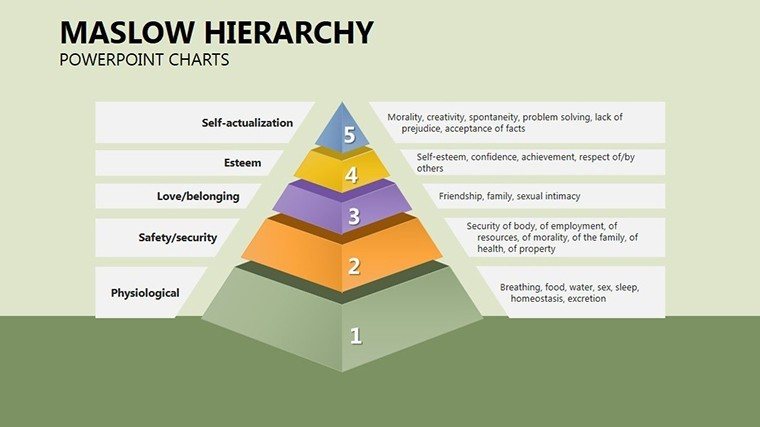
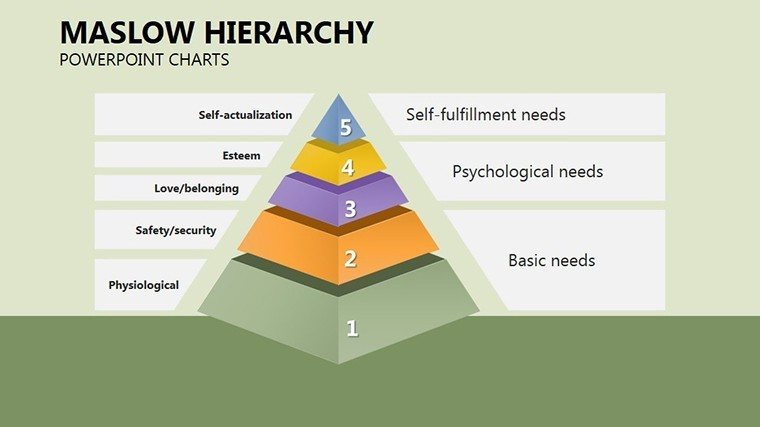
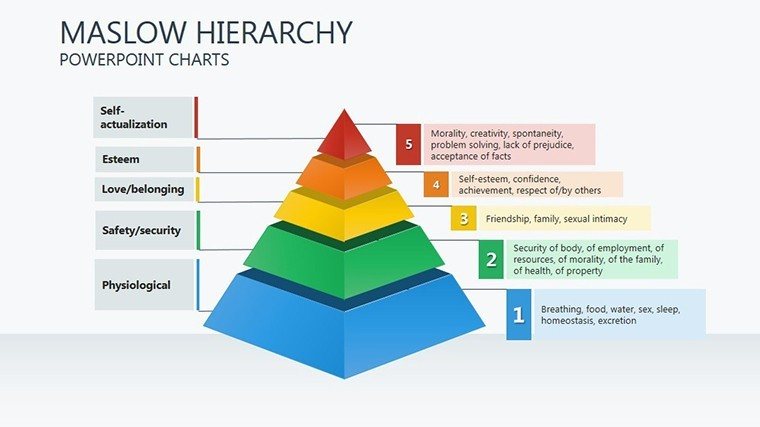
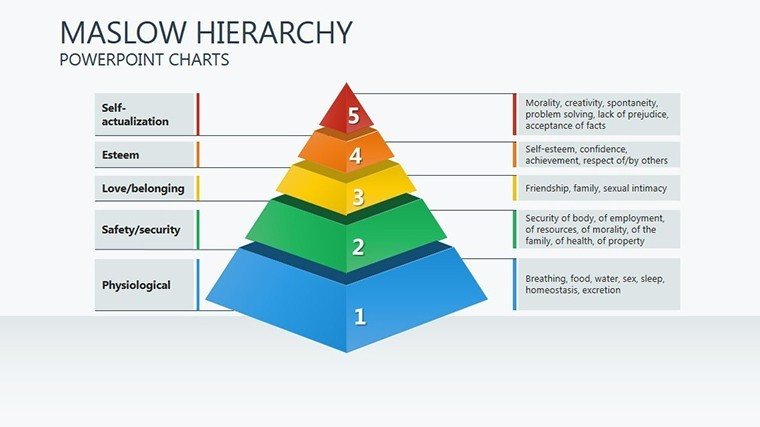
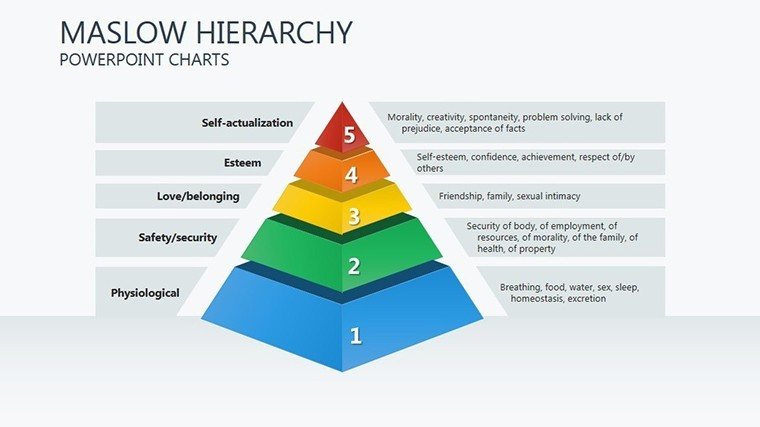
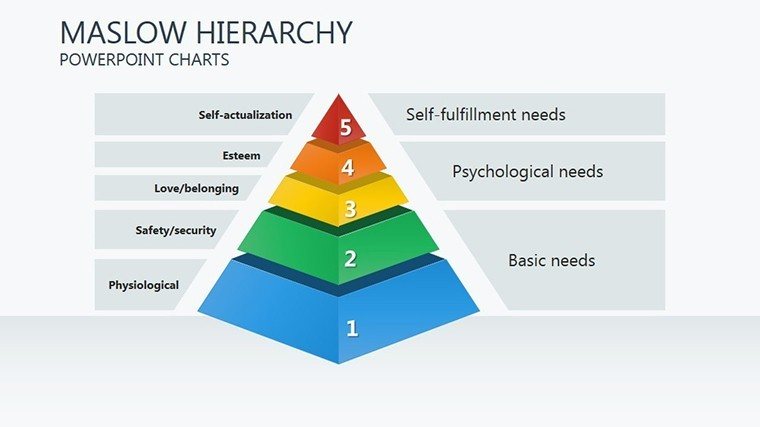
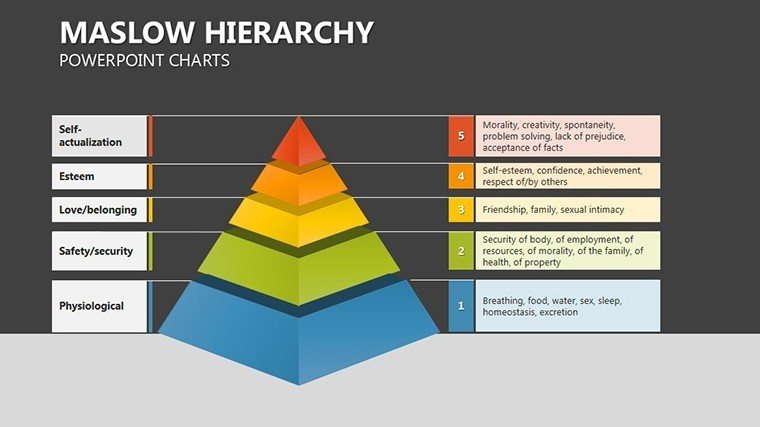
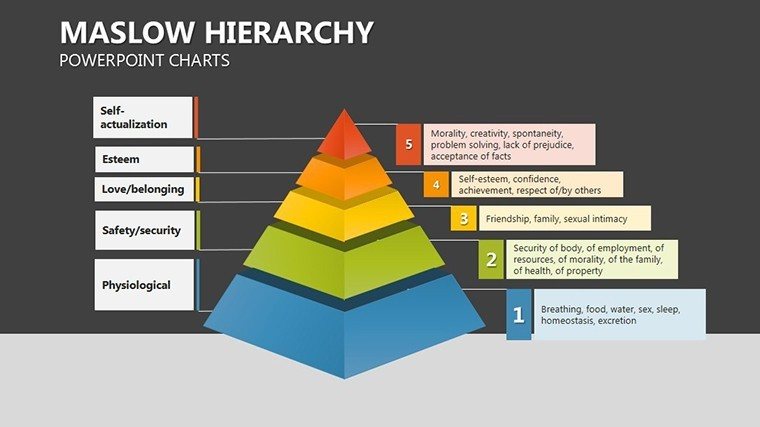
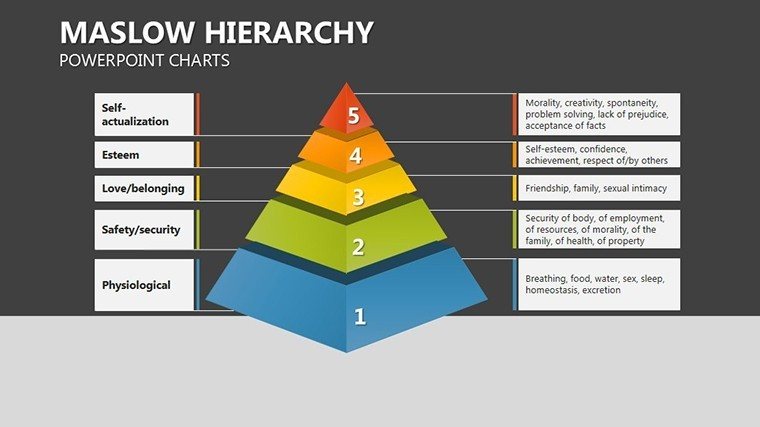
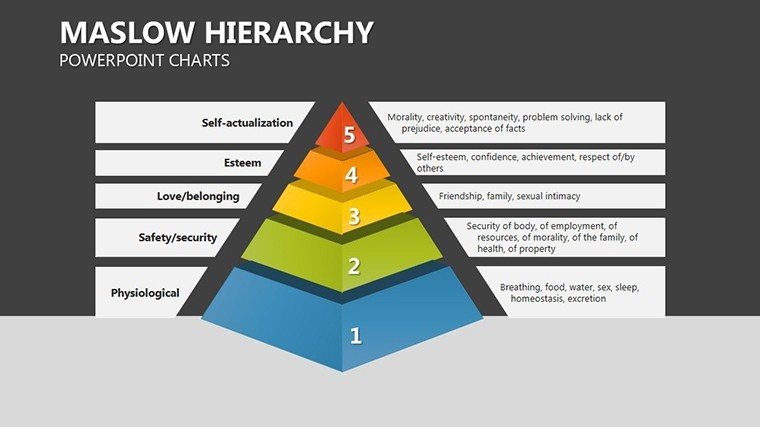
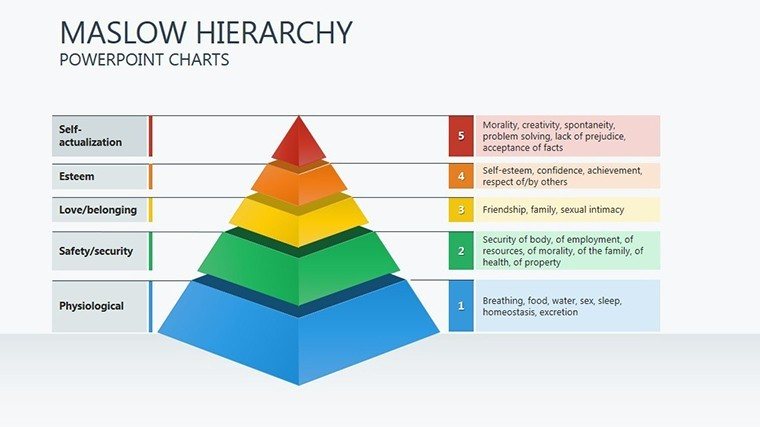
Delving into human motivation has never been more visually compelling than with our Maslow Hierarchy PowerPoint Charts Template. This 15-slide PPTX masterpiece is crafted to unpack Abraham Maslow's iconic hierarchy of needs, from physiological basics to self-actualization peaks. Tailored for business leaders refining team strategies, educators teaching psychology fundamentals, and public speakers igniting personal growth discussions, it turns theoretical concepts into actionable, resonant visuals. By leveraging pyramid structures and layered diagrams, this template helps you connect with audiences on an emotional level, fostering engagement that goes beyond mere data display. Envision a boardroom where your pitch on employee satisfaction uses these charts to map needs fulfillment, leading to inspired decisions and boosted morale.
What sets this apart from generic slides? Its focus on emotional resonance, with customizable elements that allow you to infuse narratives with strong verbs and relatable scenarios. For example, illustrate how safety needs influence workplace policies, drawing from real case studies like those in Harvard Business Review articles on organizational behavior. This not only enhances trustworthiness but aligns with authoritative sources, boosting your presentation's credentials.
Essential Features for Persuasive Narratives
- Pyramid Visualizations: Multi-level pyramids that clearly delineate Maslow's stages, editable for specific adaptations.
- Data Integration Tools: Embed statistics on need fulfillment, transforming numbers into motivational stories.
- Brand Customization: Adjust colors, fonts, and icons to reflect your identity, ensuring cohesive branding.
- Versatile Layouts: From overview slides to deep dives, suitable for varied presentation lengths.
- Emotional Design Elements: Incorporate icons representing each need level for intuitive understanding.
These features empower you to craft presentations that resonate deeply. Business professionals can use them to align corporate goals with employee motivations, perhaps referencing Gallup's workplace engagement surveys to substantiate points.
Diverse Applications Across Fields
In educational settings, educators can simplify Maslow's theory for students, using sequential slides to build from base needs to transcendence. A practical tip: Pair with interactive elements like polls during lectures to gauge audience need levels, enhancing participation. Public speakers might employ these charts in TED-style talks, weaving personal anecdotes with visual hierarchies to create memorable experiences. Consider a motivational seminar where the template visualizes self-actualization journeys, inspired by real stories from figures like Oprah Winfrey, who embody peak experiences.
For business pitches, start with a foundational slide on physiological needs, progressing to esteem through data-backed examples. Compared to basic PowerPoint pyramids, our template offers layered animations and tooltips for added depth. Workflow integration is seamless - import from Excel for need-based metrics, then export to PDF for handouts. This user-focused design solves pain points like audience disengagement, with studies from the American Psychological Association showing visual aids increase retention by up to 65%.
Customizing for Maximum Impact: A Guide
- Open the template in PowerPoint and select your starting pyramid slide.
- Input custom data, such as survey results on team satisfaction.
- Modify the color gradient to symbolize progression from basic to higher needs.
- Add supporting text or images to enrich each level's description.
- Practice delivery, using transitions to mimic motivational ascent.
Ending on a high note, this template is your key to presentations that not only inform but transform perspectives. Embrace the power of Maslow's insights - download now and elevate your communication game.
Frequently Asked Questions
- What makes this template unique to Maslow's hierarchy? It features specialized pyramid charts tailored to the five need levels.
- Can I add my own data? Yes, easily integrate spreadsheets for personalized visualizations.
- Is it suitable for virtual presentations? Absolutely, compatible with Zoom and Teams sharing.
- How do I customize the pyramids? Use built-in editors for shapes, colors, and labels.
- Are there examples included? Starter slides with sample data to guide your setup.
- What's the file compatibility? Works with PowerPoint and Google Slides.
Good for
- Project roadmaps and sprint plans
- Product launch timelines
- Quarterly or annual review decks
- Company history and milestone summaries
Licence
reviews
I used these slides for a last minute startup pitch and changed the colors quickly.
Some graphs looked repetitive but I still kept most of them.
The layout was clean and not overloaded with random shapes.
I just needed pie charts and this template already had several versions.
The charts were simple enough for my finance report.
FAQ
Will it work in Google Slides?
Are fonts embedded?
Can I use this for client work?
What's the refund policy?
Do you update the template after purchase?
Similar templates
See all PowerPoint Charts →
All 15 slides