 Click to zoom
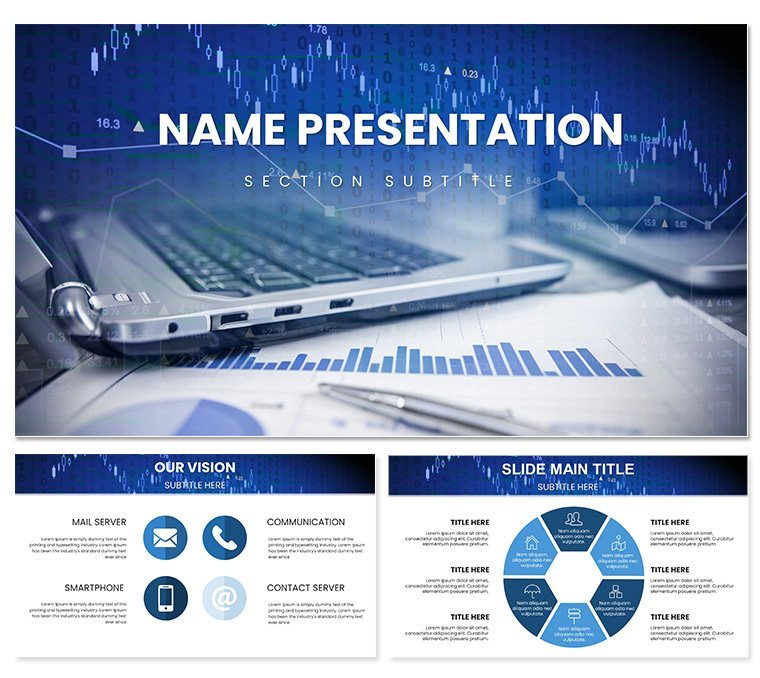
Marketing Strategies Analytics PowerPoint Template: Data-Driven Decks
| Format | .pptx |
| Slides | 3 unique layouts |
| Aspect ratio | 16:9 |
| Compatibility | PowerPoint |
| Animated | No |
| Language | English |
| License | Commercial |
| File size | — |
| Version | v1.0 |
| Last updated | May 2024 |
What's inside
In the whirlwind of modern marketing, where every click and conversion counts, your presentations need to cut through the noise with precision and persuasion. Enter the Marketing Strategies Analytics PowerPoint Template, a sleek arsenal for transforming raw metrics into strategic masterpieces. Boasting 28 versatile diagrams, three master layouts, three background styles, and seven color schemes, it's built for marketers, analysts, and executives who demand visuals that not only inform but influence.
This template zeros in on the pulse of campaigns - demographics dissected, trends tracked, effectiveness evaluated - all rendered in clean, contemporary designs that align with your brand's voice. Forget wrestling with default charts; here, every element is primed for your data, helping you spotlight wins, diagnose dips, and forecast futures with confidence. It's the difference between a report that's skimmed and one that's strategized over.
Standout Features for Sharper Insights
The backbone of this template is its adaptability, starting with master slides that enforce a unified aesthetic - minimalist lines and ample whitespace for data to breathe. Backgrounds shift from neutral canvases for boardrooms to subtle gradients evoking growth curves.
- 28 Analytics-Focused Diagrams: Funnel visuals for conversion paths, heat maps for engagement zones, and line graphs for performance trajectories, all with smart placeholders.
- Seven Strategic Palettes: Bold primaries for high-energy pitches or muted tones for analytical depth, calibrated for color-blind accessibility.
- Branded Integration Tools: Easy logo embeds and font swaps to mirror your company's identity seamlessly.
Particularly potent is the dashboard slide: a mosaic of mini-charts tracking KPIs like CAC and LTV, updatable via linked tables for live refreshes during reviews.
Streamlined Customization for Quick Wins
PowerPoint 2016+ users will find tweaks intuitive. Access slide master to set global themes, choosing metrics-friendly fonts like Calibri. For a trend slide, populate via paste special from spreadsheets.
- Insert data into a scatter plot diagram.
- Format axes and add trendlines with one click.
- Sync colors across the deck using the theme switcher.
- Rehearse timings in presenter view.
Such efficiency lets you iterate fast - a CMO refined quarterly recaps with the cohort analysis diagram, segmenting user behaviors by acquisition channel, revealing untapped segments overnight.
Targeted Applications: From Campaigns to C-Suites
For campaign debriefs, leverage the ROI calculator diagram: inputs feeding into outcome pies, animated to show uplift from A/B tests. It turns numbers into narratives, justifying budgets with visual proof.
Team huddles benefit from the journey map: stages as a winding path, touchpoints marked with icons, highlighting friction points for optimization. Marketers mapping omnichannel efforts used it to align silos, boosting cross-team buy-in.
Executive summaries? The executive overview slide condenses insights into a single infographic - key metrics orbiting a central goal, perfect for steering committees.
Assembling a Campaign Review Step by Step
Kick off with a branded opener: analytics icons orbiting your tagline. Outline via a Gantt-style diagram, bars as phases with milestone chips.
Delve into performance with multi-series lines: overlay email open rates against social clicks, zooms revealing seasonal spikes. For demographics, a stacked bar breakdown by age and region, filters simulated via grouped objects.
Conclude with recommendations: a priority matrix diagram, quadrants plotting effort vs. impact, arrows pointing to quick wins. Distribute as interactive PDF for drill-downs.
Elevating Above Everyday Analytics
Unlike vanilla PowerPoint charts that blend into the background, this template foregrounds storytelling - vectors for scalability, animations for emphasis. Compact files ensure glitch-free virtual pitches.
Extend with Power BI embeds for deeper dives, or export to video for social recaps. The outcome: decks that don't just report - they rally.
Acquire the Marketing Strategies Analytics PowerPoint Template for $22 and chart courses that convert. Turn data deluges into decision dynamos today.
Frequently Asked Questions
Can I link charts to live data?
Yes, most diagrams support Excel integration for automatic updates.
Is it optimized for large datasets?
Absolutely - handles thousands of points without lag, thanks to efficient layouts.
How flexible are the color options?
Seven schemes, plus custom RGB edits for precise brand matching.
Does it include mobile-friendly exports?
Designs scale well; export tips included for optimal PDF viewing.
What about compatibility?
Fully functional in PowerPoint 2016 through Microsoft 365.
Good for
- Project roadmaps and sprint plans
- Product launch timelines
- Quarterly or annual review decks
- Company history and milestone summaries
Licence
reviews
The scale of justice for balancing pros and cons is fair.
The balance beam was horizontal by default. Easy to tip with text.
My decision-making slide used this. The two pans held text.
I think the template needed weights for quantitative balance. Added them.
Simple and recognizable. The download was fast.
FAQ
Will it work in Google Slides?
Are fonts embedded?
Can I use this for client work?
What's the refund policy?
Do you update the template after purchase?
Similar templates
See all PowerPoint Templates →



All 1 slides