 Click to zoom
Marketing Planning Process Keynote Template: Strategize with Style
| Format | .pptx |
| Slides | 3 unique layouts |
| Aspect ratio | 16:9 |
| Compatibility | PowerPoint |
| Animated | No |
| Language | English |
| License | Commercial |
| File size | — |
| Version | v1.0 |
| Last updated | October 2023 |
What's inside
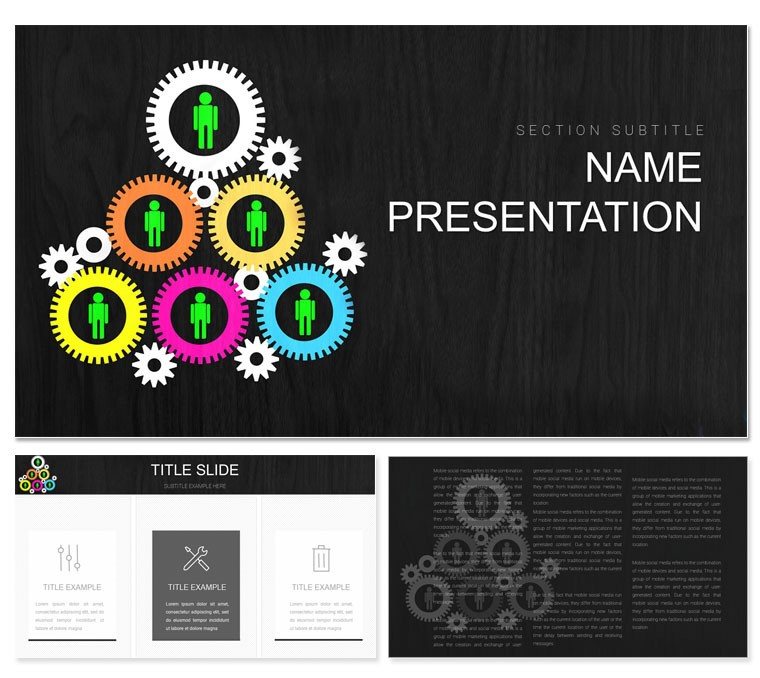
Marketing isn't a guessing game - it's a calculated dance of insights and execution, and your slides should reflect that rhythm. The Marketing Planning Process Keynote Template is your choreographer, tailored for entrepreneurs, consultants, and campaign managers who crave structured yet creative ways to outline paths to success. Boasting 28 precision-engineered diagrams, three masters for varied pacing, and three backgrounds that evoke innovation, this tool turns sprawling strategies into focused narratives that motivate teams and sway stakeholders.
From SWOT deep dives to channel allocation matrices, every element anticipates the marketer's toolkit, helping you visualize journeys from ideation to ROI tracking. Seven color schemes - think bold primaries for brainstorming blasts or muted neutrals for analytics reviews - let you tune the vibe to your brand's pulse. It's perfect for those high-wire acts like product launches or budget justifications, where clear visuals can convert skeptics into supporters.
The beauty lies in its user-centric flow: a campaign roadmap slide that unfolds like a storyboard, guiding viewers through phases without losing momentum. For solopreneurs sketching solo ventures or agencies pitching retainers, it democratizes pro-level design, emphasizing outcomes over ornamentation. Let's unpack how to make it yours.
Foundational Features: The Anatomy of Effective Planning
Three master slides lay the groundwork - one for objectives, one for tactics, one for metrics - each with smart placeholders that auto-format bullet hierarchies. Complement them with backgrounds: a flowchart canvas for processes, a metric dashboard for results, and an idea spark grid for creativity bursts.
The 28 diagrams deliver the depth, with standouts like a customer journey funnel that segments touchpoints or a competitive landscape radar plotting rival positions. These aren't static; they're interactive canvases where you can animate paths to reveal strategies progressively.
- Versatile Palettes: Seven schemes to align with seasonal campaigns or corporate identities, all WCAG-compliant for broad reach.
- Modular Builds: Copy-paste diagram sections to hybridize views, like merging a PESTLE with a 4Ps grid.
- Insight-Driven Variety: Heat maps for audience segmentation, Gantt bars for timelines, and donut charts for budget pies.
Seamless with tools like Google Analytics exports, it keeps your planning decks data-fresh and decision-ready.
Hands-On Guide: From Concept to Campaign Launch
Refining your strategy starts simple in Keynote. Pick a master and proceed:
- Frame the Foundation: Customize slide 2's goal pyramid with SMART criteria, resizing tiers to prioritize initiatives.
- Map the Moves: On slide 13's process cycle, route arrows through stages like "Research" to "Optimize," labeling with KPIs.
- Infuse with Intel: Populate slide 20's persona carousel with imported images, linking to detailed backstories via notes.
- Dial in Dynamics: Set entrance effects on slide 24's ROI projection, unveiling forecasts to build buy-in gradually.
- Validate and Vector: Proof in outline view, then save variants for A/B testing pitches.
This ritual trumps fragmented freeform slides, where inconsistencies dilute messaging, yielding cohesive plans in a single session.
Strategic Spotlights: Marketing Moments That Matter
An entrepreneur unveiling a DTC brand might harness slide 17's value proposition canvas, balancing pains and gains to hook early adopters - akin to lean startup canvases from Eric Ries' playbook. Consultants could leverage the stakeholder onion on slide 28, layering influences to tailor comms, streamlining client alignments.
Educators in marketing courses repurpose the AARRR metrics flow for case studies, letting students tweak funnels to simulate tweaks. Such applications illuminate the template's role in actionable storytelling.
Beyond Basics: What Makes This Template a Game-Changer
Generic Keynote packs lack the marketing-specific motifs - like integrated tag clouds for keyword strategies - that this offers, ensuring relevance without rework. It shines in scalability, with theme packs for agency libraries, and export options for client portals, extending utility post-presentation.
Fuel your next big idea - download the Marketing Planning Process Keynote Template for $22 and plot your path to prominence.
Frequently Asked Questions
Can this template handle multi-channel strategies?
Yes, diagrams like omnichannel maps integrate touchpoints across digital and offline seamlessly.
Are there templates for budget tracking?
Slide 21's allocation wheel allows pie-slicing spends, with formulas for auto-rebalancing.
How editable are the persona elements?
Fully - swap photos, edit traits, and animate reveals for workshop-style interactions.
Does it support collaborative editing?
Via Keynote's share feature, teams can co-author in real time for agile planning.
What's included for ROI visualization?
Projection lines and waterfall charts on dedicated slides track investments to outcomes.
Is it mobile-friendly for reviews?
Optimized layouts view crisply on iPhones, aiding on-the-go approvals.
Good for
- Project roadmaps and sprint plans
- Product launch timelines
- Quarterly or annual review decks
- Company history and milestone summaries
Licence
reviews
The colors were softer than I expected and it looked okay on the projector.
Used this during an internal meeting because our old slides looked ancient.
A couple layouts felt repetitive but the data charts were useful.
I liked that the icons weren’t oversized for once.
Pretty normal template honestly but it helped me finish a presentation faster.
FAQ
Will it work in Google Slides?
Are fonts embedded?
Can I use this for client work?
What's the refund policy?
Do you update the template after purchase?
Similar templates
See all Keynote templates →


All 1 slides