 Click to zoom
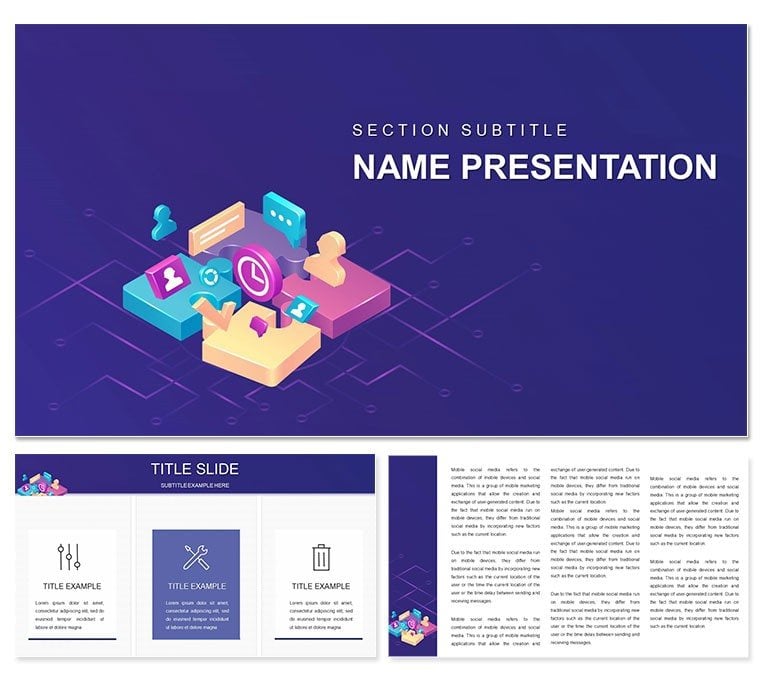
"Marketing: Concepts, Types and Objectives PowerPoint Template"
| Format | .pptx |
| Slides | 3 unique layouts |
| Aspect ratio | 16:9 |
| Compatibility | PowerPoint |
| Animated | No |
| Language | English |
| License | Commercial |
| File size | — |
| Version | v1.0 |
| Last updated | January 2021 |
What's inside
In a world where consumer whims shift faster than trends on a runway, having a presentation that nails the essentials of marketing can make all the difference between a overlooked pitch and a sealed deal. Enter the Marketing: Concepts, Types and Objectives PowerPoint Template, a powerhouse for consultants and business strategists aiming to dissect market dynamics with finesse. Boasting 28 diagrams across three masters and backgrounds, this editable set - tuned for PowerPoint 2016+ - illuminates everything from core principles to goal-setting frameworks, helping you align production with real buyer desires in client meetings or strategy sessions.
The beauty lies in its modular approach: Swap in your firm's data to populate SWOT analyses or segment audience pyramids, all while seven color schemes keep things vibrant - think greens for growth objectives or blues for market penetration types. Vectors ensure scalability, so your service flowcharts hold up on billboards or laptops alike.
Core Features for Strategic Storytellers
Crafted for those navigating consumer landscapes, these tools emphasize practicality. Objective trees branch from broad aims to tactical steps, while type matrices compare digital versus traditional channels with ease.
- Comprehensive Visuals: 28 diagrams tackling inquiries-to-sales funnels and opportunity radars.
- Brand Alignment: Easy font and icon swaps for cohesive corporate decks.
- Data Dynamics: Linked placeholders for real-time updates from spreadsheets.
A gem is the needs hierarchy slide, echoing Maslow but tailored to purchase motivators, ripe for customization.
Navigating Use Cases: From Planning to Persuasion
This template fuels marketing overhauls. For enterprise audits, chain concept overviews to objective dashboards, tracing service adaptations to feedback loops. Consultants leverage it for workshops, breaking down types like inbound tactics with interactive polls.
Refining Campaign Blueprints
Kick off with a concepts mind map, then detail objectives via milestone timelines. Edit to spotlight ROI projections, far surpassing basic bullets with engaging arcs.
- Pick a master reflecting your sector - retail or B2B.
- Fill consumer inquiry diagrams with survey insights.
- Layer competitive types, using Venns for overlaps.
- Finalize with goal trackers, plotting progress metrics.
Envision pitching expansions: A sales opportunity web connects producers to unmet demands visually.
Boosting Internal Alignments
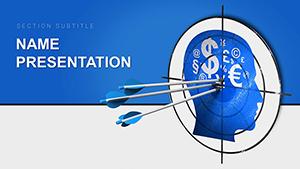
For team huddles, the production-service balance charts clarify priorities, with sliders for scenario testing. It trumps generics with marketing motifs like target bullseyes.
Tips to Amplify Your Marketing Muse
Infuse personality with subtle animations unveiling strategy layers. Collaborate via shared links, iterating on drafts fluidly. For virtual pitches, test contrasts to ensure funnel flows pop.
Scoop up this Marketing template for $22 and orchestrate campaigns that convert - your strategies deserve this spotlight.
Frequently Asked Questions
What marketing elements are highlighted?
Core concepts, channel types, and achievement objectives for holistic views.
Is it suited for beginners?
Yes, with foundational diagrams and expandable details.
Can charts link to external tools?
Indeed, integrate Excel for live consumer data pulls.
Compatibility details?
PowerPoint 2016+, plus Google Slides import.
Customization scope?
Full - colors, layouts, and icons adapt seamlessly.
Good for
- Project roadmaps and sprint plans
- Product launch timelines
- Quarterly or annual review decks
- Company history and milestone summaries
Licence
reviews
Used the content performance dashboard for a blog review.
The page views, shares, and comments were tracked.
Helped us double down on what works.
The top 5 posts were highlighted.
FAQ
Will it work in Google Slides?
Are fonts embedded?
Can I use this for client work?
What's the refund policy?
Do you update the template after purchase?
Similar templates
See all PowerPoint Templates →
All 1 slides