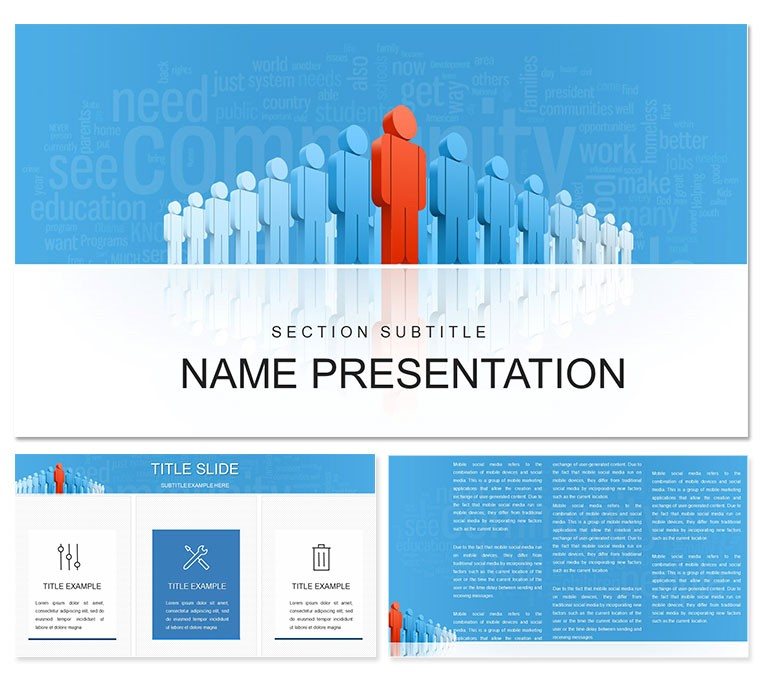
 Click to zoom
"Leadership & Society PowerPoint Template: Build Bridges, Inspire Change"
| Format | .pptx |
| Slides | 3 unique layouts |
| Aspect ratio | 16:9 |
| Compatibility | PowerPoint |
| Animated | No |
| Language | English |
| License | Commercial |
| File size | — |
| Version | v1.0 |
| Last updated | February 2021 |
What's inside
Step onto the stage of a community forum or corporate summit, where ideas collide and futures take shape - that's the arena this leadership and society PowerPoint template equips you to dominate. Geared toward consultants, nonprofit directors, conference organizers, or managers fostering team synergy, it packs 28 insightful diagrams, three robust master slides, and three thematic backgrounds into a toolkit for meaningful discourse.
The design ethos? Minimalist precision with societal motifs like interconnected nodes, ensuring your leadership insights land with authority. From outlining conference agendas to dissecting social impact strategies, these slides facilitate dialogue that drives decisions. For $22, unlock edits in PowerPoint 2016+, blending your voice seamlessly into a framework that's as collaborative as it is commanding.
Foundational Features for Forward-Thinking Decks
Core to its appeal: 28 diagrams tackling hierarchies to network maps, framed in crisp typography that echoes thoughtful conversation. It's engineered for clarity, scaling effortlessly across devices.
- Seven Strategic Color Themes: Neutral grays for boardroom gravitas or vibrant greens for growth narratives - adapt to your audience's pulse.
- Thoughtful Iconry: Vector symbols of hands linking or gears turning, ready for your layered data.
- Dynamic Integrations: Slots for keynote videos or discussion prompts, with subtle animations that reveal layers progressively.
A nonprofit leader harnessed the radial diagram for stakeholder mapping, sparking partnerships that echoed far beyond the room. Such utility turns presentations into catalysts.
Impactful Implementations: Guiding Group Dynamics
Apply it strategically. In a management workshop, the org chart on slide 4 structures roles. One: Open in PowerPoint, ungroup shapes. Two: Input names and titles. Three: Animate branches to grow, illustrating evolution.
For social conferences, the debate balance slide 21 weighs pros and cons - customize scales with real polls for interactive polls.
Key Slides That Connect and Command
- Vision Anchor (Slide 1): Interlinked circle opener - pose, "How do we unite?"
- Hierarchy Helpers (Slides 3-7): Tree maps for team structures. Link: Excel for auto-updates.
- Dialogue Drivers (Slides 12-18): Conversation bubbles for Q&A flows.
- Legacy Lock (Slide 28): Timeline capstone for long-term visions.
Superior to stock options, its locked ratios prevent distortion in resizes.
Refinement Routines for Resonant Messaging
From .potx masters, standardize layouts; eyedropper for brand harmony. Embed surveys via hyperlinks for live feedback.
A consultant reshaped the SWOT for client audits, praising its modularity. Tailor to thrive.
The Collaborative Core for Change Agents
This template bridges gaps in consulting circles, vector-sharp for reports. Cross-compatible, it's your ally in unity.
Download for $22 and steer toward shared horizons.
Frequently Asked Questions
Compatible with Mac PowerPoint?
Fully, across versions 2016+.
Editable icons included?
Yes, all scalable vectors.
For small groups only?
No, scales to large audiences.
Video embedding easy?
Yes, dedicated placeholders.
Formats?
.pptx, .potx, .jpg.
Good for
- Project roadmaps and sprint plans
- Product launch timelines
- Quarterly or annual review decks
- Company history and milestone summaries
Licence
reviews
Those kickoff meeting agendas are good for starting right.
The objectives and introductions sections were clear.
Set a positive tone for the project.
A bit standard but effective.
The next steps were clearly listed.
FAQ
Will it work in Google Slides?
Are fonts embedded?
Can I use this for client work?
What's the refund policy?
Do you update the template after purchase?
Similar templates
See all PowerPoint Templates →



All 1 slides