 Click to zoom
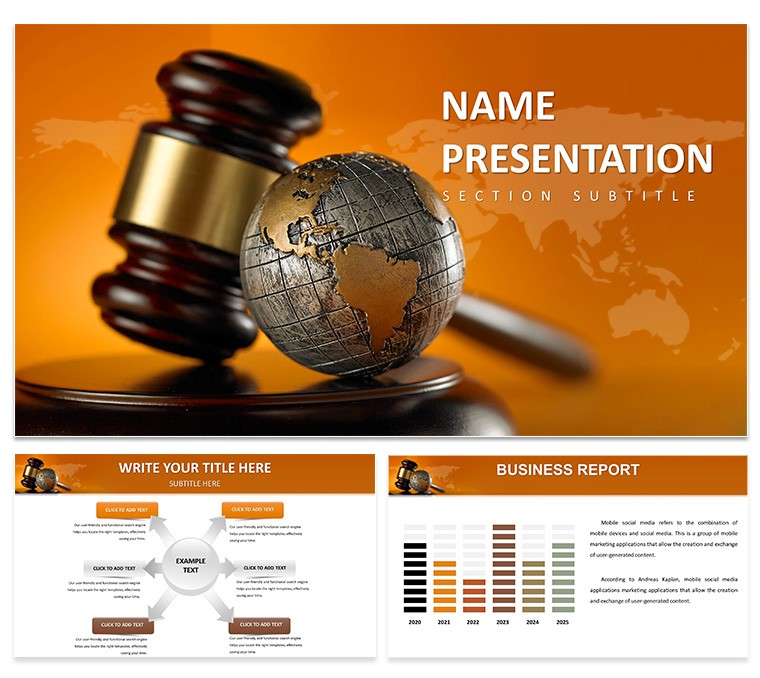
Justice and Global Governance PowerPoint Template: Authoritative Legal Presentations
| Format | .pptx |
| Slides | 3 unique layouts |
| Aspect ratio | 16:9 |
| Compatibility | PowerPoint |
| Animated | No |
| Language | English |
| License | Commercial |
| File size | — |
| Version | v1.0 |
| Last updated | March 2025 |
What's inside
In an interconnected world where international law shapes nations and human rights define progress, delivering a presentation that commands respect is crucial. Our Justice and Global Governance PowerPoint Template serves as your ally, crafted for legal experts, policymakers, academics, and NGO leaders who tackle complex issues like treaty negotiations or ethical governance. Boasting 28 precise diagrams, 3 master designs, and 7 sophisticated color schemes, it blends tradition with modernity - think scales of justice merging with global maps. Inspired by landmark cases such as the International Court of Justice's rulings on territorial disputes, this template helps you articulate frameworks with unwavering clarity. Fully editable in PowerPoint or Google Slides, it addresses the frustration of mismatched visuals by offering seamless customization. Whether briefing on UN Sustainable Development Goals or analyzing compliance models, these slides build a narrative of equity and order. Embrace a tool that underscores your expertise, drawing from authoritative bodies like the American Society of International Law (ASIL), and turn abstract concepts into tangible discussions. Step up your game - acquire this template and forge presentations that influence global discourse.
Core Features for Legal Precision
This template's strength lies in its specialized elements, designed to convey authority. The 28 diagrams include flowcharts for legal processes, such as dispute resolution paths, aligned with ASIL guidelines for accuracy.
- Master Layouts and Backgrounds: Three masters ensure uniformity, with backgrounds incorporating subtle motifs like courthouses or world grids for a professional veneer.
- Color Options: Seven schemes, from neutral grays for solemnity to bold reds for emphasis, aid in highlighting critical points like human rights violations.
- Visual Assets: .jpg, .potx, .pptx formats support high-fidelity icons, with easy swaps for custom elements like treaty excerpts.
Organized for logical progression: From introductory overviews to in-depth analyses, using charts to map governance hierarchies, fostering trust through structured, evidence-based content.
Practical Scenarios in Action
Visualize preparing for a policy summit on climate justice. Launch with a title slide featuring balanced scales over a world map, then use hierarchy diagrams to outline UN frameworks, referencing the Paris Agreement's enforcement mechanisms.
For academic seminars, employ Venn diagrams to intersect domestic and international laws, illuminating conflicts like those in EU data privacy cases. In corporate compliance training, timeline slides trace regulatory evolutions, drawing from Sarbanes-Oxley Act implementations.
- Law Firm Briefings: SWOT charts evaluate case strategies, as in high-profile arbitrations at the ICC.
- Government Sessions: Maps depict jurisdictional overlaps, supporting discussions on extradition treaties.
- NGO Campaigns: Infographics quantify human rights impacts, echoing Amnesty International reports.
- Scholarly Papers: Comparison tables contrast governance models, like federal vs. unitary systems.
Rooted in real practices: Firms like White & Case use akin visuals for client advisories, proving efficacy. Overcome dense text issues with icon-driven summaries, ensuring engagement.
Workflow Optimization
Integrate effortlessly: Share via Google Slides for collaborative reviews on legal drafts, or hyperlink to sources like ICJ judgments. Pro tip: Use master slides to propagate changes, saving time on revisions.
Superior to generic options, it includes thematic symbols, enhancing thematic coherence and professional polish.
Expert Strategies for Persuasion
From seasoned advocates: Frame slides around key questions - What? Why? How? - using bullet points for brevity. Incorporate narratives, like the evolution of the Universal Declaration of Human Rights, to add depth.
Maintain balance with grid alignments, and test for color contrast to ensure accessibility. Rehearse with notes on ethical implications, transforming data into advocacy.
This template isn't mere design; it's a catalyst for meaningful change. Secure it now and deliver justice through every slide.
Frequently Asked Questions
How detailed are the legal diagrams?
Highly detailed yet editable, perfect for illustrating processes like arbitration flows or governance structures.
Is it suitable for international audiences?
Yes, with global motifs and flexible schemes to adapt to cultural contexts.
What formats support the template?
.jpg for images, .potx and .pptx for full editing.
Can I add my own icons?
Easily, via drag-and-drop for personalized legal symbols.
Good for
- Project roadmaps and sprint plans
- Product launch timelines
- Quarterly or annual review decks
- Company history and milestone summaries
Licence
reviews
The clustered columns with line overlays helped me show market share movement over multiple periods and the structure already accounts for labels.
Used these for a competitor analysis and the spacing adjusted without breaking the rest of the slide when I added a new competitor.
Good for analysts but the color palette is limited to what's in the slide master so customization options are basic.
The aspect ratio is 16:9 by default and you can resize individual bars independently but avoid stretching the whole group too far.
Works fine for what I needed but next time I'll look for something with editable Excel integration because copying numbers manually took extra time.
FAQ
Will it work in Google Slides?
Are fonts embedded?
Can I use this for client work?
What's the refund policy?
Do you update the template after purchase?
Similar templates
See all PowerPoint Templates →

All 1 slides