 Click to zoom
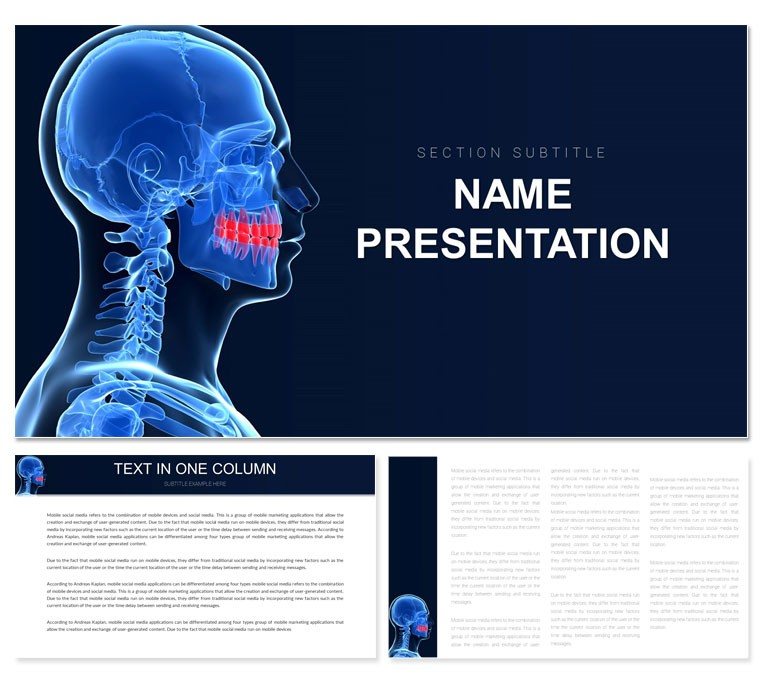
Jaw Problems PowerPoint Template
| Format | .pptx |
| Slides | 3 unique layouts |
| Aspect ratio | 16:9 |
| Compatibility | PowerPoint |
| Animated | No |
| Language | English |
| License | Commercial |
| File size | — |
| Version | v1.0 |
| Last updated | February 2022 |
What's inside
In the world of oral health, where precision meets patient care, the Jaw Problems PowerPoint Template emerges as a vital tool for educators and clinicians alike. Designed for dentists, maxillofacial specialists, and medical instructors, this collection of 28 diagrams brings anatomical complexities to life in a way that's both informative and accessible. Say goodbye to hand-drawn sketches or generic clipart - here, every slide is a bridge between technical detail and clear communication, perfect for breaking down temporomandibular disorders or bite misalignments during consultations or classroom sessions.
The template's modern minimalist aesthetic - think crisp whites accented by subtle blues and grays - keeps the focus on vital structures like the mandible and TMJ, without distracting flourishes. Fully editable in PowerPoint 2016+, it supports seven color variations to match your clinic's branding or lecture theme. Envision a patient visit: you pull up a slide on jaw misalignment causes, customize it with their X-ray overlay, and suddenly, explanations click. For educators drawing from resources like the American Dental Association's guidelines, this template amplifies those principles into visual stories that stick.
Its true value unfolds in high-stakes settings, where accurate visuals can demystify conditions and empower decisions. At just $22, downloading this template equips you to craft presentations that not only educate but inspire confidence in treatment paths.
Essential Features for Clinical Precision
What sets this template apart is its laser-focus on jaw anatomy and pathology. The 28 diagrams span from basic overviews to intricate procedural flows, all rendered in scalable vectors for flawless projection on any display.
- Anatomical Cross-Sections: Layered views of the jaw joint, with callouts for ligaments and muscles.
- Symptom Mapping: Infographics linking pain points to potential diagnoses, like bruxism or arthritis.
- Treatment Pathways: Step-by-step timelines for therapies, from orthotics to surgery prep.
- Flexible Layouts: Three master slides and backgrounds, plus animation-ready elements for dynamic reveals.
Customization flows naturally - drag to reposition labels, or infuse slides with your annotations for personalized patient handouts. A prosthodontist might enhance a slide on occlusal adjustments by linking to simulation videos, leveraging the template's multimedia integration.
Practical Editing Strategies
- Align visuals to cases: Use the shape tools to trace patient-specific scans onto base diagrams.
- Enhance engagement: Apply subtle entrance animations to sequential symptoms, building tension like a diagnostic journey.
- Brand integration: Swap default icons for clinic logos via simple copy-paste, maintaining vector sharpness.
These steps ensure your presentations feel bespoke, echoing the tailored care that defines top-tier dental practices.
Targeted Use Cases in Oral Health Education
For a dental residency program, this template shines in module reviews: Slide 5's TMJ inflammation diagram sets the stage, followed by etiology breakdowns on subsequent pages, culminating in management strategies. Residents walk away with a mental map that's as visual as it is memorable.
In private practice, adapt it for community seminars on jaw health - use the pain cycle graphic to discuss prevention, inserting local stats for relevance. The editable framework allows quick pivots, say from adult to pediatric cases, without redesigning from zero.
Spotlighting Signature Slides
Here are three gems:
- TMJ Anatomy Baseline: A rotatable 3D-like schematic for orientation, with editable hotspots for deeper dives.
- Diagnostic Flowchart: Decision-tree layout guiding from symptoms to tests, primed for interactive Q&A.
- Post-Treatment Outcomes: Before-and-after comparison grids, ideal for tracking progress in follow-ups.
Such slides anticipate real-world needs, like illustrating how orthodontic interventions reshape jaw alignment, much as specialists do in peer-reviewed journals.
Elevating Beyond Standard Medical Slides
Unlike basic PowerPoint anatomy packs, this template prioritizes usability - diagrams load fast, edit intuitively, and export cleanly for print or web. It's a boon for telehealth setups, where crisp visuals maintain authority over video calls. Clinicians often highlight its role in simplifying jargon-heavy topics, turning potential confusion into collaborative discussions.
One orthodontist adapted the bruxism sequence for a webinar, layering in voiceover scripts for self-paced learning. The outcome? Engaged viewers and follow-up inquiries that built lasting trust.
Transform your next session with visuals that heal as much as they inform - download the Jaw Problems template today.
Frequently Asked Questions
Does the template include anatomical references?
Yes, diagrams incorporate standard medical illustrations, editable for adding citations or notes.
How can I incorporate patient images?
Simply insert via PowerPoint's photo tools; the layouts accommodate overlays without distortion.
Is animation support built-in?
Elements are prepped for fades and paths, customizable to match your pacing.
What if I need more color options?
Seven schemes are included, but easy to expand using the theme editor.
Compatibility with other software?
Best in PowerPoint; export to PDF or Google Slides for broader use.
Good for
- Project roadmaps and sprint plans
- Product launch timelines
- Quarterly or annual review decks
- Company history and milestone summaries
Licence
reviews
Grabbed this for a crisis communication plan.
The decision tree for who speaks first was helpful.
My PR team rehearsed with this.
Could be more detailed but it's a good framework.
The escalation path was clearly mapped.
FAQ
Will it work in Google Slides?
Are fonts embedded?
Can I use this for client work?
What's the refund policy?
Do you update the template after purchase?
Similar templates
See all PowerPoint Templates →



All 1 slides