 Click to zoom
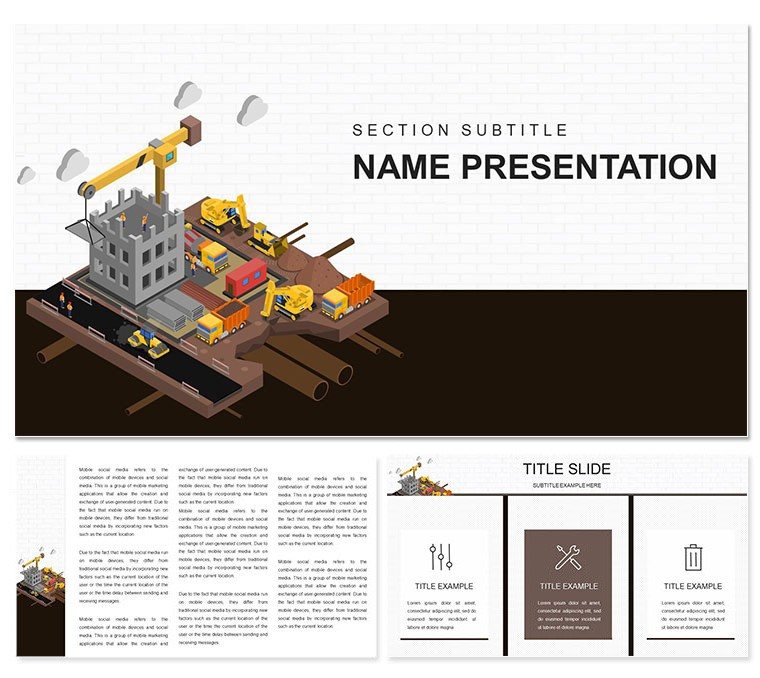
Infrastructure Works in Construction Keynote Template
| Format | .pptx |
| Slides | 3 unique layouts |
| Aspect ratio | 16:9 |
| Compatibility | PowerPoint |
| Animated | No |
| Language | English |
| License | Commercial |
| File size | — |
| Version | v1.0 |
| Last updated | December 2022 |
What's inside
Construction sites buzz with activity, but your presentations shouldn't feel like a dusty blueprint roll. Enter the Infrastructure Works in Construction Keynote Template - a toolkit crafted for engineers and site supervisors who turn dirt and diagrams into deals. With 28 targeted diagrams, this template lets you map out everything from foundation digs to final inspections, all while keeping your audience locked in. It's the visual shorthand for those marathon meetings where every pipe and beam counts.
Why does it hit different? Because it's built from the ground up for Keynote users who juggle CAD files and coffee runs. Three master slides provide a sturdy base, while seven color palettes - from steel grays to safety oranges - let you signal urgency or harmony at a glance. Editable to the core, swap metrics into bar charts for crew shifts or animate a flowchart to trace material flows. Compatible across recent Keynote versions, it slots right into your Mac workflow, saving hours on formatting so you can chase progress certificates instead.
Essential Features That Build Confidence
The backbone here is flexibility. Start with three backgrounds that evoke open fields or urban grids, then layer on the 28 diagrams: radial org charts for subcontractor webs, stacked bars for phased expenditures, and process maps that snake across slides like actual conduits. Icons of bulldozers and barriers are crisp, scalable, and begging for your tweaks - add a hover effect to highlight bottlenecks, or recolor for seasonal reports.
- High-Impact Animations: Sequence reveals to mimic assembly lines, drawing eyes to key dependencies.
- Text and Image Harmony: Inscriptions overlay seamlessly on progress photos, narrating without overwhelming.
- Scheme Variety: Pick from seven options to align with site safety codes or client moods.
These features aren't bells and whistles; they're the rebar reinforcing your pitch. A site foreman might deploy a cycle diagram for recycling protocols, ensuring compliance shines through every loop.
Navigating the Diagram Arsenal
Group the diagrams logically: Initiation slides tackle feasibility studies with mind maps branching into risks and rewards. Execution gets heat maps for resource heat, while wind-down uses funnel visuals to narrow from bids to billables. Each one's primed for data import - paste from Numbers, and watch axes auto-scale.
- Align elements: Use Keynote's guides to snap icons to gridlines, mimicking survey stakes.
- Enhance with builds: Fade in segments of a pipeline route, syncing to your verbal walkthrough.
- Proof for print: Export pages as high-res PDFs for on-site binders.
This mirrors practices from firms like Turner Construction, where visuals precede the vanguard.
Practical Scenarios: Wiring Up Wins
Envision a utility upgrade pitch to city council. Load this template, embed GIS overlays on a territory map, and let a path diagram trace cable routes - animated to pulse with load capacities. Council members lean in, grasping the grid's future without jargon overload.
For internal audits, leverage donut charts to slice variance causes, from delays to deltas in steel prices. A supervisor adjusts fills to spotlight vendor issues, sparking actionable tweaks mid-meeting. It's precision engineering for communication, where every slide fortifies trust.
Extend to safety briefings: Sequential icons depict hazard zones, building layer by layer to underscore protocols. Or for lender updates, a milestone tracker radiates completion rings, celebrating pours while forecasting finals. The thread? Each application reinforces how infrastructure knits communities, one slide at a time.
Workflow Synergies
Link with Bluebeam for markup imports or Slack for feedback loops - diagrams update live in shared docs. Pro tip: Prefix slide notes with action items, turning your deck into a living log.
Lead with a vista shot: A timelapse of earthmovers at dawn, priming the pump for inspiration.
Elevating Above Standard Site Plans
Forget fumbling with freeform shapes; this template's pre-aligned elements outpace basic builds. It's akin to prefab modules - quick assembly, enduring strength. Users in the trenches note faster sign-offs, as visuals demystify the unseen labors.
Dig deeper: Embed QuickTime clips of simulations, or hyperlink to 3D models for immersive dives. Font stacks prioritize readability, from Arial for body to Impact for headers that punch through projections.
Edit Hacks for Speed
- Global swaps: Alter a scheme, and diagrams inherit instantly.
- Smart layers: Group photo-text combos for drag-free moves.
- Version control: Duplicate masters for A/B testing narratives.
Time to reinforce your repertoire - grab this template and erect presentations that stand tall.
Frequently Asked Questions
Which Keynote versions work best?
Optimized for 2016+, with full feature support on current macOS.
What's the diagram count?
28, spanning from planning flows to evaluation metrics.
Image editing ease?
Drag-and-drop slots with smart cropping built in.
Animation customization?
Yes, leverage Keynote's library for tailored sequences.
File types offered?
.key for projects, .kth for reusable themes.
Collaboration features?
Seamless via Keynote's cloud sharing.
Good for
- Project roadmaps and sprint plans
- Product launch timelines
- Quarterly or annual review decks
- Company history and milestone summaries
Licence
reviews
Dynamic infrastructure slides with roadwork and utility diagrams. The gray and yellow safety colors are authentic. Practical for government presentations I deliver.
Used for team briefing on construction timelines. 28 diagrams cover excavation to completion stages nicely. One reviewer noted excellent vector scalability.
Professional engineer perspective: the template's 7 schemes allow brand matching. Slightly critical of repetitive building icons but overall high quality.
Enthusiastic construction manager: the progress Gantt-style visuals saved time. Colors feel industry-appropriate. Good for tight deadlines.
The infrastructure works template has clear pipeline and tower diagrams. Mixed review - great content but animations could be smoother in Keynote.
Student used this for thesis: detailed site layout slides. Professional finish with authentic equipment icons. Helped meet submission deadline.
FAQ
Will it work in Google Slides?
Are fonts embedded?
Can I use this for client work?
What's the refund policy?
Do you update the template after purchase?
Similar templates
See all Keynote templates →



All 1 slides