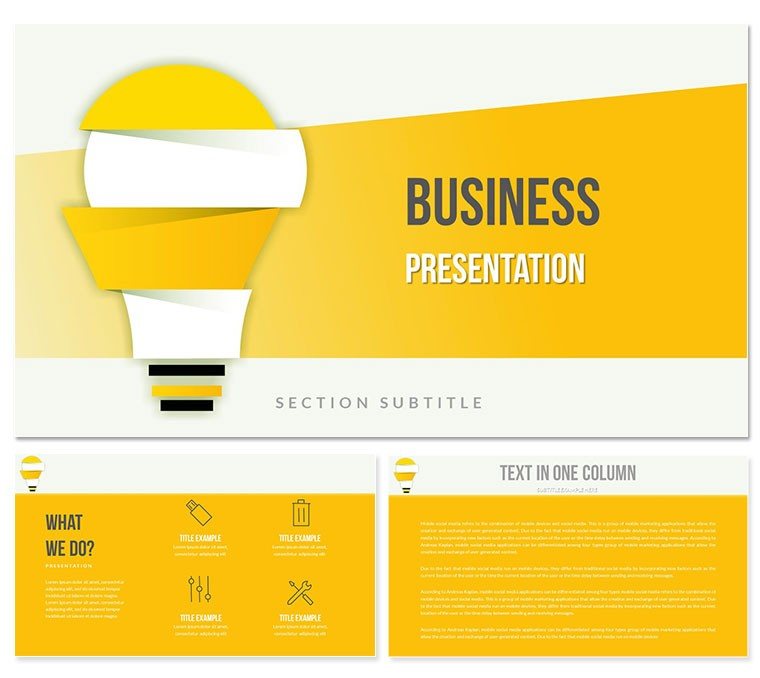
 Click to zoom
Idea Proposal Diagrams - Editable PPTX
| Format | .pptx |
| Slides | 3 unique layouts |
| Aspect ratio | 16:9 |
| Compatibility | PowerPoint |
| Animated | No |
| Language | English |
| License | Commercial |
| File size | — |
| Version | v1.0 |
| Last updated | April 2026 |
What's inside
Package Contents
28 diagrams across 7 color schemes arrive ready for immediate use in consulting decks.
Diagram structure and layout composition align for investor deck tasks.
Unlike single-chart layouts this set delivers full information spacing for proposal overviews.
What is a PowerPoint diagram template? A PowerPoint diagram template is a pre-built set of editable shapes connectors and layouts that allow professionals to visualize complex business data without starting from blank slides.
How to replace icons in proposal diagrams? Select the icon layer go to Insert Picture and swap in 15 seconds.
Technical Specs
Editable shapesdiagram segments resize and recolor independentlyText placeholderslabels update without unlocking grouped elementsColor theme adjustmentscompatible with PowerPoint slide master paletteDiagram connectorsarrows and lines adjustable in direction and weightIcon layersicons replaceable without affecting layoutExport optionsPPTX for editing PDF for distributionPowerPoint compatibility2016 2019 365 on Windows and MacFrom Download to Final Deck
Open the file and spend the first two minutes orienting to the master slide structure this is where all color changes happen globally.
The most common mistake is editing individual slide colors directly going through the master saves 15 minutes of repeated work.
Once content is in place the export step depends on the destination audience.
Download and start editing immediately
Real Scenarios
Three hours before a board meeting the slide deck still had no idea proposal diagram.
The consultant opened the file swapped labels and completed a 28-slide deck in one afternoon without a designer.
Why This Template Not a Blank Slide
Building equivalent slides from scratch requires 4 hours and advanced design skill level.
Typical issues include unlabeled connectors that confuse the audience mid-presentation.
Connectors in idea proposal diagrams carry semantic weight not just leads to but validates challenges label the connectors.
Download and start editing immediately
Which PowerPoint versions does this template support?The template works with PowerPoint 2016 2019 and Microsoft 365 on both Windows and Mac. Open the PPTX file directly in any of these versions. Older versions prior to 2016 may experience minor formatting shifts in connectors. Test in your exact version before the investor deck to confirm full compatibility.
How do I change the color scheme?Open the slide master view select the color palette and update the seven preset schemes globally. All 28 diagrams update automatically. Individual overrides on specific shapes remain possible if needed. This global change takes under four minutes and keeps visual hierarchy intact.
What does the license allow?The license permits use in internal reports and paid client work. You may not resell or redistribute the original files. Multiple team members can access the same purchased file under one organization. Contact support for enterprise licensing questions.
What are the differences between free and paid versions?The page does not specify a free version. The paid download includes the complete 28 diagrams and all 7 color schemes. Free previews may show limited diagrams only. Full editing capabilities require the paid file.
What is the refund policy?Refunds are available if the file does not open correctly in your PowerPoint version. Request within 14 days of purchase with proof of compatibility issue. The marketplace processes approved refunds within 5 business days. No refunds after successful download and editing.
How do I apply the template to an existing presentation?Copy the desired diagram slide into your deck then use the slide master to match colors. Replace text and data in placeholders only. This keeps layout composition consistent. Test the flow direction in your full deck before the investor deck.
Can multiple team members use the same license?Yes one purchased license covers all members within the same organization. Share the file internally only. Each user should edit from their own copy to avoid version conflicts. Enterprise options exist for larger teams.
See consulting PowerPoint templates or trend analysis alternatives.
Good for
- Project roadmaps and sprint plans
- Product launch timelines
- Quarterly or annual review decks
- Company history and milestone summaries
Licence
reviews
Used this for a product roadmap review. The timeline slides are easy to use and the milestone markers are helpful.
Good for a quarterly business review. The template is solid
but I had to add a lot of my own data callouts.
It's an okay pack. I used a few of the slides for a project status report
and they worked without any issues.
I just needed a simple table slide
and this one had a few decent options. It's fine.
The template is fine for internal use
but it's too bland for anything external. I'd recommend a more modern set.
FAQ
Will it work in Google Slides?
Are fonts embedded?
Can I use this for client work?
What's the refund policy?
Do you update the template after purchase?
Similar templates
See all PowerPoint Templates →



All 1 slides