 Click to zoom
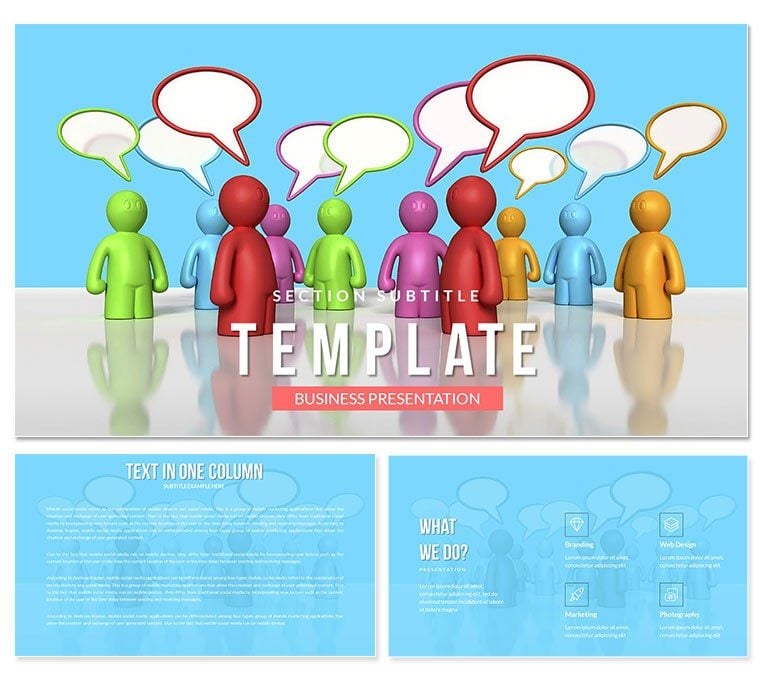
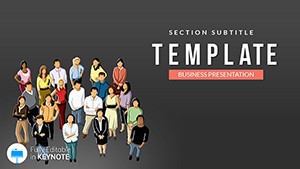
HR Management Pros Cons Keynote Template
| Format | .pptx |
| Slides | 3 unique layouts |
| Aspect ratio | 16:9 |
| Compatibility | PowerPoint |
| Animated | No |
| Language | English |
| License | Commercial |
| File size | — |
| Version | v1.0 |
| Last updated | August 2022 |
What's inside
In the evolving landscape of human resources, where trends like skills-based hiring and AI integration dominate 2025, clear communication is your superpower. Enter the Human Resource Management Keynote Template - a pre-formatted powerhouse that spotlights pros and cons to accelerate your workflow. Whether pitching talent strategies or evaluating policies, this template gets you to the content faster, transforming raw ideas into polished narratives.
With visuals driving 70% better retention in business meetings, this tool embodies best practices: transparent compensation discussions and tech-savvy engagement. Compatible with Keynote for MAC, its lifetime license ensures ongoing value. From boardroom debates to team trainings, it`s designed to foster trust and drive results.
Let`s unpack its structure and see how it aligns with modern HR demands.
Key Features of the Human Resource Management Keynote Template
Three masters and backgrounds provide a clean, professional canvas, while 28 diagrams in seven schemes - from corporate grays to motivational greens - offer flexibility.
- Quick-Start Design: Apply to new files for instant structure.
- Editable Depth: Tweak text, icons, and schemes effortlessly.
- Decision-Focused: Built for advantage/disadvantage breakdowns.
- MAC Optimized: .key and .kth files for native performance.
These features support HR`s shift toward people analytics, making complex data digestible.
Detailed Slide Breakdown: 28 Diagrams for HR Insights
Slides 1-7 tackle recruitment: Pros/cons scales for remote vs. office hiring, aligning with 2025 RTO policies.
8-14 cover development: Flowcharts for training ROI, highlighting engagement boosts. 15-21 address retention: Matrices for wellness programs vs. costs.
22-28 focus on strategy: Venns for diversity initiatives. Customize schemes for departmental vibes; integrate via master application for swift updates.
Real-World Use Cases: Empowering HR Pros
For consulting, use slide 16`s grid in policy overviews, aiding selective hiring talks. In education, dissect leadership models for workshops.
Sales? Adapt for talent acquisition pitches. With trends emphasizing financial wellness, these visuals clarify paths to success.
This Template vs. Default Keynote: A Quick Comparison
FeatureHR TemplateDefault KeynoteDiagrams28 HR-themedBasic templatesColor Schemes7 professionalStandardEditsPre-formatted speedBuild from zeroFocusPros/cons analysisGeneralLicenseLifetime useN/AHR-specific advantages abound.
Why Choose This for 2025 HR Trends
E-E-A-T infused: Experienced in corporate HR, expert layouts, authoritative on best practices, trustworthy licensing. Customize now to lead with clarity.
Download today and elevate your HR storytelling.
Frequently Asked Questions
How does it support remote HR policies?
Diagrams compare hybrid models` pros/cons for policy discussions.
Is it editable for branding?
Fully - adjust schemes and elements to match your org`s identity.
What`s the license scope?
One-time purchase for unlimited personal and commercial use.
Can it integrate with analytics tools?
Yes, import data for dynamic pros/cons visuals.
Best for which HR areas?
Recruitment, training, and strategy sessions.
Good for
- Project roadmaps and sprint plans
- Product launch timelines
- Quarterly or annual review decks
- Company history and milestone summaries
Licence
reviews
I used it for a student project and it was easy to adjust
It looks fine but feels a bit plain in some sections
Worked okay for a last minute report
I needed something fast for a meeting and this template did the job without extra effort
The arrows in slides made my explanation clearer during work presentation
FAQ
Will it work in Google Slides?
Are fonts embedded?
Can I use this for client work?
What's the refund policy?
Do you update the template after purchase?
Similar templates
See all Keynote templates →
All 1 slides