 Click to zoom
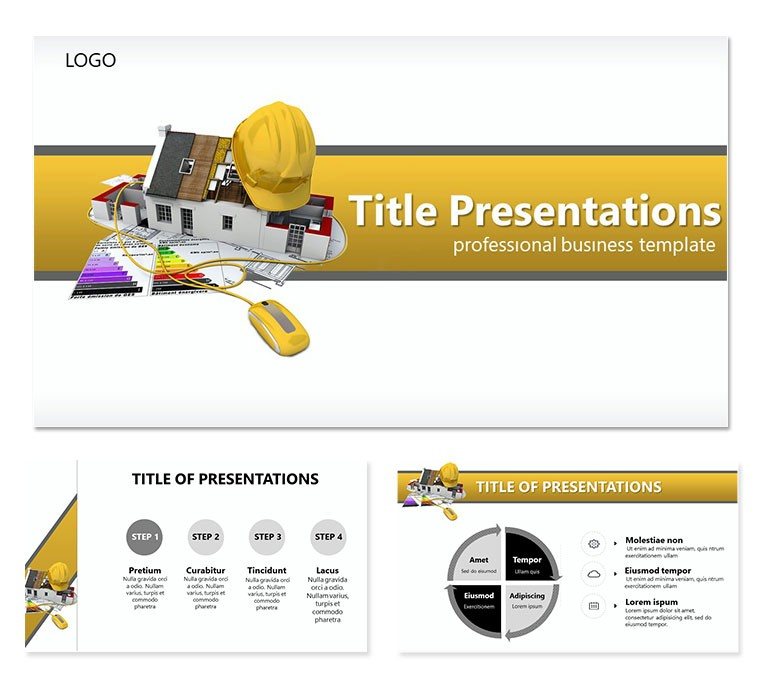
Home Design Keynote Template: Where Ideas Find Their Form
| Format | .pptx |
| Slides | 3 unique layouts |
| Aspect ratio | 16:9 |
| Compatibility | PowerPoint |
| Animated | No |
| Language | English |
| License | Commercial |
| File size | — |
| Version | v1.0 |
| Last updated | October 2022 |
What's inside
Envision a presentation that doesn`t just show a home - it reveals its soul. The Home Design Keynote Template is your ally in captivating audiences with layouts that blend functionality and beauty, perfect for interior designers, real estate agents, and visionary builders. This isn`t mere decoration; it`s a strategic asset for articulating how spaces nurture daily life, from open-concept kitchens to serene retreats.
Boasting 28 diagrams across three masters and three backgrounds, plus seven color palettes ranging from tranquil blues to invigorating greens, this template adapts to any aesthetic vision. Fully editable in Keynote, you can infuse personal touches like client mood boards or 360-degree renders into dedicated placeholders. It`s designed for those pivotal moments - client walkthroughs, portfolio reviews - where visuals must persuade and delight, emphasizing perks like natural light optimization and ergonomic flows.
Delving into the Template`s Design Essentials
At its core, this template shines through its thoughtful construction. The master slides establish a rhythmic flow, with headers that echo architectural precision. Backgrounds incorporate faint grid patterns, nodding to drafting tables without cluttering the foreground. Each diagram, from Venn overlaps for room multifunctional use to flowcharts for renovation sequences, is primed for your data.
Customization flows naturally: Swap icons for fixtures like pendant lights or modular furniture, all scalable vectors. Slide 4`s mind map, for example, branches out to explore design inspirations, allowing hyperlinks to supplemental images for deeper dives during Q&A.
- Rich Diagram Variety: Infographics for spatial planning, timelines for build phases, and matrices for material selections.
- Format Flexibility: Optimized for 16:10 and 16:9 ratios, ensuring sharpness on laptops or large screens.
- Pro Tip: Use Keynote`s magic move to transition between floor plan evolutions, creating a cinematic reveal.
Optimizing for Seamless Creation
When time is tight for a design reveal, begin with slide 2`s overview grid, slotting in thumbnail sketches. Progress to diagram 11`s layered pyramid for hierarchy of needs - base layer for structure, apex for decor - mirroring Maslow`s ideas in spatial terms. Architects often recommend grouping related slides into sections for non-linear navigation, a breeze with this template`s outline view.
Practical Scenarios: Designing with Purpose
This template thrives in diverse settings. For virtual tours, employ slide 8`s carousel layout to cycle through room vignettes, annotating with callouts on lighting and textures. In portfolio assemblies, diagram 19`s comparative table pits your concepts against trends, using color-coded rows to highlight innovations like biophilic elements.
Think of a luxury remodel pitch: Slide 21`s radial timeline orbits around key decisions, with spokes for budget impacts, making adjustments visible and collaborative. Or for eco-home seminars, the sustainability dashboard on slide 26 aggregates metrics in a compact gauge, simplifying complex data for lay audiences.
- Portfolio Showcases: Sequence mood boards into cohesive narratives that trace your creative evolution.
- Client Consults: Interactive elements like clickable zones on plan views for instant feedback.
- Trend Workshops: Bullet timelines forecasting design shifts, backed by visual forecasts.
By zeroing in on how designs enhance well-being - better airflow, intuitive layouts - you solve the common hurdle of abstract concepts feeling distant, forging stronger client bonds.
Boosting Interactivity
Amplify engagement by syncing diagrams with Keynote`s presenter notes; for slide 14`s process wheel, note rotation cues for live demos. Verify cross-platform playback to keep that polish during remote shares.
Elevating Your Home Design Storytelling
What sets this apart from stock options is its intuitive grasp of design language - curved edges in layouts mirroring organic forms, balanced whitespaces evoking calm interiors. It anticipates expansions, like duplicating the gallery slide (23) for before-after pairings.
Incorporate it by templating recurring motifs, streamlining future gigs. The outcome: Decks that not only showcase but seduce, inviting viewers into the home you`ve dreamed up.
Shape your next masterpiece - secure the Home Design Keynote Template for $22 today.
Frequently Asked Questions
Does the Home Design Keynote Template support high-res images?
Yes, placeholders are optimized for 4K imports, maintaining clarity in detailed renders.
Can I adjust the template for mobile Keynote use?
Definitely; responsive elements scale well on iPhone and iPad for on-the-go edits.
Are there pre-built animations in the diagrams?
Basic builds are included, but you can layer advanced ones like Keynote`s path animations.
How many color schemes are there, and can I create more?
Seven ready-to-use; extend by editing the color theme panel for bespoke palettes.
Is it ideal for collaborative design teams?
Yes, share via iCloud for real-time co-editing among collaborators.
What if I need to export for non-Apple users?
Export to PDF or PowerPoint seamlessly, preserving most layout integrity.
Good for
- Project roadmaps and sprint plans
- Product launch timelines
- Quarterly or annual review decks
- Company history and milestone summaries
Licence
reviews
Needed a presentation for an HR meeting and this was simple enough to finish quickly.
The color palette felt calm and not distracting. I kept most slides unchanged.
I mostly downloaded it because the layouts looked easy to read on a projector.
Some graphic elements seemed outdated but overall it still worked.
Good option for basic presentations when you don’t care about flashy effects.
FAQ
Will it work in Google Slides?
Are fonts embedded?
Can I use this for client work?
What's the refund policy?
Do you update the template after purchase?
Similar templates
See all Keynote templates →

All 1 slides