 Click to zoom
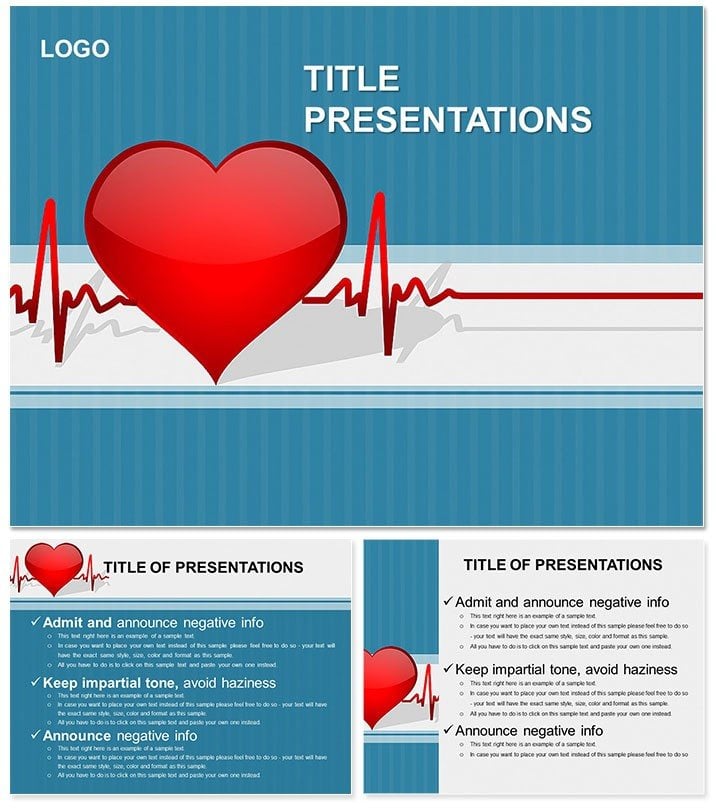
Heart Cardiogram PowerPoint Template: Simplify ECG Insights for Every Audience
| Format | .pptx |
| Slides | 3 unique layouts |
| Aspect ratio | 16:9 |
| Compatibility | PowerPoint |
| Animated | No |
| Language | English |
| License | Commercial |
| File size | — |
| Version | v1.0 |
| Last updated | December 2013 |
What's inside
Imagine standing in front of a room full of curious patients or fellow clinicians, armed with visuals that turn complex heart rhythms into straightforward stories. That`s the power of the Heart Cardiogram PowerPoint Template - a specialized tool crafted for medical professionals who need to break down electrocardiogram (ECG) readings without overwhelming their audience. Whether you`re a cardiologist fielding post-procedure questions or an educator training the next generation of nurses, this template equips you with 28 meticulously designed diagrams that highlight the heart`s conduction system and waveform interpretations.
At its core, this template addresses a common challenge: patients often leave appointments confused by their ECG results, leading to unnecessary anxiety or follow-ups. By leveraging these slides, you can guide viewers through P-waves, QRS complexes, and T-waves with confidence, using clean lines and intuitive layouts that resonate even with non-experts. Compatible with PowerPoint 2016 and later versions, it supports widescreen and standard formats, ensuring seamless integration into your workflow. With three master slides and backgrounds, plus seven versatile color schemes - from calming blues to professional grays - you can tailor the look to match your clinic`s branding or the session`s tone.
Key Features That Bring Heart Diagrams to Life
Delve deeper into what makes this template a standout for healthcare presentations. Each of the 28 diagrams is fully editable, allowing you to swap in real patient data or annotate key anomalies like atrial fibrillation patterns. Start with the foundational slide outlining the heart`s electrical pathway, then progress to advanced tracings that compare normal versus irregular rhythms. The vector-based icons ensure crisp scaling, no matter the slide size, and the included .potx files mean you can tweak animations to reveal waveforms step-by-step, mimicking the real-time pulse of an ECG monitor.
- 28 Targeted Diagrams: From basic conduction overviews to detailed arrhythmia breakdowns, each slide builds on the last for a logical flow.
- Seven Color Schemes: Choose from subtle pastels for patient-friendly talks or bold contrasts for academic seminars, all maintaining medical accuracy.
- Three Masters and Backgrounds: Streamline your deck with pre-set layouts that keep text legible against anatomical visuals.
- Easy Customization: Drag-and-drop elements let you add your logo or embed live ECG strips from compatible software.
These features aren`t just bells and whistles; they`re designed to save you hours of manual charting, letting you focus on the human side of medicine - building trust through clarity.
Practical Use Cases: From Clinic to Classroom
Picture a busy cardiology clinic where a patient stares blankly at a printout of their ECG. With this template, you pull up a slide showing a side-by-side normal and abnormal tracing, walking them through the spikes and dips in under five minutes. Or consider a hospital grand rounds: Use the timeline diagram to trace how a blocked bundle branch alters the heartbeat, sparking insightful Q&A. For educators, like those preparing residents for board exams, the layered diagrams serve as interactive quizzes - reveal answers progressively to reinforce learning.
In one real-world application, a practice manager at a regional heart center used similar ECG-focused slides to train staff on rapid interpretation during emergencies, reducing response times by streamlining visual aids. Adapt this for telemedicine sessions too: Share screens with annotated diagrams that patients can reference later via exported PDFs. The template`s flexibility extends to pharmaceutical reps pitching heart meds, where you overlay drug impact on waveform changes to make efficacy tangible.
Step-by-Step Guide to Integrating into Your Workflow
- Download and Open: Unzip the files and launch in PowerPoint - sources include .jpg previews for quick reference.
- Select Scheme: Pick a color palette that aligns with your venue`s lighting; test on projectors for visibility.
- Edit Content: Replace placeholders with your data - use the conduction system slide as your opener to set context.
- Add Interactivity: Animate paths to simulate electrical flow, then rehearse transitions for smooth delivery.
- Export and Share: Save as PPTX for collaboration or PDF for handouts, ensuring accessibility with alt text on images.
This process turns a blank canvas into a polished presentation in under an hour, empowering you to connect deeper with your audience.
Expert Tips for Maximizing Impact in Medical Presentations
To elevate your delivery, pair diagrams with simple analogies - like comparing QRS complexes to a symphony`s crescendo - for non-medical crowds. Always cross-reference with guidelines from bodies like the American Heart Association, embedding hyperlinks in slides for credibility. For hybrid events, optimize backgrounds to avoid washout on video calls. And remember, less is more: Limit text to key labels, letting the visuals lead the narrative.
Compared to generic PowerPoint charts, this template`s medical-specific icons - like stylized atria and ventricles - add authenticity without the design hassle. It`s not just about looking good; it`s about fostering understanding that sticks, whether in a one-on-one consult or a packed conference hall.
Why This Template Beats Building from Scratch
Ditching default slides means no more wrestling with misaligned grids or pixelated imports. Here, every element aligns precisely, with themes that evoke trust and precision - essential in healthcare. Professionals report that specialized visuals like these boost audience retention, turning passive listeners into engaged participants who ask better questions.
Ready to make your next ECG explanation unforgettable? Download the Heart Cardiogram PowerPoint Template for $22 and start crafting decks that heal through clarity.
Frequently Asked Questions
What makes these diagrams suitable for patient education?
The slides use simplified labels and progressive reveals to avoid jargon overload, focusing on visual storytelling over dense text.
Can I use this with Google Slides?
While optimized for PowerPoint, you can import .potx files into Google Slides, though some animations may need manual tweaks.
Are the color schemes medically accurate?
Yes, they prioritize contrast for readability, drawing from standard ECG print conventions while offering creative flexibility.
How do I handle sensitive patient data in edits?
Always anonymize examples and use placeholders; the editable layers make it easy to scrub specifics before sharing.
What`s the file size and compatibility?
Compact at under 10MB, fully compatible with PowerPoint 2016+ on Windows and Mac.
Good for
- Project roadmaps and sprint plans
- Product launch timelines
- Quarterly or annual review decks
- Company history and milestone summaries
Licence
reviews
Had to present a digital transformation roadmap, the phased timeline with tech icons is good.
The cloud and ai icons are trendy.
Decent for a it strategy presentation.
The colors are modern, purple and blue.
FAQ
Will it work in Google Slides?
Are fonts embedded?
Can I use this for client work?
What's the refund policy?
Do you update the template after purchase?
Similar templates
See all PowerPoint Templates →

All 1 slides