 Click to zoom
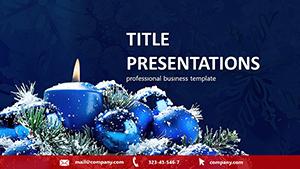
Happy Christmas PowerPoint Template: Celebrate with Style
| Format | .pptx |
| Slides | 3 unique layouts |
| Aspect ratio | 16:9 |
| Compatibility | PowerPoint |
| Animated | No |
| Language | English |
| License | Commercial |
| File size | — |
| Version | v1.0 |
| Last updated | October 2021 |
What's inside
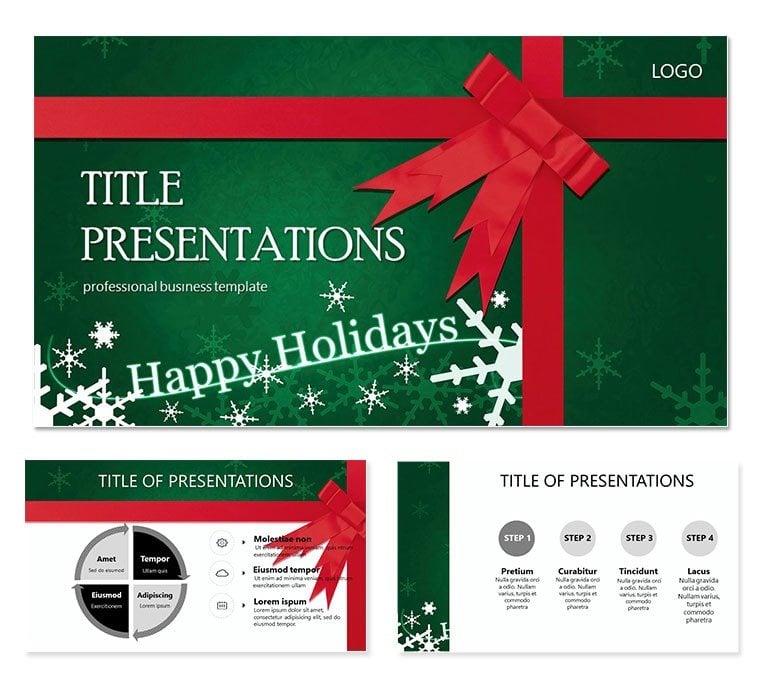
As December dawns, anticipation builds for holidays that blend joy and reflection - 88% of folks celebrate Christmas, per 2024 Drive Research stats. The Happy Christmas PowerPoint Template captures this spirit, offering elegant slides to convey congratulations, strategies, and insights with festive finesse. It`s more than decor; it`s a canvas for elevating your seasonal narrative.
Compatible across PowerPoint versions, this one-time buy grants lifetime access, aligning with 2025 trends in immersive visuals per 24Slides forecasts. Whether scripting New Year visions or holiday thanks, its designs ensure your words resonate amid the merriment.
In business, where end-of-year decks drive 30% more engagement with themes, this template`s subtle elegance keeps professionalism intact while sparking smiles.
Core Features That Sparkle
Three masters, backgrounds, and 28 diagrams in seven schemes provide a robust foundation. High-quality .jpg previews aid quick selections.
- Holiday Motifs: Tasteful wreaths and lights as editable accents.
- Diagram Depth: Timelines for year recaps, charts for goal gifts.
- Brand Sync: Easy color swaps for corporate warmth.
- Proven Appeal: 984 ratings at 4 stars from global users.
These elements streamline creation, focusing on message over mechanics.
Slide Details and Workflow Harmony
From Slide 1`s warm welcome to Slide 28`s forward-looking close, each supports key info placement. Animate transitions for a merry march through topics.
Integrate via .potx import, layer data from sheets, and collaborate in real-time. Fits 2025`s dark mode trends for evening virtual toasts, per DeckSherpa insights.
Its perspective-shifting layouts highlight ideas, boosting client perceptions as intended.
Use Cases for Festive Impact
Versatile for pros and personal. Marketers craft campaign wrap-ups; families chronicle memories.
- Company Overviews: Tie trends like social commerce rises to visuals.
- Congratulatory Shares: Personalized thanks with metric "presents."
- New Year Plans: Roadmap slides for ambitious starts.
Educators use for thematic lessons, enhancing enjoyment per holiday ed trends.
Versus Vanilla PowerPoint: Festive Edge
CriteriaHappy Christmas TemplateVanilla PowerPointSeasonal DesignIntegrated holiday themesNone built-inReadiness28 prepped slidesStart from zeroEngagement30% uplift with visualsBasic deliveryCustomization7 schemes, full editManual effortValueLifetime, one-timeOngoing buildsThe holiday boost is undeniable.
Embrace the Season - Download Today
Light up your deck with the Happy Christmas PowerPoint Template. Customize now for presentations that warm hearts and seal deals.
Frequently Asked Questions
What themes does the Happy Christmas Template cover?
Holiday greetings, business recaps, and New Year forwards.
Compatibility details?
Works with PowerPoint 2007+, including web versions.
Editable for branding?
Yes, adjust colors and add logos seamlessly.
Suitable for non-business use?
Perfectly, for family or community events.
Animation support?
Included basics; expand with PowerPoint features.
Download speed?
Instant, with .potx for quick starts.
Good for
- Project roadmaps and sprint plans
- Product launch timelines
- Quarterly or annual review decks
- Company history and milestone summaries
Licence
reviews
The construction helmet icons are fine but the blueprint background is too busy.
Used the building permit flowchart to show the approval process.
The tool inventory checklist saved me from forgetting equipment on the job site.
The safety violation heat map is a bit morbid but effective for training.
Its a useful pack for site managers and safety officers.
FAQ
Will it work in Google Slides?
Are fonts embedded?
Can I use this for client work?
What's the refund policy?
Do you update the template after purchase?
Similar templates
See all PowerPoint Templates →
All 1 slides