 Click to zoom
Global Tech Keynote Template: Code Your Vision into Reality
| Format | .pptx |
| Slides | 3 unique layouts |
| Aspect ratio | 16:9 |
| Compatibility | PowerPoint |
| Animated | No |
| Language | English |
| License | Commercial |
| File size | — |
| Version | v1.0 |
| Last updated | September 2024 |
What's inside
In the fast lane of tech innovation, where ideas accelerate like algorithms, your presentations need to match that velocity. Enter the Global Tech Keynote Template - a $22 catalyst for entrepreneurs and engineers alike, transforming abstract code into concrete conviction. With 28 diagrams pulsing with futuristic flair, it's built to launch products, woo investors, or rally teams around tomorrow's tech.
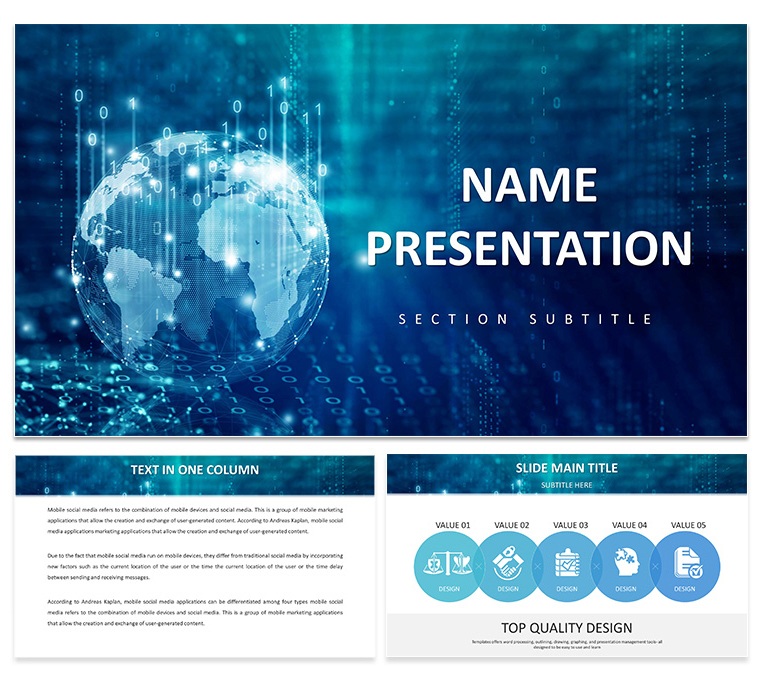
Picture a slide deck where neural networks unfold in elegant nodes, timelines race toward beta releases, and SWOT matrices glow with strategic circuits. Three masters offer layouts from minimalist wireframes to bold holograph-like overlays, backed by three backgrounds that evoke silicon valleys or data streams. Seven color schemes - neon blues for AI demos, metallic grays for hardware reveals - let you dial in the digital aesthetic that resonates.
Keynote-ready from version 2016 up, this template streamlines your workflow: drop in API stats, watch charts auto-scale, and animate builds that mimic app interfaces. It's the difference between a flat pitch and one that hacks attention - think a dev lead demoing scalability, vectors expanding like cloud growth, leaving VCs nodding in sync.
Powering Up with Precision Features
Core to this template is its tech-tuned toolkit. The process flow diagram? A swimlane setup for agile sprints, where you assign tasks to columns and link dependencies with curved arrows - edit phases in a click, ideal for scrum recaps. Icons span circuits to qubits, all vector-based for infinite zoom without pixelation.
Masters enforce consistency: header footers with version tags, slide numbers as binary counters for that geeky touch. Backgrounds layer subtle gradients, like circuit etchings, enhancing without eclipsing content. Customization? Keynote's shape tools let you morph elements - turn a bar into a waveform for signal processing talks.
- Graph Generators: Scatter plots for user analytics, heatmaps for bug distributions - data-driven and drag-ready.
- Icon Integrals: 60+ tech symbols, from gears to genomes, themed for software, hardware, or biotech.
- Timeline Tech: Milestone roads with code-branch forks, animating merges for version history.
For accessibility, built-in alt text prompts and high-contrast modes ensure your deck speaks to all screens and eyes.
Deploying in the Field: Tech Scenarios Unleashed
Startups, fuel your pitch with the product roadmap slide: horizontal tracks for features, dotted lines projecting MVPs to full stacks. Embed wireframes, animate rollouts - investors see the path from prototype to profit. A founder once layered this with live metrics, the real-time updates turning a static slide into a simulation that sealed funding.
Conferences and Classrooms: Broadcasting Breakthroughs
At tech summits, the trend forecast carousel spins through emerging tech: VR arcs, blockchain rings, each slide a deep dive with embedded links to whitepapers. Sequence with swipe gestures, building hype like a keynote climax. Educators adapt for lectures - populate the comparison table with OS evolutions, columns sortable for student queries.
Marketing teams harness the engagement funnel: pyramid slices for conversion paths, from awareness tweets to subscription sign-ups. Color-code drop-offs, add callout bubbles for optimization tips. Versus vanilla Keynote shapes, this pre-rigged flow saves debugging time, letting creatives focus on copy that converts.
- Brainstorm Basics: Outline key metrics in notes, then map to diagram slots.
- Build and Bind: Link data sources for dynamic refreshes during rehearsals.
- Animate Advances: Sequence node appearances to mirror logic flows.
- Deploy Debug-Free: Export tests across devices for glitchless glory.
Internal meets? The project status board grids risks and wins, kanban-style, fostering collaborative tweaks mid-presentation.
Hacking the Deck: Insider Tweaks for Tech Triumphs
Amplify impact by syncing with tools like Figma exports - import SVGs directly into icon wells. For dark mode fans, flip schemes with a global swap, preserving vibrancy. Subtle humor? Pepper in Easter eggs, like a hidden QR on the credits slide linking to your GitHub.
Pro move: Use Keynote's magic move for seamless scene shifts, like morphing a wireframe to a polished UI. These nuances make your deck not just seen, but remembered - like open-source code that forks into legends.
Launch your next big thing - download the Global Tech Keynote Template for $22 and debug doubt from your audience.
Frequently Asked Questions
What tech-specific visuals does it include?Diagrams like neural nets, agile flows, and data pipelines, all customizable for your niche.
How easy is integrating live data?Very - paste from Sheets or connect via scripts for updates that flow with your narrative.
Suitable for non-coders too?Yes, intuitive drags and presets make it accessible for marketers or execs alike.
Animation options for demos?Pre-built sequences mimic code runs, with full control over timing and triggers.
Scalable for large conferences?Absolutely - optimized vectors and light files ensure smooth performance on projectors.
Brand customization depth?Deep: From color palettes to icon swaps, it molds to your startup's DNA.
Good for
- Project roadmaps and sprint plans
- Product launch timelines
- Quarterly or annual review decks
- Company history and milestone summaries
Licence
reviews
The icon set is consistent throughout the deck. Used this for a consulting presentation and the client liked the clean look. The color schemes are easy to switch.
The paid version includes all the diagrams which saved me a lot of time. The flowcharts are well-structured and the spacing is good. The .kth format imported into my existing presentation without any problems.
Honestly the free download was enough to get started. The 3 masters and 3 backgrounds gave me a solid base. Ended up upgrading because I needed more diagram variety.
The outline-based icons keep the slides uncluttered. Used this for a product roadmap and the hierarchical tree structures worked well. The master slide color controls are straightforward.
The lightbulb-tree motif is a nice visual anchor. Used this for a clean-tech presentation and the diagrams covered everything I needed. The paid tier at $20 is worth it for the full library.
FAQ
Will it work in Google Slides?
Are fonts embedded?
Can I use this for client work?
What's the refund policy?
Do you update the template after purchase?
Similar templates
See all Keynote templates →



All 1 slides