 Click to zoom
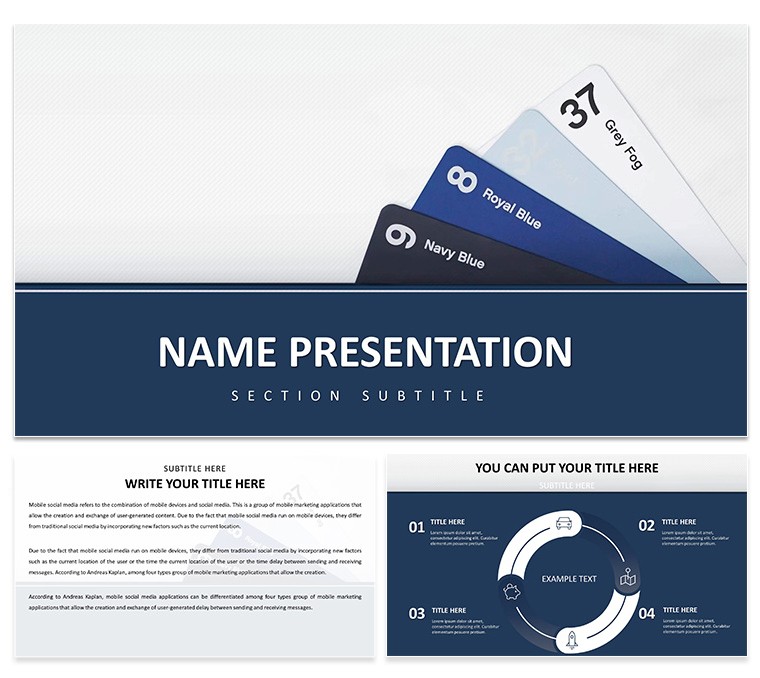
Free Folders of New Ideas Keynote Template
| Format | .pptx |
| Slides | 3 unique layouts |
| Aspect ratio | 16:9 |
| Compatibility | PowerPoint |
| Animated | No |
| Language | English |
| License | Commercial |
| File size | — |
| Version | v1.0 |
| Last updated | November 2024 |
What's inside
Ever felt like your brilliant ideas are scattered like loose papers in a storm? The Free Folders of New Ideas Keynote Template steps in as your digital organizer, wrapping concepts in elegant envelope-style visuals that make brainstorming feel structured yet freeing. Tailored for creatives, educators, and project leads who thrive on fresh thinking, this template packs 28 diagrams into a cohesive deck, each one mimicking a folder tabbed for easy navigation through ideation stages.
With three master slides offering varied layouts - from grid-based mind maps to flowing timelines - and three background choices in soft neutrals or pops of color, you can set the tone for any session. Seven color schemes let you theme around seasons of inspiration, like earthy tones for grounded strategies or electric blues for wild pitches. Fully editable in Keynote, these elements bend to your vision: resize icons, reorder sections, or infuse your branding without a steep learning curve.
Envision a design team huddled for a client pitch, flipping through folder visuals to unveil layered concepts - from initial sketches to refined prototypes. The envelope motifs add a tactile charm, turning abstract ideas into something you can almost "open." Or think of a teacher guiding students through project planning, using the nested diagram slides to build out research folders, sparking discussions that linger long after class. This Keynote template for creative organization isn't just free - it's a catalyst for turning chaos into clarity.
Standout Features for Effortless Ideation
The magic here is in the details that mimic real-world filing systems, adapted for digital flow. The 28 diagrams include everything from accordion-fold lists for pros/cons to pocket-style inserts for supporting quotes, all vector-based for crisp scaling. Import your notes via text boxes that auto-format into bulleted envelopes, or drag in images to fill "document" slots seamlessly.
- Folder-Like Structures: Hierarchical diagrams that expand like actual folders, ideal for sub-ideas branching from mains.
- Flexible Schemes: Seven palettes, from minimalist grays to vibrant rainbows, ensuring versatility across moods.
- Icon Library: Curated symbols like lightbulbs and gears, swapable for domain-specific flair.
- Transition Magic: Gentle "opening" animations that reveal contents progressively, mimicking page turns.
Getting started is a breeze: launch in Keynote, pick a master, and populate the first folder slide with your core idea. Layer in sub-diagrams by copying elements, then apply a scheme via the colors menu. For collaborative tweaks, share as a package file, letting team members add their "notes" without version conflicts.
Real-World Applications: Pitching and Planning Made Visual
This template thrives where ideas need containment and showcase. In startup pitches, use the tabbed folder slides to sequence your value prop, market fit, and scalability - like folders in a proposal binder. A creative director might deploy the radial diagrams for mood boards, grouping inspirations by theme to guide visual strategies.
Step-by-step for a workshop: outline your agenda in the title folder, then dedicate slides to breakout activities with embedded timers. Customize by swapping envelope textures - linen for formal, kraft for rustic - and test in slideshow mode to ensure smooth reveals. Versus basic Keynote lists, this adds narrative depth, making sessions more memorable and productive.
- Brainstorm raw ideas in a mind-map base slide.
- Sort into folder categories using drag-and-drop.
- Enhance with annotations or linked hyperlinks.
- Rehearse transitions for engaging delivery.
- Archive as a template for recurring use.
For educators, it's gold in lesson planning: folder one for objectives, another for activities, culminating in reflection pockets. This structure, echoing methods from design thinking pros like IDEO, keeps energy high and outputs actionable.
Tips to Amplify Your Creative Flow
Pair folders with audience polls - reveal a new "tab" based on votes to adapt on the fly. For remote brainstorming, embed QR codes in slides linking to shared docs, extending the folder metaphor digitally. Users love how the editable icons ground flights of fancy, preventing overwhelm in group settings.
Seamless Integration into Your Creative Routine
Built for Keynote versions from 2016 onward, it exports cleanly to PDF or video, perfect for archiving inspiration banks. The lightweight file size means quick loads, even on older Macs, keeping your flow uninterrupted.
Unlock your next big idea - download this free Keynote template now and folder up some magic.
Frequently Asked Questions
Is this template truly free to use commercially?Yes, download and adapt for any non-personal project without restrictions.
How do I customize the envelope designs?Use Keynote's shape tools to tweak folds, colors, and textures effortlessly.
Can I add more than 28 diagrams?Easily duplicate and modify existing ones to expand your deck.
What Keynote version is required?Compatible with 2016 and newer for full feature access.
Are animations included?Yes, subtle opens and fades enhance the folder reveal experience.
How to collaborate on this template?Share via iCloud or export as a package for team edits.
Good for
- Project roadmaps and sprint plans
- Product launch timelines
- Quarterly or annual review decks
- Company history and milestone summaries
Licence
reviews
The template delivered solid value for my workshop but one of the folder animations felt slightly dated on the latest Keynote version. Minor tweak needed there yet the content slides performed excellently during delivery.
This template turned out useful when I had to present innovation strategies to clients. Everything imported smoothly and I appreciated the multiple color scheme options included.
I liked how the folder elements helped visualize categorization in my university lecture. The layouts feel intuitive and professional at the same time.
Worked nicely for an internal team meeting where we mapped out new project ideas. Easy to customize and the audience stayed engaged throughout.
The modern folder aesthetic stood out compared to standard bullet lists I usually rely on. Good purchase overall.
I used this folders of new ideas template for a startup brainstorming session last month and it helped organize our concepts really well. The folder-style layouts made it easy to group related thoughts without cluttering the slides. Swapping in our team photos and adjusting text took under an hour total. I would look for similar structured designs next time.
The clean folder dividers and subtle color variations give a fresh, organized feel that suits creative pitches perfectly. Typography is readable even from the back of the room and the icon set complements the theme nicely. Overall the structure supports logical flow better than many generic options I have tried.
It works great for idea presentations but I did have to add a few extra transition slides myself since the set focuses heavily on the folder concept. Still saved significant preparation time and the final deck looked cohesive.
FAQ
Will it work in Google Slides?
Are fonts embedded?
Can I use this for client work?
What's the refund policy?
Do you update the template after purchase?
Similar templates
See all Keynote templates →

All 1 slides