 Click to zoom
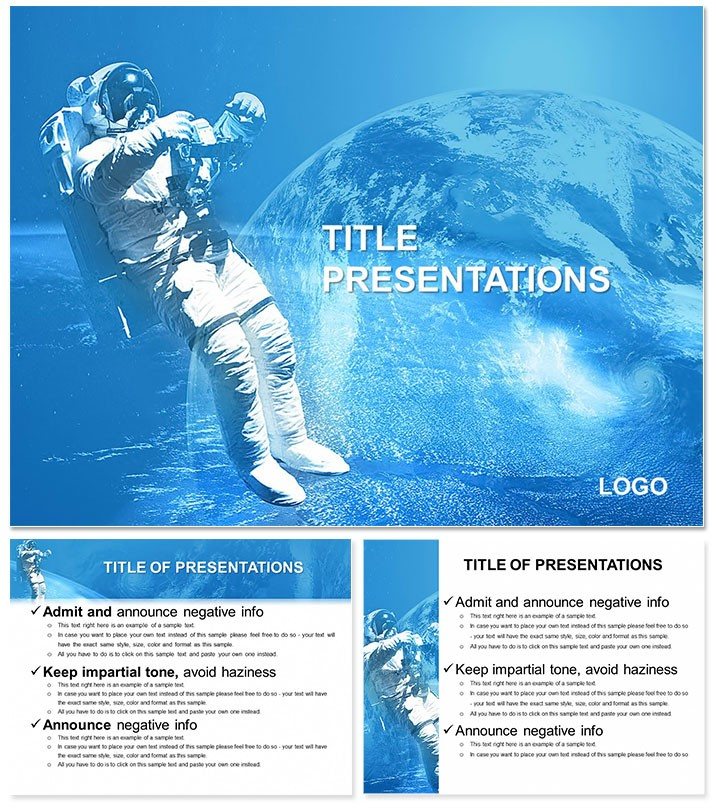
Flying in Space PowerPoint Template
| Format | .pptx |
| Slides | 3 unique layouts |
| Aspect ratio | 16:9 |
| Compatibility | PowerPoint |
| Animated | No |
| Language | English |
| License | Commercial |
| File size | — |
| Version | v1.0 |
| Last updated | February 2024 |
What's inside
The cosmos calls to innovators, from astronauts charting new frontiers to presenters seeking to captivate with wonder. This Flying in Space PowerPoint Template propels your ideas skyward, equipping educators, researchers, and visionaries with 28 out-of-this-world diagrams that make complex concepts feel as approachable as stargazing. Whether demystifying orbital mechanics or pitching interstellar ventures, these slides turn the infinite into the immediate.
Infused with galactic flair, the template offers three masters for orbital alignment and three backgrounds mimicking nebulae swirls or starry voids. Seven color palettes - from deep space blacks to pulsar purples - adapt to your narrative`s gravity, all editable in PowerPoint 2016+. Insert telemetry data or mission patches effortlessly, crafting decks that resonate in lecture halls or boardrooms.
Cosmic Features for Groundbreaking Decks
Launch with slide one`s solar system overview, a rotatable orbit diagram where planets align to your cursor`s pull. Slide 10`s rocket trajectory graph plots velocity curves, ideal for engineering breakdowns with embedded equations. Precision meets poetry here, with elements that scale from microscopic particles to galactic clusters.
Slide 19`s constellation connector lets you link ideas like stars, visualizing team collaborations in space-analog projects. The template`s ingenuity? Responsive grids that reflow as you add notes, keeping layouts intact amid edits.
- Astral Icons: 60+ vectors - rockets, satellites, black holes - for thematic depth.
- Dynamic Layouts: Radial and linear options to mirror cosmic flows.
- Embed Ready: Slots for NASA footage or simulations, enhancing realism.
Sync with astronomy apps for live star maps, updating slides in orbit.
Applications That Defy Gravity
Science teachers use slide six`s eclipse cycle wheel to eclipse boredom, rotating phases for hands-on learning. Business futurists adapt slide 23`s expansion funnel for market conquests, funneling strategies from launch to legacy. Researchers at observatories like Mauna Kea repurpose slide 14`s spectrum analyzer for data viz, overlaying light waves with discovery narratives.
For TED-style talks, the journey metaphor on slide 28 charts personal voyages through space themes, inspiring audiences to reach beyond. Virtual reality integrations via hyperlinks add immersion, simulating zero-G spins.
Workflow hack: Link to simulation software outputs, auto-generating graphs from rover paths.
Charting Your Course: Customization Steps
- Align Your Masters: Choose a cosmic base - void for mysteries, burst for energies.
- Load Payload: Import datasets into trajectory charts on slide four, curves bending to your inputs.
- Spectrum Shift: Dial colors to evoke auroras or voids, previewing stellar shifts.
- Propel Animations: Sequence launches to reveal payloads, building suspense like countdowns.
- Transmit: Beam exports to cloud shares, lossless across devices.
Efficient as a slingshot maneuver, this gets you launch-ready fast.
Why It Soars Above the Rest
Inspired by Carl Sagan`s pale blue dot, it balances awe with accuracy, stripping fluff for signal-rich slides. Unlike generic space packs, it incorporates Kepler`s laws subtly, aiding precise modeling. Presenters note heightened retention, as visuals mimic Hubble`s gaze.
Adapt for climate models (atmospheric orbits) or tech roadmaps (satellite nets). Download the Flying in Space PowerPoint Template for $22 and blast off to brilliance.
Frequently Asked Questions
Are elements vector-based?
Yes, ensuring sharp scalability from thumbnails to billboards.
Supports video embeds?
Designated frames for seamless YouTube or local clips integration.
Color schemes details?
Seven, blending UV-inspired vibrants with infrared warms.
Compatible with tablets?
Fully, with touch-optimized edits in PowerPoint mobile.
Animation variety?
Orbital spins and fades; layer with entrance effects for flair.
Slide dimensions?
16:9 widescreen, adaptable to square for social previews.
Good for
- Project roadmaps and sprint plans
- Product launch timelines
- Quarterly or annual review decks
- Company history and milestone summaries
Licence
reviews
Not my favorite, the slide structure felt a bit messy but it's free so whatever.
Perfect for my team's Q3 review, especially the comparison charts section.
A bit too basic for what I needed, ended up modifying most of it.
The map graphics look nice but they're not very accurate for smaller regions.
Downloaded this, dropped in my data, and the pie charts updated easily.
FAQ
Will it work in Google Slides?
Are fonts embedded?
Can I use this for client work?
What's the refund policy?
Do you update the template after purchase?
Similar templates
See all PowerPoint Templates →
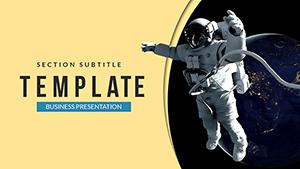


All 1 slides