 Click to zoom
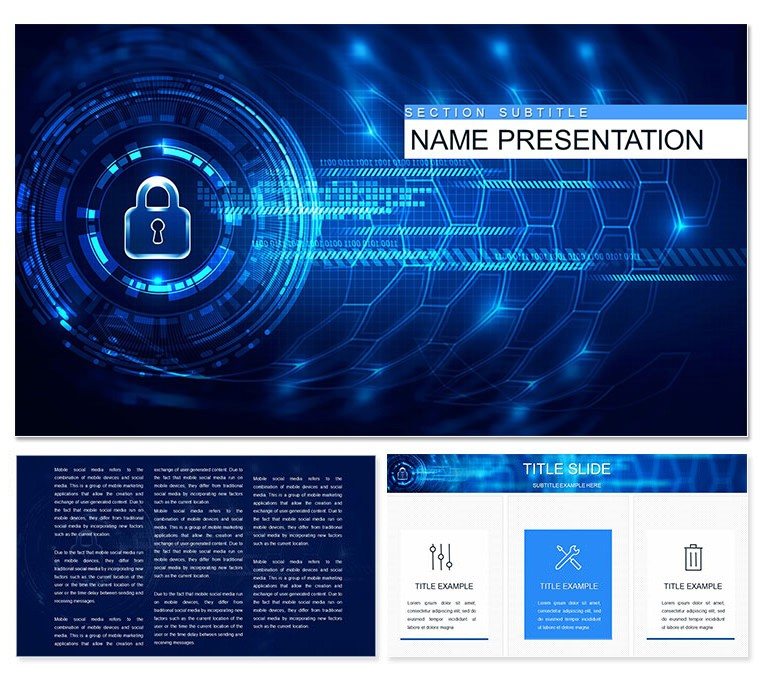
Financial Security Keynote Template: Guard Your Narrative
| Format | .pptx |
| Slides | 3 unique layouts |
| Aspect ratio | 16:9 |
| Compatibility | PowerPoint |
| Animated | No |
| Language | English |
| License | Commercial |
| File size | — |
| Version | v1.0 |
| Last updated | August 2020 |
What's inside
In an era where digital threats lurk behind every click, delivering clear guidance on financial security demands visuals that instill trust and urgency. Our Internet Financial Security Keynote Template rises to the challenge with 28 robust diagrams, three masters for structured flows, and three backgrounds evoking fortified networks. Aimed at IT educators, compliance trainers, and cybersecurity advocates, it simplifies complex topics like password hygiene and device safeguards into digestible, design-forward slides.
Swap in your protocols via editable layers, choosing from seven color schemes - steely grays for threat assessments to reassuring greens for best practices. This isn't just about aesthetics; it's about empowering audiences to act. For $22, gain a reliable ally that cuts through jargon, fostering safer online habits without the design hassle.
Robust Features for Ironclad Presentations
The template's three masters lay a secure foundation: one for threat landscapes, another for defensive strategies, and a third for recap enforcements. Backgrounds with encrypted pattern overlays add subtle depth, keeping eyes on protective icons.
Central to its strength are the 28 diagrams - from lock icons in flowcharts to shield-wrapped timelines. Vectors guarantee sharp details, and seven schemes flex from alert reds to calm indigos, suiting seminar or seminar vibes.
- Layered Logic: Stack elements for multi-tier explanations, like phishing layers.
- Compatibility Core: Runs smoothly on Keynote 2016+, with export options for training modules.
- Symbol Strength: Curated icons for locks, firewalls, and alerts enhance relevance.
Key Diagrams Under the Microscope
Slide 4's password strength meter gauges criteria visually, tweakable for custom rules. Slide 15's network defense matrix grids vulnerabilities, color-coding risks. For wrap-ups, Slide 27's checklist infographic tallies takeaways.
Adaptation is straightforward: Inject examples, recolor, and align - yielding pro-level outputs fast.
Deploying in Security Workshops and Audits
Cyber trainers use this for interactive sessions, animating breach scenarios to drive points home. Compliance officers map policy adherence, using bars to benchmark departments.
In corporate audits, highlight endpoint protections with overlaid maps, clarifying gaps. It bridges theory and practice, sparking discussions on real defenses.
Secure Your Slide Strategy
- Base Build: Select master, import security logs into placeholders.
- Threat Thread: Fill diagrams, e.g., vector paths for attack vectors.
- Shield Shine: Apply schemes, test hyperlinks to resources.
- Fortify Final: Rehearse, noting pauses for Q&A.
Instructors value how it demystifies tech, turning skeptics into sentinels.
Beyond Basic Barriers
Standard slides scatter focus; this unifies with security motifs, echoing standards like NIST. Integrate with password managers for live demos, fortifying your delivery.
Acquire the Financial Security Keynote Template for $22 and lock in compelling content.
Frequently Asked Questions
Editable for custom threats?
Yes, all diagrams allow text and icon swaps for tailored scenarios.
Background variety?
Three options, each with security-themed subtlety.
Animation for threats?
Native Keynote tools animate paths and reveals effectively.
Export formats?
Supports PDF and video for broader sharing.
Good for
- Project roadmaps and sprint plans
- Product launch timelines
- Quarterly or annual review decks
- Company history and milestone summaries
Licence
reviews
Just needed something quick for my monthly report, the bar charts worked fine.
Used this for a school project about renewable energy, the arrows helped show trends.
The layout was okay but I wish there were more color options for the icons.
Grabbed this last minute for a client pitch, did the job without any fuss.
Those flowcharts saved me a ton of time, though some text boxes were hard to resize.
FAQ
Will it work in Google Slides?
Are fonts embedded?
Can I use this for client work?
What's the refund policy?
Do you update the template after purchase?
Similar templates
See all Keynote templates →

All 1 slides