 Click to zoom
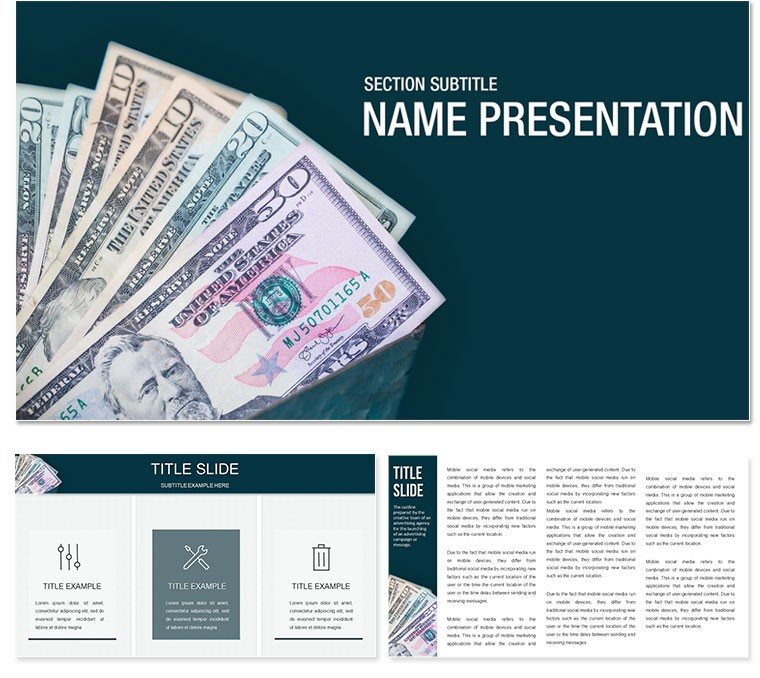
Finance Money PowerPoint Template
| Format | .pptx |
| Slides | 3 unique layouts |
| Aspect ratio | 16:9 |
| Compatibility | PowerPoint |
| Animated | No |
| Language | English |
| License | Commercial |
| File size | — |
| Version | v1.0 |
| Last updated | February 2026 |
What's inside
In the fast-paced world of finance, where numbers tell stories of growth, risk, and opportunity, your presentations need to cut through the noise. The Finance Money PowerPoint template is your ally in this arena, a polished collection of slides dedicated to unraveling the intricacies of money, credit, and their pivotal role in socio-economic landscapes. Tailored for accountants, financial advisors, and business analysts, this template transforms dry ledgers into compelling narratives that drive decisions and secure buy-in.
Boasting 28 precision-engineered diagrams alongside three masters and three backgrounds, it's designed for PowerPoint 2016 and beyond, ensuring your team can collaborate without hiccups. Whether you're dissecting credit flows in a boardroom or illustrating economic cycles for stakeholders, these tools empower you to highlight key metrics with clarity and sophistication. Say goodbye to cluttered spreadsheets; hello to visuals that make fiscal foresight feel intuitive and actionable.
Essential Features That Power Your Financial Narratives
This template's strength lies in its thoughtful construction. The three master layouts cater to varied needs: a clean ledger-inspired master for detailed breakdowns, a dynamic flow master for process mappings, and a summary master for executive overviews. Complement them with backgrounds in neutral grays for focus, subtle blues for trust, or warm golds evoking prosperity - each enhancing readability without distraction.
Delve into the 28 diagrams, where editable bar graphs track credit trends over quarters, line charts forecast economic shifts, and scatter plots reveal correlations between investment yields and market volatility. Seven color schemes, from corporate cools to vibrant accents, let you align with firm branding or report themes. Integrated icons - like currency symbols, vault locks, and growth arrows - add context without clutter, all vector-based for effortless scaling.
- Fully Customizable Data Viz: Input your figures directly into smart charts that auto-adjust scales and labels.
- Multi-Format Delivery: Access .pptx for editing, .potx for templates, and .jpg for quick shares.
- Layered Organization: Grouped elements simplify swaps, like replacing placeholder data with real ROI metrics.
These elements ensure your deck not only informs but persuades, turning analysts into storytellers.
Practical Use Cases: From Reports to Strategy Sessions
For annual financial reviews, leverage this template to spotlight profit drivers. A CFO might use a stacked area diagram to layer revenue streams - loans, investments, advisory fees - showing how credit extensions fuel growth. In client meetings, pivot to funnel diagrams illustrating the journey from lead qualification to funded deals, with editable stages to reflect your pipeline realities.
Educators in finance courses find it invaluable for breaking down socio-economic concepts. Map money circulation with cycle diagrams, inserting real-world examples like central bank policies, to engage students beyond textbooks. One effective tactic: Combine radial charts for sector breakdowns with adjacent text boxes for explanatory notes, fostering deeper understanding.
Building a Credit Analysis Deck Step by Step
- Foundation Setup: Opt for the blue background master to convey reliability, then add a title slide with your firm's logo.
- Data Integration: Populate diagram 7's waterfall chart with credit inflows and outflows, adjusting colors to highlight surpluses.
- Insight Layering: Insert donut charts from diagram 14 to segment risk categories, linking to appendix slides for details.
- Interactive Touches: Embed hyperlinks in icon callouts to external calculators or policy docs for on-the-fly references.
- Impactful Wrap-Up: Use the gold master for a final SWOT analysis slide, prompting discussion on economic opportunities.
This structured approach minimizes prep time, letting you focus on strategic insights rather than slide surgery.
Standing Out Against Standard Spreadsheet Dumps
Unlike basic PowerPoint inserts that demand constant reformatting, this template's pre-built diagrams maintain proportion and style as you edit. Where generic tools lack financial nuance, here you'll find tailored shapes - like ledger lines for balance sheets - that resonate with industry pros. For remote teams, the compatibility ensures seamless handoffs, preserving animations like subtle chart builds that reveal data progressively.
Workflow tip: Begin with a master copy for testing edits, then duplicate for versions. Animate transitions sparingly to guide eyes from macro trends to micro details, enhancing retention without overwhelming.
Transform your next financial pitch into a masterclass of clarity. Secure the Finance Money template now and let your data do the talking.
Frequently Asked Questions
Does this template work with Excel data imports?
Yes, diagrams support direct linking to Excel for live updates, keeping your presentations current with minimal effort.
What types of financial diagrams are included?
From bar and line charts to funnels and pyramids, covering everything from budgeting to forecasting essentials.
Can I use it for non-finance economic topics?
Certainly; its versatile charts adapt well to broader socio-economic discussions, like market dynamics.
How editable are the icons and shapes?
All are vector-based, allowing full resizing, recoloring, and repositioning without quality loss.
Is there support for animations in the diagrams?
Built-in presets for smooth entrances and builds are included, customizable via PowerPoint's animation pane.
What's the file size for quick loading?
Optimized at under 10MB, ensuring fast opens even on standard hardware.
Good for
- Project roadmaps and sprint plans
- Product launch timelines
- Quarterly or annual review decks
- Company history and milestone summaries
Licence
reviews
Used the waterfall chart to show credit inflows and outflows during an audit, the adjusting colors for surpluses were very clear.
The scatter plots for investment yields vs market volatility worked great, but the gold background master was a bit flashy.
Just needed a quick pie chart for a budget meeting, the currency symbols saved me some time.
The ledger lines on the balance sheets look very professional, definitely fooled my boss into thinking I worked hard.
Okay for finance but the icons feel generic, I’ve seen the same vault lock icon in a dozen other templates.
FAQ
Will it work in Google Slides?
Are fonts embedded?
Can I use this for client work?
What's the refund policy?
Do you update the template after purchase?
Similar templates
See all PowerPoint Templates →



All 1 slides