 Click to zoom
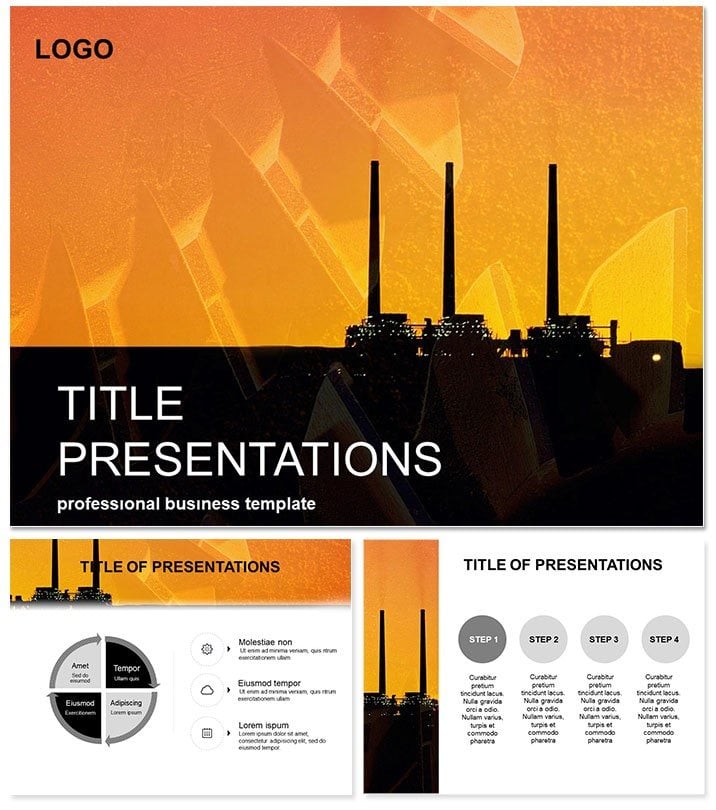
Factory: Revolutionize Production Presentations
| Format | .pptx |
| Slides | 3 unique layouts |
| Aspect ratio | 16:9 |
| Compatibility | PowerPoint |
| Animated | No |
| Language | English |
| License | Commercial |
| File size | — |
| Version | v1.0 |
| Last updated | October 2021 |
What's inside
Step onto the factory floor where efficiency meets innovation, and let the Factory PowerPoint template forge your ideas into unbreakable presentations. This robust set is engineered for manufacturing minds, visualizing workflows, output boosts, and tech integrations with precision. From assembly lines to quality controls, it equips you to demonstrate operational excellence, turning potential bottlenecks into breakthroughs that command attention and drive decisions.
Forged for reliability, it adapts to your production rhythm. Edits are tool-free, animations simulate processes. Suits PowerPoint 2016+ across platforms. One-time $22 buys lifetime forging rights.
Robust Features for Industrial Power
Built like machinery, with 28 diagrams in seven schemes - steel grays to alert reds.
- Three Industrial Masters: For processes, metrics, overhauls.
- Three Factory Backgrounds: Gear motifs or line schematics.
- Process Animations: Flows mimic conveyor belts.
- Tech Icons: Vectors of tools and gauges.
- Modular Edits: Swap parts like components.
These assemble decks of unyielding quality.
Dissecting the 28 Production Diagrams
Assemble insights slide by slide. Slide 1 blueprints overall ops. Slide 8 charts throughput with bars.
Core: Slides 15-22 on tech, funneling innovations. End with Slide 28`s KPI dashboard. Sequential build-up.
Industrial Applications That Deliver
Managers optimize lines with flow diagrams, outperforming bland defaults. Engineers pitch upgrades via timelines, clinching budgets.
Consultants audit with matrices. A director: "Forged our expansion pitch." Edit now for peak performance.
Superior to Stock Tools
Defaults rust; this tempers with industry edge, halving build time. Eternal license for ongoing ops.
FAQ
Supports workflow data?
Yes, import seamlessly.
Color schemes for safety?
Customizable for standards.
Includes metrics templates?
Full suite ready.
Mac compatible?
Fully, 2016+.
Commercial ok?
Licensed yes.
Size?
Lightweight .potx.
Good for
- Project roadmaps and sprint plans
- Product launch timelines
- Quarterly or annual review decks
- Company history and milestone summaries
Licence
reviews
Working on a financial report and the stacked bar charts were a lifesaver.
A bit too many text boxes on some slides, felt cluttered. I just deleted a few.
Good for a quick and dirty analysis, don't expect anything fancy.
The SWOT analysis layout is actually pretty clever, used that right away.
Would be better if the charts had more data point options, but it's fine for basic stuff.
FAQ
Will it work in Google Slides?
Are fonts embedded?
Can I use this for client work?
What's the refund policy?
Do you update the template after purchase?
Similar templates
See all PowerPoint Templates →


All 1 slides