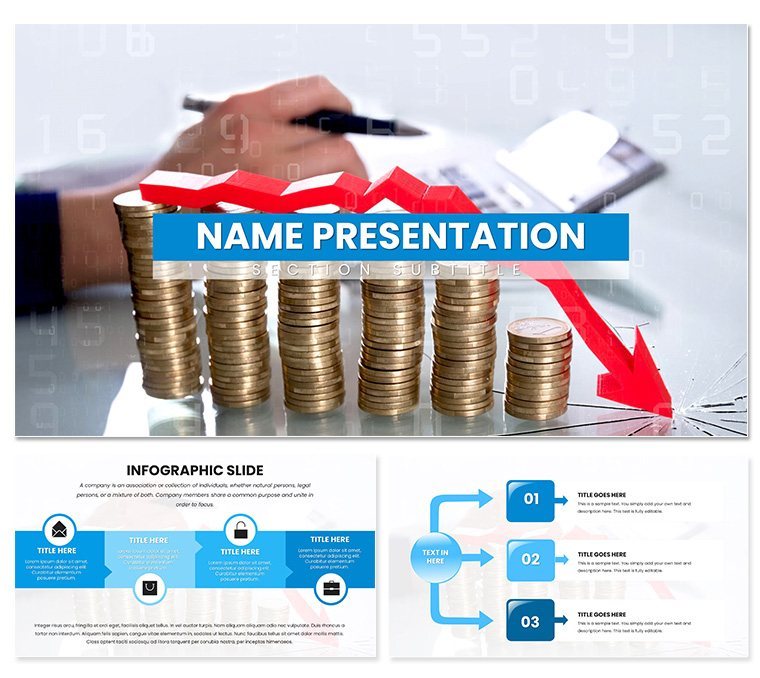
 Click to zoom
Expert Analytical Reports PowerPoint Template
| Format | .pptx |
| Slides | 3 unique layouts |
| Aspect ratio | 16:9 |
| Compatibility | PowerPoint |
| Animated | No |
| Language | English |
| License | Commercial |
| File size | — |
| Version | v1.0 |
| Last updated | May 2024 |
What's inside
In the world of business where data drives decisions, your reports need to cut through the noise like a well-sharpened insight. Enter the Expert Analytical Reports PowerPoint Template, a streamlined powerhouse for turning raw numbers into compelling stories. Tailored for finance teams, consultants, and analysts, it offers 28 meticulously designed diagrams across three masters and backgrounds, all adjustable with seven color palettes to match your corporate tone. Whether dissecting quarterly earnings or forecasting market trends, this template empowers you to deliver clarity and conviction in every slide.
What sets it apart is the focus on readability amid complexity. Imagine swapping generic bar charts for layered funnel visuals that trace lead conversion paths, or using scatter plots to spotlight correlations in sales data - all without wrestling with alignment tools. Built for PowerPoint 2016 and beyond, it integrates seamlessly with your existing workflows, letting you import Excel sheets for real-time updates and export to PDF for stakeholder shares.
Core Features for Precision Reporting
This template isn't just a collection of slides; it's a framework for insight. The three master layouts provide flexibility: one for executive summaries with bold headlines, another for deep-dive analytics, and a third for actionable recommendations. Backgrounds keep things minimal - soft gradients that let data take center stage - while ensuring compatibility across screens.
- 28 Tailored Diagrams: Including line graphs for trend analysis, heat maps for risk assessment, and pyramid structures for hierarchy breakdowns.
- Seven Color Schemes: From neutral grays for formal reports to accent pops of teal for emphasis, applied globally for cohesion.
- Smart Placeholders: Drag in your logos, datasets, or multimedia with auto-formatting to maintain professional spacing.
- Responsive Elements: Vectors that scale without pixelation, ideal for high-res prints or virtual meetings.
Enhance with PowerPoint's morph transitions to fluidly shift between data views, making your narrative flow as logically as the analysis itself.
Step-by-Step Guide to Building Your Report
- Setup Your Base: Open the .pptx and select a master; align it with your brand guidelines by updating fonts like Calibri for crisp text.
- Input Analytics: Populate charts with your figures - use the donut diagrams for market share visuals that pop.
- Layer Insights: Add annotations or callout boxes to highlight key takeaways, drawing from tools like pivot tables.
- Review and Refine: Run a spell-check and test animations, ensuring smooth reveals for bullet-point evolutions.
Such steps, drawn from practices in firms like Deloitte's reporting standards, transform hours of drudgery into minutes of mastery.
Targeted Use Cases for Business Impact
Envision a finance VP unveiling annual audits: the template's Gantt charts map compliance timelines, while radial diagrams circle in on cost variances. Teams nod in agreement, armed with visuals that make audits approachable. In consulting gigs, deploy the SWOT matrices to frame client strategies, customizing quadrants with icons for strengths like agile operations.
For team huddles, the process flow slides clarify workflow bottlenecks, fostering buy-in through transparent mappings. This tool excels in high-stakes environments where precision meets persuasion, bridging the gap between spreadsheets and strategy sessions.
Versus DIY PowerPoint Approaches
Stock templates often feel cookie-cutter, forcing mismatched themes that distract from your message. Here, purpose-built analytics ensure relevance, with built-in accessibility features like high-contrast options for inclusive viewing - a step up from ad-hoc builds that risk visual chaos.
Integrating Value Through Visual Intelligence
Dive deeper with the template's infographic suite: think Sankey diagrams for resource allocation flows or treemaps sizing up portfolio distributions. These aren't mere decorations; they encode your expertise, making abstract concepts tangible. A project manager might use them to track KPI progress, coloring paths green for on-target metrics.
Workflow tip: Link slides hyperactively for non-linear navigation, letting viewers drill down into appendices during live reviews. For hybrid setups, the widescreen format adapts flawlessly, preserving detail on laptops or large displays.
Don't let subpar slides undermine your analysis - secure the Expert Analytical Reports PowerPoint Template for $22 and report with unmatched clarity.
Frequently Asked Questions
How user-friendly is this for beginners?
Very - basic PowerPoint knowledge suffices, with intuitive placeholders guiding your edits.
Can I adapt it for different industries?
Yes, its neutral core supports tweaks for sectors like healthcare or retail analytics.
Are there built-in data import features?
It pairs perfectly with Excel links for dynamic updates, keeping reports current.
Does it work on Mac?
Designed for Windows PowerPoint, but exports well to cross-platform formats.
What if I need more slides?
Easily duplicate and modify existing ones to expand without design breaks.
Is branding straightforward?
Absolutely, swap colors and fonts in the master for instant cohesion.
Good for
- Project roadmaps and sprint plans
- Product launch timelines
- Quarterly or annual review decks
- Company history and milestone summaries
Licence
reviews
The compass for direction or strategy is classic.
The compass needle pointed north by default. Changed orientation.
My strategic planning slide used this. The four directions were labeled.
I wish the template had a rotating needle option. Not possible.
Good for a guiding principles slide. The file worked.
FAQ
Will it work in Google Slides?
Are fonts embedded?
Can I use this for client work?
What's the refund policy?
Do you update the template after purchase?
Similar templates
See all PowerPoint Templates →

All 1 slides