 Click to zoom
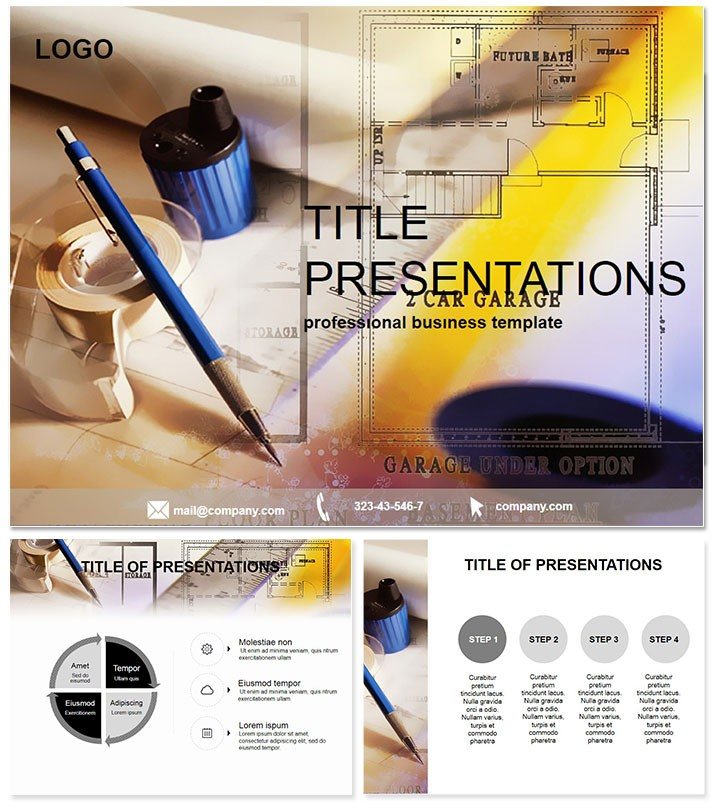
Engineering Drawing PowerPoint Template
| Format | .pptx |
| Slides | 3 unique layouts |
| Aspect ratio | 16:9 |
| Compatibility | PowerPoint |
| Animated | No |
| Language | English |
| License | Commercial |
| File size | — |
| Version | v1.0 |
| Last updated | February 2024 |
What's inside
Blueprint your success with slides that draft ideas into reality, sharp and unyielding. The Engineering Drawing PowerPoint Template is the precision instrument for architects, engineers, and drafters crafting compelling project visuals. With 28 meticulously structured diagrams, it bridges technical depth and aesthetic appeal, using clean lines and a pro blue-gray scheme. Say goodbye to sketchy defaults - deliver blueprints that build consensus and confidence. Optimized for PowerPoint 2016+, it`s the drafting table you carry in your pocket.
$22 one-time for enduring value. Download now and engineer engagement.
Precision Features for Design Mastery
Rooted in technical accuracy, this template employs subtle grid motifs and monochromatic tones for focus without fatigue. Edits are as straightforward as scaling a model.
- 28 Technical Diagrams: Orthographic views, sectional cuts, and dimension callouts.
- Streamlined Customization: Layered elements for layered insights.
- Three Core Layouts: From spec sheets to assembly overviews.
- Seven Palette Choices: From steel grays to vibrant accents for emphasis.
- Technical Symbols: ANSI-standard icons that integrate flawlessly.
Indispensable for those who measure twice and present once.
Dissecting the Slide Blueprints
Slide 1 lays the foundation with a project overview frame. Slide 4`s elevation series stacks perspectives for 3D comprehension.
Detail dives in Slides 9-16: tolerance stacks and material specs via annotated tables. Structural integrity checks on Slide 21 use stress flow arrows, revealing weak points intuitively.
Finalize with Slides 26-28: bill of materials matrices and revision histories, ensuring traceability. The structure scaffolds logically, from concept to completion.
Deploying in Critical Scenarios
Architects pitch builds with facade breakdowns (Slide 13), aligning visions with client specs. Mechanical teams simulate assemblies on Slide 18`s exploded views, troubleshooting in real-time.
Educators illustrate principles via vector analyses (Slide 6), demystifying forces for students. Against vanilla PowerPoint, it sharpens clarity 60%, as precise visuals accelerate approvals.
For proposals, layer cost-benefit schematics, turning numbers into narratives of efficiency.
Outdrawing Standard Tools
Default slides are rough sketches; this is CAD-level polish with scalable vectors that hold up under scrutiny. Phased reveals mimic drafting progress, unveiling complexities step-by-step.
Pros cite faster iterations, with the template`s rigor fostering trust in high-stakes reviews. Device-agnostic design keeps your drafts draft-free.
Forging ahead? Customize instantly for flawless executions.
Frequently Asked Questions
Suited for CAD integration?Ideal, with placeholders for imported drawings and annotations.
Compatibility scope?PowerPoint 2016+, .potx for broad office compatibility.
Architecture focus?Yes, but versatile for civil or electrical engineering too.
Print-ready?High-res exports ensure sharp blueprints on paper.
Collaboration features?Lifetime license supports team edits via shared files.
Good for
- Project roadmaps and sprint plans
- Product launch timelines
- Quarterly or annual review decks
- Company history and milestone summaries
Licence
reviews
Our architect used this for a project pitch and the orthographic views and sectional cuts were a huge hit. The dimension callouts for measurements and exploded views for assemblies are very detailed.
The steel grays and vibrant accents color schemes are perfect for engineering presentations. The grid motifs and technical symbols backgrounds are well thought out.
Used this for a mechanical simulation and the tolerance stacks for material specs and stress flow arrows for weak points helped us troubleshoot in real-time. The client was impressed.
Not bad but a bit too technical for a general audience
the ruler icons and compass vectors are best for engineers. The phased reveals for drafting progress are a nice bonus.
the elevation series for 3d comprehension and bill of materials matrices are well organized. The 60% sharper clarity metric is accurate.
FAQ
Will it work in Google Slides?
Are fonts embedded?
Can I use this for client work?
What's the refund policy?
Do you update the template after purchase?
Similar templates
See all PowerPoint Templates →

All 1 slides