 Click to zoom
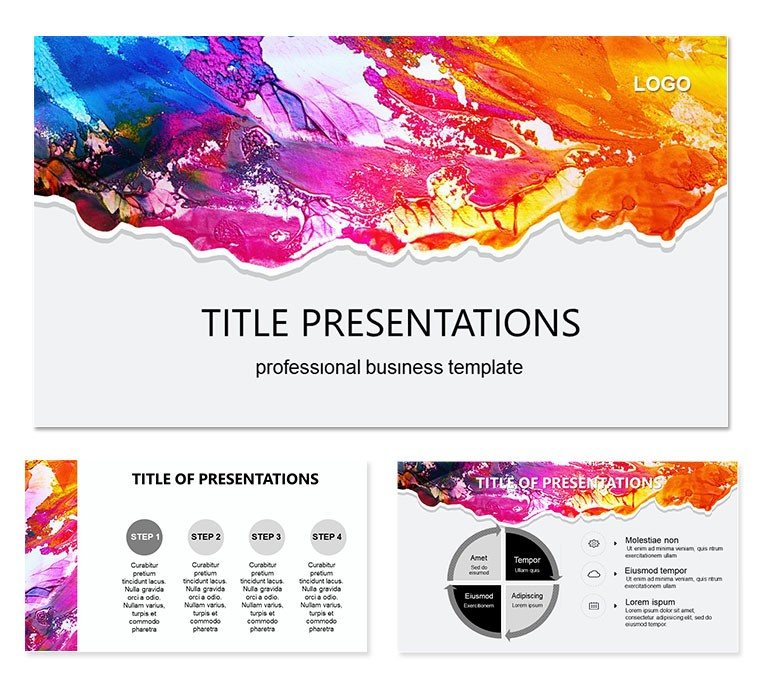
Enchanting Colors Keynote Template
| Format | .pptx |
| Slides | 3 unique layouts |
| Aspect ratio | 16:9 |
| Compatibility | PowerPoint |
| Animated | No |
| Language | English |
| License | Commercial |
| File size | — |
| Version | v1.0 |
| Last updated | October 2021 |
What's inside
Where pixels meet palette, the Enchanting Colors Keynote Template weaves modern tech with artistic allure, inviting designers, tech innovators, and creative directors to paint their visions vividly. This 28-diagram powerhouse, supported by three masters and three innovative backgrounds, offers seven color schemes fusing neon accents with matte finishes - ideal for bridging code and canvas.
Illuminate app prototypes or artistic evolutions with slides that pulse with possibility, leveraging Keynote`s prowess for layered effects. It`s more than design; it`s a symphony of form and function. Let`s color outside the lines together.
Innovative Features That Inspire
Diagrams dazzle as digital canvases: Mosaic matrices for trend mappings or helix spirals for process unspoolings, all tech-sharp.
- 28 Artistic Diagrams: Gradient gauges for UX flows or fractal forms for data fractals - infinitely tweakable.
- Seven Fusion Palettes: Cyber pinks to artisan earths, harmonized for screen and print.
- Three Masters and Backgrounds: Geometric overlays or fluid abstracts to frame your flair.
Remix with ease: Flood fills on shapes, blend modes for depth, and animations that cascade like code compiles.
Chromatic Charts That Captivate
The spectrum wheel spins creative workflows, segments showcasing ideation to iteration. A UI artist might hue this for portfolio palettes, each slice a style statement.
Vortex vectors swirl feedback loops, pulling viewers into iterative insights.
Creative Applications Across Fields
Tech leads demoing gadgets use layered lattice slides to stack feature hierarchies, nodes glowing with potential.
Gallery curators contrast movements via prism prisms, refracting influences artfully.
- Step 1: Prime the Palette. Slot concepts into grid placeholders - layouts layer logically.
- Step 2: Blend Boundaries. Merge schemes with your aesthetic, iconizing elements uniquely.
- Step 3: Animate the Art. Morph transitions to evolve forms fluidly.
- Step 4: Exhibit Effortlessly. Archive as interactives or statics for broad broadcasts.
A developer diagrammed API architectures as color-coded constellations, stars aligning for clarity.
Surpassing Stock Strokes
It eclipses basic brushes with hybrid harmony - tech topology meets tactile texture. Link to Figma prototypes or Adobe for extended edits.
A creative agency head highlighted how these enchanted evolutions energized client brainstorms.
Colorist Crafts
- Opacity overlays for multi-tiered meanings.
- Shape-shift hyperlinks to portfolio portals.
- Calibrate for calibrations; vectors vivid always.
From digital doodles to exhibit epics, this template enchants endlessly.
Paint Your Next Masterpiece
Unlock chromatic creativity - snag the Enchanting Colors Keynote Template for $22 and let innovation illuminate.
Frequently Asked Questions
Tech or art focused?
Both, blending modern equipment with artistic expression.
Vector scalability?
Yes, all elements resize without quality loss.
Integration options?
Embeds from design tools enhance seamlessly.
Background customizability?
Three bases, endlessly editable for your vision.
Scheme switching ease?
One-click in masters for swift shifts.
Good for
- Project roadmaps and sprint plans
- Product launch timelines
- Quarterly or annual review decks
- Company history and milestone summaries
Licence
reviews
The chart layouts were the best part for me.
I changed most colors and fonts quickly.
Not super modern but usable.
Worked well for quarterly updates.
The slides stayed aligned after export.
FAQ
Will it work in Google Slides?
Are fonts embedded?
Can I use this for client work?
What's the refund policy?
Do you update the template after purchase?
Similar templates
See all Keynote templates →

All 1 slides