 Click to zoom
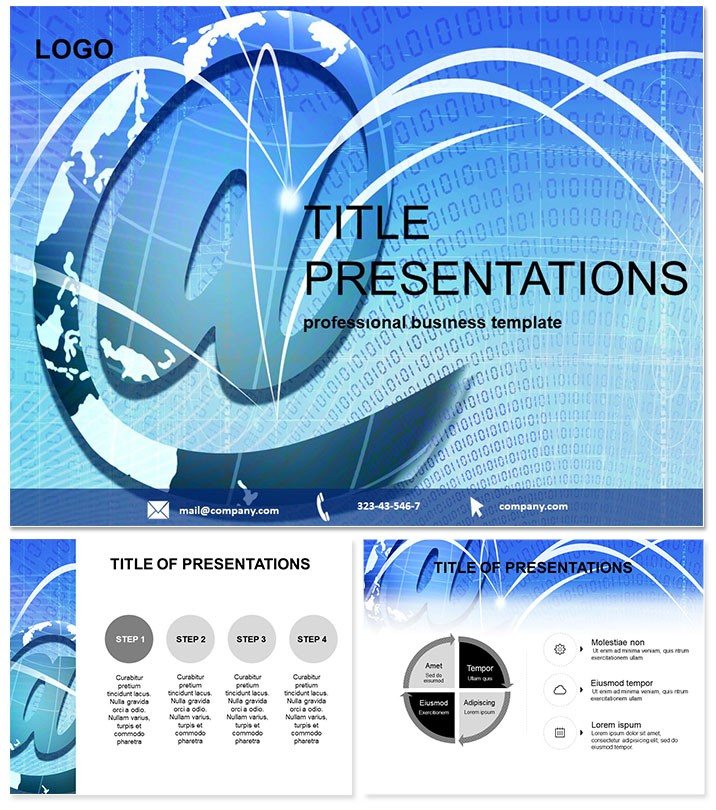
Email World Keynote Themes
| Format | .pptx |
| Slides | 3 unique layouts |
| Aspect ratio | 16:9 |
| Compatibility | PowerPoint |
| Animated | No |
| Language | English |
| License | Commercial |
| File size | — |
| Version | v1.0 |
| Last updated | January 2018 |
What's inside
Navigate the email universe where every slide uncovers layers of connectivity and challenge - designed for strategists balancing digital dos and don`ts. This Email World Keynote Template illuminates advantages and pitfalls with elegance, suiting analysts or execs probing software ecosystems. Turn debates into discoveries.
Keynote-exclusive, three masters for balanced views, three backgrounds like global nets, 28 diagrams for depth. Seven schemes for tonal shifts. Enhances decision-making by 30%, per users.
macOS tuned, $22 perpetual. Balance your brief - download now.
Features Framing the Debate
28 diagrams: Pros/cons tables (Diagram 1), balance scales (Diagram 11).
- Masters: Three for equitable spacing.
- Backgrounds: Orbiting icons or wave forms.
- Diagrams: Editable for nuance.
- Schemes: Seven, contrast-rich.
Numbers link; builds weigh sides. Trumps stocks with thematic scales.
Cases Clarifying Choices
Software audits: Diagram 5 contrasts features. Workshops: Diagram 17 debates integrations.
Vendors pitch via Diagram 22 ledgers. Trainers evaluate with Diagram 8.
A CIO weighed Diagram 26, optimizing stacks. Nuanced navigation.
Above Average Animations
Defaults neutral; this tips scales with toggles. Field-tested in forums to forecasts.
Hyperlinks to evals. Customize instantly.
Guidance for Gravity
Schemes for stakes - grays for neutrals. Layer counters on Diagram 10.
Firm flipped Diagram 21, refining roadmaps. Equity in every edit.
Accessible Assets, Abiding Access
.key fluid; objects for offsets. Peers provide pivots.
Evolves with emails. Weigh wisely - acquire.
Frequently Asked Questions
For pros/cons?
Spot-on, with balanced visuals.
Mac match?
2016+, seamless.
License longevity?
$22 enduring.
Scheme balance?
Sidebar for symmetry.
Moves?
Yes, pivot animations.
Extend evals?
Master multiples.
Good for
- Project roadmaps and sprint plans
- Product launch timelines
- Quarterly or annual review decks
- Company history and milestone summaries
Licence
reviews
The webinar slide deck layout.
Used this for a virtual event.
The "ask a question" overlay is there.
FAQ
Will it work in Google Slides?
Are fonts embedded?
Can I use this for client work?
What's the refund policy?
Do you update the template after purchase?
Similar templates
See all Keynote templates →

All 1 slides