 Click to zoom
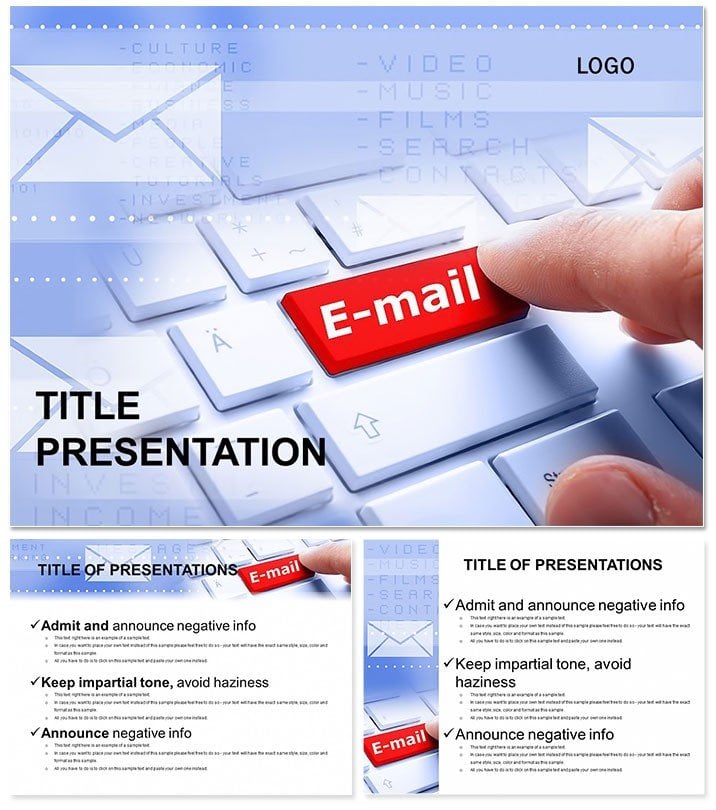
Email Communication PowerPoint Template Guide
| Format | .pptx |
| Slides | 3 unique layouts |
| Aspect ratio | 16:9 |
| Compatibility | PowerPoint |
| Animated | No |
| Language | English |
| License | Commercial |
| File size | — |
| Version | v1.0 |
| Last updated | October 2022 |
What's inside
Ever struggled to explain the power of email - the backbone of digital dialogue - in a way that sticks? This sending an email PowerPoint template changes that, turning dry facts into vibrant stories of connection and efficiency. As the oldest online service still thriving, email lets you dispatch texts, docs, spreadsheets, images, audio, and videos with a click. Now, visualize it all effortlessly for your audience, whether in e-commerce webinars or team training sessions.
Perfect for marketers unraveling campaign flows or IT pros demoing secure attachments, this template demystifies email`s versatility. It saves you from bland defaults, injecting professional polish that commands attention. Why settle for generic slides when you can download and customize now, transforming your message into a memorable journey through the world of online communication?
Essential Features for Seamless Email Presentations
Dive into 28 purpose-built diagrams that capture every nuance of email workflows. From inbox overviews to attachment hierarchies, these slides are your shortcut to clarity.
- Comprehensive Diagram Library: Radial email threads show conversation branches, while pyramid structures break down file types - from simple texts to multimedia embeds - making complex ideas digestible at a glance.
- Dynamic Color Palettes: Seven schemes, including corporate grays and vibrant digital blues, let you align with your brand`s energy, ensuring slides pop without overwhelming.
- Structural Foundations: Three masters and three backgrounds provide a cohesive framework, ideal for building decks that flow like a well-orchestrated email chain.
Built for reliability, it`s compatible with PowerPoint 2016 onward, including Office 365 across platforms. Formats include editable .potx for deep customizations and .jpg for quick shares. Whether widescreen or standard, it adapts to your setup, empowering you to focus on content over tech woes.
Practical Use Cases in Digital Realms
Consider an e-commerce manager presenting quarterly email metrics. With this template`s bar graph diagrams, they chart open rates and attachment-driven conversions, turning data into a roadmap for growth. Stakeholders leave not just informed, but excited about upcoming strategies.
In education, instructors use sequential flow diagrams to teach email etiquette, from subject lines to secure sends, engaging students with real-world simulations. For corporate training, HR teams illustrate policy updates via interconnected node slides, fostering compliance through visual storytelling.
These scenarios highlight the template`s prowess in internet-e-commerce contexts, where clear communication drives results. It`s not just slides - it`s a catalyst for better digital interactions.
Superior to Stock PowerPoint Options
Stock tools demand endless tweaks for professional results; this template arrives ready, with aligned elements and thematic cohesion. Cut design time by half, and amplify engagement with email-centric icons that resonate deeply.
Affordable Access for Lasting Impact
Secure lifetime rights for a one-time $22 fee - no subscriptions, just endless value. Trusted by pros for its intuitive design, it`s your key to standout presentations. Start sending stronger messages today with this essential tool.
Frequently Asked Questions
How does this template handle multimedia attachments?
Diagrams vividly depict file integrations, from audio clips to video links, simplifying explanations for diverse audiences.
What`s the compatibility range?
Fully supports PowerPoint 2016+, with cross-platform editing for teams on the go.
Can it fit non-email topics?
Yes, the workflow diagrams excel in any communication process, like messaging apps.
Are colors fully adjustable?
Indeed, seven schemes with one-click swaps for instant brand alignment.
What formats are provided?
.potx for edits and .jpg for previews, covering all bases.
Ideal for e-commerce beginners?
Absolutely - pre-built slides accelerate learning curves for fresh marketers.
Good for
- Project roadmaps and sprint plans
- Product launch timelines
- Quarterly or annual review decks
- Company history and milestone summaries
Licence
reviews
Created an email marketing training for my small team, the radial email threads for conversation branches and the pyramid structures for attachment types were very intuitive.
The corporate grays and digital blues are safe, but the diagrams feel a bit too 'IT help desk' for a high-level e-commerce growth strategy meeting.
The bar graph diagrams for open rates and attachment-driven conversions plugged directly into my Mailchimp export, saving me from making charts manually.
I used the sequential flow diagrams to teach email etiquette to new hires, and the interconnected node slides for policy updates were a hit with HR.
It is a basic set of communication slides, the 28 diagrams cover the basics well, though the 'email' focus is so specific that I had to tweak a lot for social media.
FAQ
Will it work in Google Slides?
Are fonts embedded?
Can I use this for client work?
What's the refund policy?
Do you update the template after purchase?
Similar templates
See all PowerPoint Templates →


All 1 slides