 Click to zoom
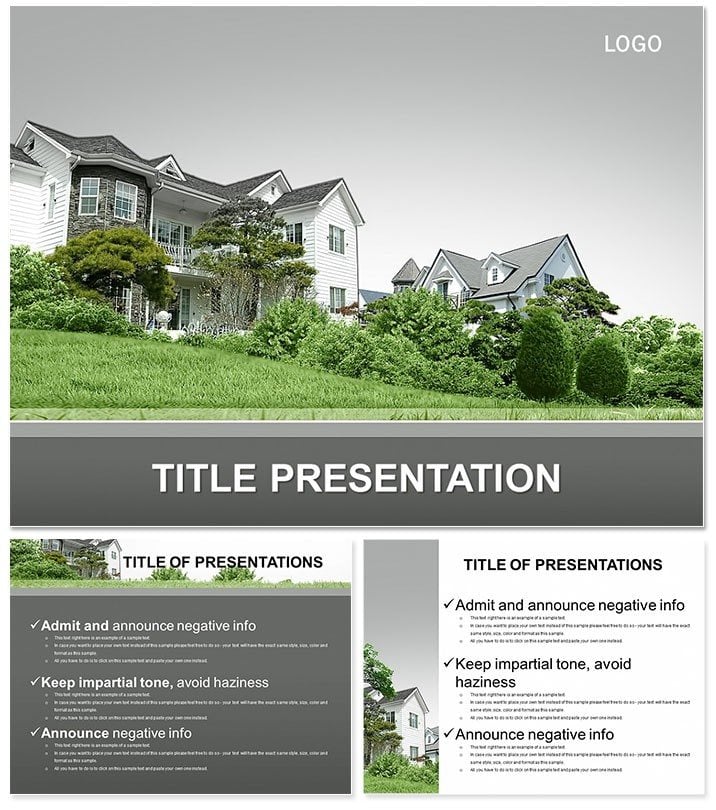
Elegant Rental House PowerPoint Template
| Format | .pptx |
| Slides | 3 unique layouts |
| Aspect ratio | 16:9 |
| Compatibility | PowerPoint |
| Animated | No |
| Language | English |
| License | Commercial |
| File size | — |
| Version | v1.0 |
| Last updated | January 2024 |
What's inside
In the competitive world of real estate, your first visual impression can seal the deal on a rental listing. Our Elegant Rental House PowerPoint Template empowers agents and managers to showcase properties with sophistication, using 28 refined diagrams that highlight layouts, amenities, and market data. Forget cluttered flyers; this tool crafts narratives that evoke homeownership dreams, drawing in tenants and investors alike with its clean, trustworthy design.
Featuring three masters and three backgrounds, it ensures a cohesive flow from intro to close. Seven color schemes, from serene neutrals to vibrant accents, let you tailor to property styles - coastal blues for beach rentals or warm earths for urban lofts. Compatible with PowerPoint 2016+, Google Slides, and multiple aspect ratios, it`s built for pros on the go. One-time $22 fee unlocks lifetime edits and updates.
Core Features for Property Pros
Each diagram is a storytelling asset: Floor plan overviews in slide one evolve into ROI calculations by slide 10, all with scalable vectors for detail without distortion. Backgrounds subtly nod to architecture, keeping focus on your content.
- 28 Specialized Diagrams: From virtual tours to lease comparison charts, ready for your specifics.
- 7 Palette Options: Professional mixes enhancing readability and emotional pull.
- Intuitive Edits: Replace placeholders with photos or stats via simple clicks.
- Platform Agnostic: Flawless on desktops, mobiles, or projectors.
This beats generic templates by embedding real estate lingo and flows, like tenant screening timelines, saving you redesign hours.
Use Cases That Drive Leases
A property manager preps for an open house: Slides map neighborhood perks, projecting 15% higher occupancy via targeted visuals. Investors review portfolios, with diagrams stacking rental yields against market trends for quick decisions.
In academic real estate courses, it illustrates urban planning, breaking down zoning impacts. One agent reported closing three deals faster using its credibility-building layouts. It`s versatile for virtual tours too - hyperlink slides for immersive walkthroughs.
Outshining Default Designs
PowerPoint defaults lack the polish for high-value pitches; our template infuses estate-specific elegance, with subtle animations unveiling features progressively. It`s not just slides - it`s a sales accelerator.
Ready to lease success? Download the Elegant Rental House PowerPoint Template now and watch inquiries soar.
Insider Tips for Peak Performance
Pair diagrams with client personas: Urban millennials get trendy visuals, families traditional ones. Embed QR codes for instant applications. For teams, use version history in Google Slides to track feedback.
Lifetime access means adapting to market shifts, like sustainable rentals, without extra costs.
FAQ
Is it suitable for commercial real estate?
Yes, adaptable for office or retail rentals with custom data overlays.
Can I add interactive elements?
Easily - insert hyperlinks or embed videos for property flythroughs.
What`s the editing learning curve?
Minimal; intuitive for PowerPoint users, with quick-start guides.
Does it include mobile optimization?
Responsive designs ensure clarity on tablets during site visits.
How secure is the license?
Full ownership post-purchase, no watermarks or restrictions.
Good for
- Project roadmaps and sprint plans
- Product launch timelines
- Quarterly or annual review decks
- Company history and milestone summaries
Licence
reviews
Tried to customize the pie chart colors but it took longer than I thought.
Good for internal meetings, wouldn't use for anything client-facing though.
The slide transitions are a bit dated but the content placeholders are solid.
Needed a org chart fast, this template had a couple decent options.
A few of the diagram connectors didn't align properly, had to tweak them manually.
FAQ
Will it work in Google Slides?
Are fonts embedded?
Can I use this for client work?
What's the refund policy?
Do you update the template after purchase?
Similar templates
See all PowerPoint Templates →


All 1 slides