 Click to zoom
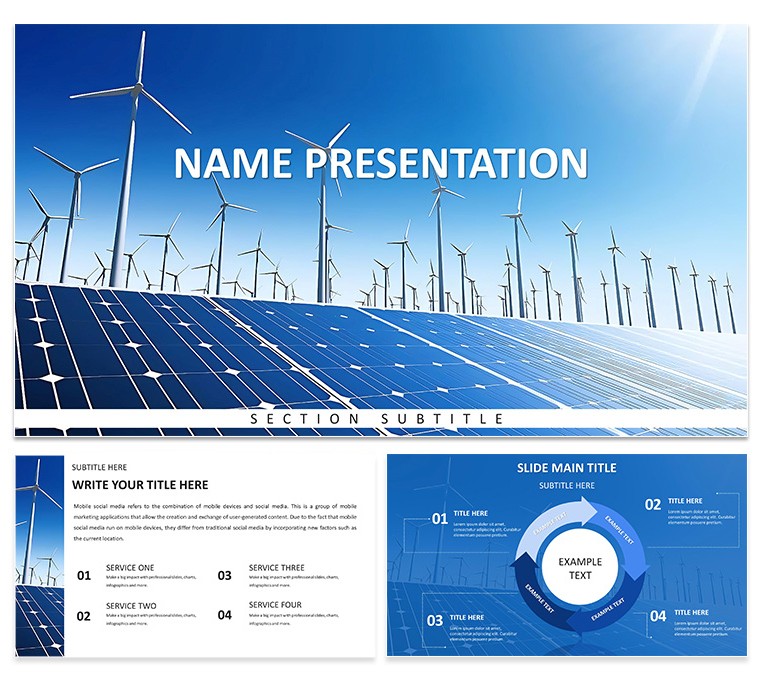
Eco-Friendly Energy: Solar and Wind Power Template for Keynote Presentations
| Format | .pptx |
| Slides | 3 unique layouts |
| Aspect ratio | 16:9 |
| Compatibility | PowerPoint |
| Animated | No |
| Language | English |
| License | Commercial |
| File size | — |
| Version | v1.0 |
| Last updated | April 2025 |
What's inside
As the world shifts toward sustainable solutions, communicating the potential of solar and wind power becomes crucial. Our Eco-Friendly Energy Keynote template is your ally in this mission, featuring stunning visuals of solar panels and wind turbines against a clean, modern backdrop. Tailored for energy professionals, educators, and businesses, it includes 28 diagrams in 7 color schemes to visualize data like efficiency metrics or project timelines. This isn't mere decoration; it's a functional powerhouse that simplifies complex topics, making your presentations persuasive and memorable. Whether advocating for clean tech at conferences or pitching to investors, this template helps you highlight benefits like reduced emissions and cost savings. Drawing from real-world successes, such as those in Ember's reports where solar growth hit records, it positions you as an authority. Start crafting impactful slides today and propel the renewable revolution forward.
Essential Features That Empower Your Message
This template boasts a robust set of tools for professional-grade presentations. Three masters and backgrounds provide a cohesive foundation, while the diagrams - ranging from cycle flows for wind energy processes to bar charts for solar output - offer depth. Each element is editable, supporting Keynote's features for smooth transitions. Optimized file size ensures no hiccups, even on older Macs. For industry pros, this means quick adaptations for production reports or power sector analyses.
In-Depth Look at Visual Elements
Explore the solar panel icons for tech breakdowns or turbine graphics for site planning. Use color schemes to differentiate data sets, like blue for wind and yellow for solar. Best practices from Programming Insider suggest concise slides; this template enforces that with minimal text placeholders.
- Renewable Icons Set: High-res images for authentic representation.
- Diagram Variety: 28 options for diverse data visualization.
- Customization Ease: Drag-and-drop for rapid changes.
- Compatibility Assurance: Works flawlessly in Keynote environments.
Transformative Benefits for Renewable Advocates
Invest in this template to reap benefits like enhanced audience retention - visuals can increase recall by up to 65%, per design studies. For environmental campaigns, it underscores urgency with eco-themes. Case studies from Viktori's solar pitch decks show how similar templates secured funding for 50MW farms by clarifying ROI.
Applications in the Field: Practical Use Cases
Apply it to seminars on wind trends or business pitches for solar installations. A real application from TotalEnergies' efforts: Using themed slides to showcase onshore wind projects, leading to expanded portfolios. For educators, break down hydro integrations, though focused on solar/wind. Step-by-step: Load template, input stats from Our World in Data (e.g., hydropower's dominance), animate for emphasis.
Success Story Integration
From Slidebean's examples, startups like those in clean tech used eco-decks to raise millions, emphasizing problem-solution frameworks.
Guide to Personalization and Deployment
- Open in Keynote and select aspect ratio.
- Choose color scheme for branding.
- Populate diagrams with real data, like wind's exponential growth.
- Add narratives from NIST's innovation insights.
- Present with confidence, using eco-fonts for sustainability.
Tips from LinkedIn: Avoid complexity; focus on key visuals for persuasion.
Pro Strategies for Engaging Eco-Presentations
Incorporate storytelling, as per ASES highlights, to connect emotionally. Use data from ScienceDirect on hybrid systems for credibility.
Wrap up your green narrative - purchase this template and ignite change in energy discussions.
Frequently Asked Questions
What makes the visuals eco-friendly?Designs inspired by renewables, promoting digital over print.Can I edit on iOS?Yes, fully compatible with Keynote app.Suitable for large audiences?High-res for projections.Diagram color options?Seven schemes for versatility.How to integrate data?Easy placeholders for stats.Refund policy?Contact support for details.Good for
- Project roadmaps and sprint plans
- Product launch timelines
- Quarterly or annual review decks
- Company history and milestone summaries
Licence
reviews
The slide structure for this one is very straightforward. Dropped in my data and the diagrams updated automatically. The color palette was easy to adjust in the master.
Used this for a team update and the layout held up well. The icons are minimal which I liked. Took about ten minutes to get it ready for the meeting.
Not the fanciest template but it gets the job done. The charts are easy to edit and the flow is logical. Worked fine for a client presentation.
The free version gave me a good preview. Ended up buying the paid one for the extra slides. The master slide controls are easy to use.
The diagram variety is decent. Used it for a quarterly report and the timeline slides were particularly useful. The file opened without any issues on my Mac.
This pack accelerated my work on a market research summary. Charts integrated our findings seamlessly.
Attention to slide structure helps tell a data story effectively. Typography choices support professionalism.
Well designed overall with only minor adjustments needed for brand fit.
Wished for more heatmap styles but others compensated well. Reliable templates.
Received compliments on the clarity during the client meeting.
FAQ
Will it work in Google Slides?
Are fonts embedded?
Can I use this for client work?
What's the refund policy?
Do you update the template after purchase?
Similar templates
See all Keynote templates →


All 1 slides