 Click to zoom
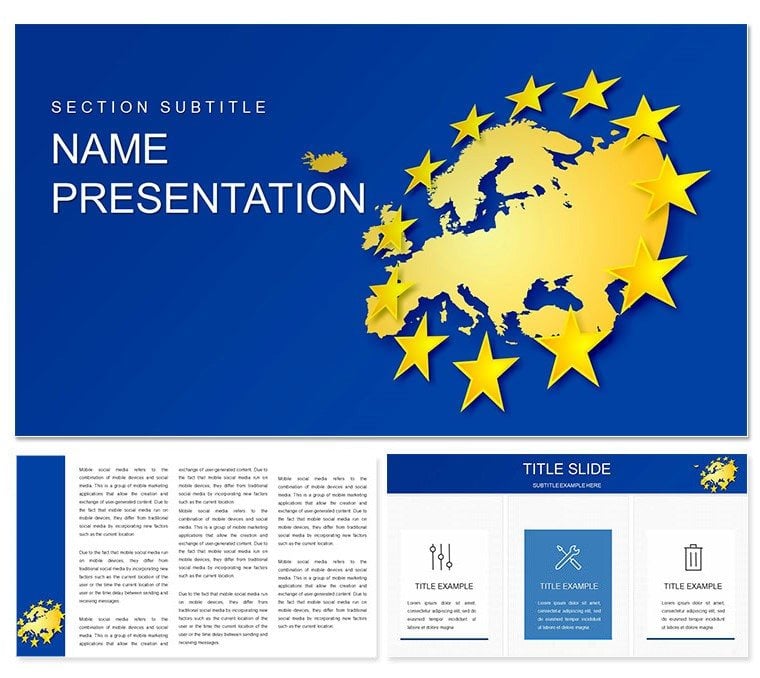
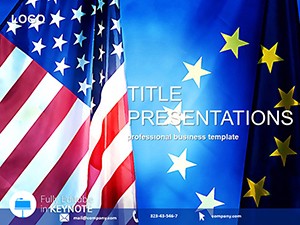
Dynamic European Union Keynote Template: Forge Clear Policy Visions
| Format | .pptx |
| Slides | 3 unique layouts |
| Aspect ratio | 16:9 |
| Compatibility | PowerPoint |
| Animated | No |
| Language | English |
| License | Commercial |
| File size | — |
| Version | v1.0 |
| Last updated | December 2022 |
What's inside
In the whirlwind of European governance, where every directive sparks debate, your presentations need to cut through the noise like a well-honed resolution. The European Union Keynote template delivers just that - 28 diagrams that blend modern flair with analytical rigor, ideal for government analysts, macroeconomists, and parliament aides. This bright, unconventional design spotlights your insights on polity, fiscal policies, and institutional frameworks, ensuring every slide advances your argument with undeniable poise.
Whether dissecting the European Parliament's role in crisis response or charting macroeconomic convergences, these visuals adapt to your agenda, shining on projectors or laptops alike. Built for iWork Keynote, it's your ally in crafting decks that influence outcomes. At $22, it's a small price for presentations that echo across chambers.
Standout Features Tailored for Institutional Impact
Foundationally robust, the template offers three masters for streamlined branding, three evocative backgrounds - from parliamentary halls to economic horizons - and seven schemes drawing from Europe's diverse palette. Editability is paramount, empowering you to infuse personal data without friction.
- Comprehensive 28 Diagrams: From Gantt charts for implementation timelines to heat maps of policy adherence, each is primed for real-world application.
- Intuitive Customization: Reshape narratives by updating labels with latest treaty amendments or gradients to denote urgency levels.
- Curated Elements: Integrated symbols of unity - like interlocking rings - accelerate setup, channeling focus to substantive discourse.
Animations via Keynote add procedural flow, simulating bill passages for immersive effect.
Customizing with Precision: A Quick Workflow
Import the .kth theme and align with your outline. For a donut chart on voting weights:
- Populate segments with member allocations, sourcing from council docs.
- Modulate opacities for emphasis - fainter for abstentions - to evoke consensus building.
- Layer in Keynote builds, unveiling slices progressively, akin to unfolding negotiations.
Targeted Scenarios: From Briefings to Briefcases
Government ministries find gold in the organizational charts, diagramming hierarchies from commissioners to committees, streamlining internal alignments. It outpaces vanilla tools with its innate grasp of bureaucratic layers.
For academic panels, the scatter plots illuminate econometric models, plotting inflation variances to spark interdisciplinary exchanges. Envision a diplomat's quarterly review: Leverage waterfall diagrams to cascade budget variances, turning figures into compelling cases for reform.
In think tank webinars, funnel charts trace aid distributions, their tapered forms mirroring resource convergence - tools that galvanize stakeholders toward unified fronts. These uses affirm the template's prowess in policy elucidation.
Insider Strategies for Compelling Reveals
Sync with live feeds from Eur-Lex for evergreen accuracy. Employ pauses on nexus diagrams to invite queries, fostering collaboration. Opt for muted schemes in formal venues to underscore gravitas.
Its specialized motifs liberate you from design drudgery, amplifying your voice in the union's chorus.
Why Choose This for Your EU Arsenal
Distinguished by its equilibrium of aesthetics and acuity, this template crafts slides that deliberate rather than dictate. Share via Keynote exports for collaborative edits or hyperlink to agendas for extended reach, amplifying your institutional footprint.
For those steering Europe's course, it's the visual compass you need.
Empower your policy playbook - grab the European Union Keynote template for $22 and illuminate the path forward.
Frequently Asked Questions
What file formats are provided?
.key and .kth for direct Keynote integration.
Are backgrounds customizable?
Fully, with options to overlay or replace for thematic fit.
Can it handle large datasets?
Yes, diagrams scale data-heavy inputs without clutter.
Suitable for educational purposes?
Perfectly, with structures that aid teaching complex governance.
How to add transitions?
Use Keynote's inspector for fluid, policy-paced animations.
Good for
- Project roadmaps and sprint plans
- Product launch timelines
- Quarterly or annual review decks
- Company history and milestone summaries
Licence
reviews
The layout made my research slides feel more organized.
I liked the chart pages because they didn’t look overdone.
There were a few strange icon choices but nothing serious.
Needed a clean template for a small client pitch and this worked okay.
Honestly better than staring at a blank Keynote file for two hours.
FAQ
Will it work in Google Slides?
Are fonts embedded?
Can I use this for client work?
What's the refund policy?
Do you update the template after purchase?
Similar templates
See all Keynote templates →
All 1 slides