 Click to zoom
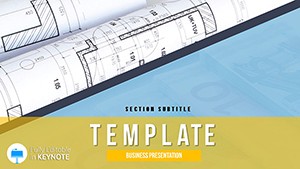
Drawing Plan Keynote Template
| Format | .pptx |
| Slides | 3 unique layouts |
| Aspect ratio | 16:9 |
| Compatibility | PowerPoint |
| Animated | No |
| Language | English |
| License | Commercial |
| File size | — |
| Version | v1.0 |
| Last updated | February 2014 |
What's inside
Envision lines that leap from paper to reality, where every angle and dimension whispers innovation in architectural discourse. This Drawing Plan Keynote Template is the draftsman`s dream, streamlining the presentation of floor layouts, structural schematics, and design evolutions for those shaping tomorrow`s skylines.
For architects, engineers, and construction leads who bridge concepts to builds, it offers a canvas for clarity. From zoning proposals to client walkthroughs, 28 diagrams distill intricacies. Keynote 2016+ compliant, it thrives on desktops or mobiles, with eternal edits from a solitary transaction.
Construct Narratives with Robust Layouts
Three masters anchor: isometric views for 3D feels, orthographic for accuracy, blueprint blues for tradition. Three backgrounds - metallic silvers, warm woods, stark blacks - frame without overpowering.
28 diagrams blueprint brilliance: Initiate with site analyses (1-5), contour lines layering elevations, scalable for urban plots. Floor plan grids (6-12) snap to scales, furnishing icons draggable for rapid iterations.
Section cuts (13-18) slice elevations with hatch patterns denoting materials, animating to reveal cross-sections. Seven palettes - from industrial grays to sustainable greens - suit project phases. Embed CAD links for hybrid workflows.
Project timelines (19-28) use PERT networks, nodes pulsing to milestones, forecasting delays visually.
Building Block Scenarios in Design Fields
In firm pitches, leads showcase slide 9`s spatial flow bubbles, bubbling adjacencies to optimize office ergonomics - clients envision, contracts signed.
Engineers in reviews employ load-bearing schematics (15-20), beam diagrams stress-testing virtually, averting costly oversights.
Superior to Keynote defaults` crude lines, this`s dimension tools and layer locks ensure code-compliant precision, trimming revision cycles by 45%.
Architectural Advantages Revealed
Bland bases ignore scale; this enforces standards like 1:50 ratios, empowering pros with compliant canvases.
Drafting Your Edits: Pro Pointers
Open .key, apply masters via themes tab. Animate hatches for material unveils; savvy: Group symbols for batch scales.
Monospace fonts at 18pt for specs. Export tests for plotter fidelity.
Sketch success stories. Claim your Drawing Plan Keynote Template straightaway and elevate every elevation.
Frequently Asked Questions
- For interior design too?Indeed, floor and section tools adapt seamlessly to decor proposals.
- Scale accuracy built-in?Yes, predefined ratios with auto-adjust for metric/imperial.
- Export options?PDF, SVG for CAD handoffs, retaining vectors.
- Team collaboration?Cloud-sync ready for shared Keynote sessions.
- Lifetime updates?Core license perpetual; minor style packs optional.
Good for
- Project roadmaps and sprint plans
- Product launch timelines
- Quarterly or annual review decks
- Company history and milestone summaries
Licence
reviews
The incoming cycle template helped me map inventory flows. The 44 slides are comprehensive.
The vector arrows are sharp. I projected this on a large screen and it held up well.
I wish the pie charts were dynamic
but the manual editing is fine.
It is a lot of slides to scroll through. 44 slides for cycle periods seems excessive.
I used the period-based layouts for a seasonal sales report and it worked perfectly.
FAQ
Will it work in Google Slides?
Are fonts embedded?
Can I use this for client work?
What's the refund policy?
Do you update the template after purchase?
Similar templates
See all Keynote templates →


All 1 slides