 Click to zoom
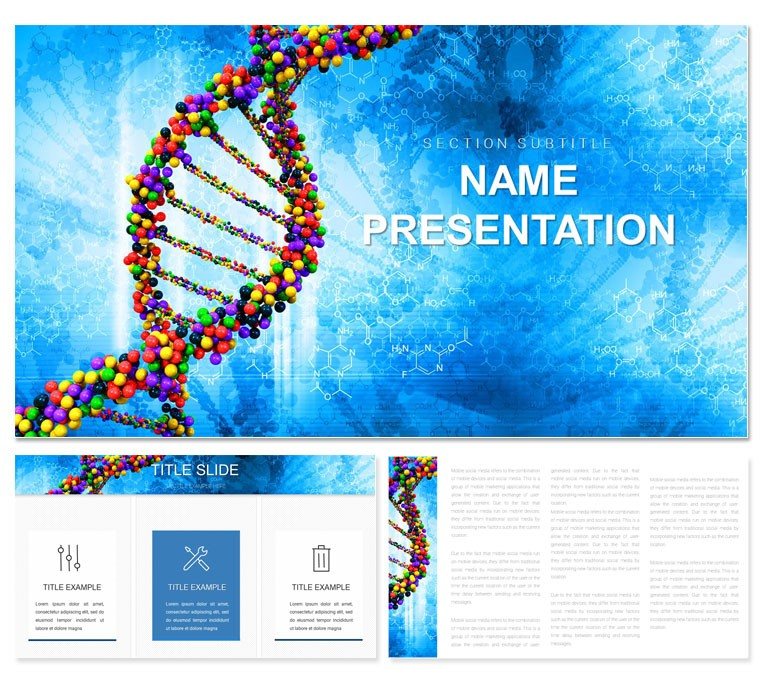
DNA and Genes Code PowerPoint Template: Helix of Innovation
| Format | .pptx |
| Slides | 3 unique layouts |
| Aspect ratio | 16:9 |
| Compatibility | PowerPoint |
| Animated | No |
| Language | English |
| License | Commercial |
| File size | — |
| Version | v1.0 |
| Last updated | March 2022 |
What's inside
Envision your biotech pitch uncoiling like a double helix - each turn revealing layers of discovery that hook funders and peers alike. The DNA and Genes Code PowerPoint Template equips you for that twist, delivering 28 gene-focused diagrams across three masters and backgrounds that echo lab sterility with a spark of ingenuity. Perfect for chemists, biotech leads, and educators decoding life's blueprint.
This template transcends templates: it's a scaffold for stories where sequences meet strategy. Seven schemes modulate from stark labs to vibrant viromes, all editable in PowerPoint 2016+. Infuse your CRISPR edits or sequencing runs, and emerge with slides that don't just show data - they evoke the eureka of breakthroughs.
Foundation Features for Biotech Visuals
Built on rigor, the three masters span scopes: exploratory ladders, mechanism zooms, and synthesis overviews, mirroring experimental phases.
- 28 Gene-Centric Diagrams: Ladder charts on slide 16 climb mutation rates, Gantt-like bars (slide 9) timeline expressions - ready for your alleles.
- Biotech Symbol Set: Nucleotide beads and enzyme clips add tactile science without textbook tedium.
- Adaptive Editing Suite: Group-select strands for batch recolors; PowerPoint's formula bar handles quantitative tweaks.
A university prof once threaded cohort data through slide 23's network graph, fostering a post-talk alliance that co-authored a paper - visuals as catalysts.
Versatile Venues: Lab to Lecture Applications
Patent filings benefit from the sequence aligner on slide 4, stacking variants side-by-side to underscore novelty.
Team huddles thrive on cycle diagrams (slides 11-13) looping replication steps, clarifying handoffs in multi-lab projects.
Blueprint for a Biotech Briefing
- Frame the Query: Lead with challenge visuals, segue to gene interventions.
- Layer Findings: Feed expression levels into the heatmap on slide 28 for gradient revelations.
- Calibrate Tones: Grays for baselines, accents for variants to highlight deviations.
- Simulate Sessions: Cue spin-ins for rotations, building immersion.
Superior to ad-hoc sketches, it refines focus, channeling creativity into content depths.
Refinement Rituals for DNA Decks
Embed QR codes on loci for dataset dives - scan slide 18's cluster to access raw FASTA. For webinars, vector .potx ensures zoom-proof details.
Harmonize with R scripts for plot overlays, or curve text along helices for poetic precision. Principle: Precision pairs with passion.
Twist your tale to triumph? Acquire the DNA Genes Code PowerPoint Template for $22 and encode excellence.
Frequently Asked Questions
Are the DNA structures scalable for large venues?Yes, vectors hold resolution up to 4K projections without pixelation.How flexible are the gene color mappings?Seven options, including spectral for codon visuals or monochromatic for print.Does it mesh with sequencing software exports?Seamlessly - import SVGs or tables to populate chromatogram mimics.Suitable for undergrad teaching modules?Indeed - simplify layers for basics, expand for advanced dives.Animation options for molecular dynamics?Path animations trace bonds; sequence for unfolding narratives.Can it handle epigenetic overlays?Adapt node styles for methylation marks or histone accents.Good for
- Project roadmaps and sprint plans
- Product launch timelines
- Quarterly or annual review decks
- Company history and milestone summaries
Licence
reviews
Those performance dashboards are good for call center metrics.
The average speed to answer gauge was accurate.
Used this for a weekly ops review.
Simple and clear, no issues.
The abandonment rate trend line was useful.
FAQ
Will it work in Google Slides?
Are fonts embedded?
Can I use this for client work?
What's the refund policy?
Do you update the template after purchase?
Similar templates
See all PowerPoint Templates →
All 1 slides