 Click to zoom
Digital Communication Keynote Template: Connecting Ideas Effortlessly
| Format | .pptx |
| Slides | 3 unique layouts |
| Aspect ratio | 16:9 |
| Compatibility | PowerPoint |
| Animated | No |
| Language | English |
| License | Commercial |
| File size | — |
| Version | v1.0 |
| Last updated | November 2024 |
What's inside
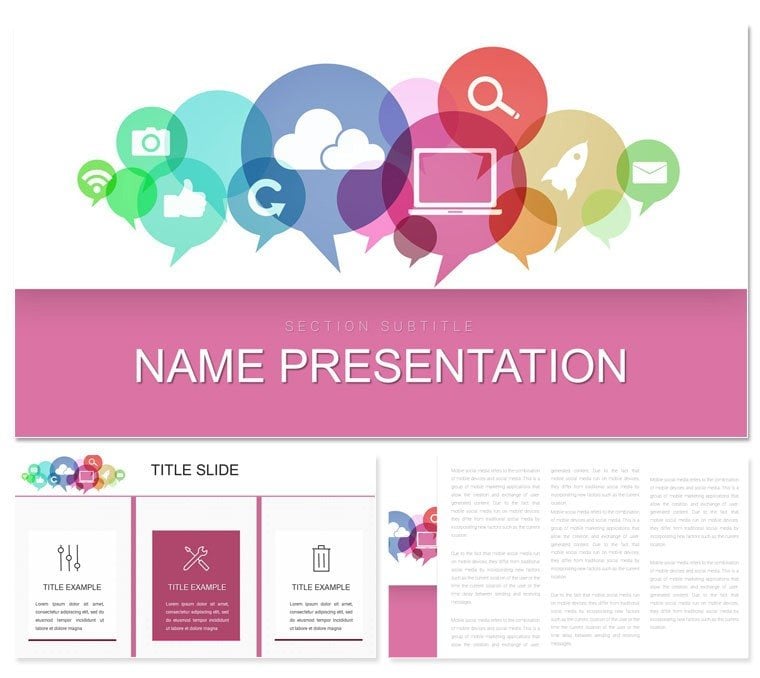
Visualize a webinar where your message doesn't get lost in the noise - it pulses through like a perfectly synced data stream, captivating every viewer. The Digital Communication Keynote Template is tailored for marketers, IT specialists, and media pros aiming to illuminate connectivity concepts with elegance. Inside, find 28 versatile diagrams, such as network topologies and content funnels, geared for dissecting social algorithms or streaming protocols. Three masters deliver design diversity, paired with seven color schemes echoing circuit boards and data waves - editable to sync with your brand's digital pulse.
Suited for client pitches, team huddles, or online courses, it distills tech tangles into triumphs. Optimized for Keynote 2018+, modifications are a breeze, from rerouting arrow paths in flowcharts to tinting icons for platform specifics. For a mere $22, unlock slides that foster dialogue, not just display info.
Standout Features for Networked Narratives
Core to this template is its wired-for-comms arsenal, where components converge for cohesive tales. The 28 diagrams tackle must-haves like bandwidth allocation pies and API integration maps, rendered in resizable vectors for any resolution.
- Masterful Layouts: Pick the hub-and-spoke master for ecosystem views, the linear one for protocol sequences, or the modular for app breakdowns, tied by clean geometric fonts.
- Background Builds: Three styles - a mesh for wireless vibes, a pixel grid for app UIs, and a fluid wave for broadband themes - subtly reinforce relevance.
- Color Circuits: Seven sets balanced for screens, highlighting user journeys in vivid yet non-glaring tones.
Perks include shape libraries for quick drags of routers or clouds, with smart connectors auto-snapping for error-free schematics.
Easy Roadmap: Designing Your Digital Deck
Begin by choosing a master that mirrors your focus - perhaps the modular for a VoIP rollout. Feed engagement metrics into the line graph, calibrate axes for peak hours, and punctuate with telecom icons from the asset tray.
- Frame the flow: Employ the org chart slide to branch from strategy to execution.
- Layer live inputs: Connect to analytics tools, refreshing your conversion paths on the fly.
- Infuse motion: Sequence node pops in network diagrams for build intrigue.
- Deploy digitally: Package as interactive PDF, retaining click-throughs to demos.
This path ensures your content streams smoothly, bandwidth be damned.
Applications: Bridging Digital Divides
In action, it bridges gaps galore. A social media strategist could chart algorithm evolutions with timeline slides for brand audits, clarifying reach ripples. Tech leads use sequence views to unpack 5G migrations in board briefings, demystifying latency lags.
Educators thrive too, customizing funnel diagrams for comms theory classes, injecting case snippets to vivify viral mechanics. PR teams adapt it for crisis flows, mapping response trees with precision.
Tips to Amplify Your Signal
Harness Keynote fades to mimic signal propagation across slides. Confine to core nodes per view, exploiting margins for sidebar calls. For global shares, .key exports hold vector integrity across devices.
Superior to stock options, it wires in relevance, channeling creativity to content over cosmetics.
Network Your Way to Standout Slides
Excelling with signal icons and latency-aware layouts, it trumps basics via plug-and-play ports and protocol patterns. Tweak every link in your topologies to track evolving tech tides.
Download the Digital Communication Keynote Template for $22 and wire up presentations that resonate across the spectrum.
Frequently Asked Questions
Ideal for which digital topics?
From social media to cybersecurity, its diagrams adapt broadly.
Editability level for networks?
Complete, with adjustable connectors and node properties.
Supports animations?
Yes, built for smooth transitions in data flows.
File compatibility?
.key primary, with .kth for themes.
Icon library size?
Over 50 digital-themed vectors included.
Good for
- Project roadmaps and sprint plans
- Product launch timelines
- Quarterly or annual review decks
- Company history and milestone summaries
Licence
reviews
Social network themed with connection nodes. Perfect for digital marketing. Vibrant colors pop on retina displays.
Used in workshop - participants followed relationship diagrams easily. Fun yet serious.
Deadline user loved the quick theme switch. Icons represent platforms well.
Educator perspective: great for explaining online communities. Engaging design.
High customizability for brand colors. Modern and relevant visuals.
Mixed: strong concept but some slides feel repetitive. Still useful.
FAQ
Will it work in Google Slides?
Are fonts embedded?
Can I use this for client work?
What's the refund policy?
Do you update the template after purchase?
Similar templates
See all Keynote templates →



All 1 slides