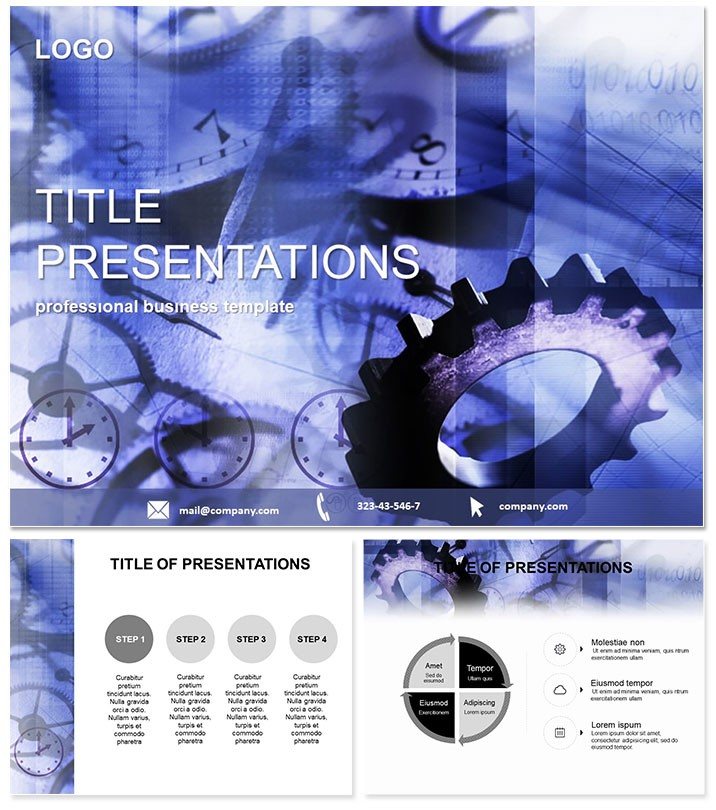
 Click to zoom
Details Equipment Keynote Template: Gear Up Your Tech Talks
| Format | .pptx |
| Slides | 3 unique layouts |
| Aspect ratio | 16:9 |
| Compatibility | PowerPoint |
| Animated | No |
| Language | English |
| License | Commercial |
| File size | — |
| Version | v1.0 |
| Last updated | January 2022 |
What's inside
Step into the future of presentations where every gear turns heads and every circuit sparks interest. The Details Equipment Keynote Template equips you with 28 precision-engineered diagrams to dissect technology and business strategies like a pro. Ideal for innovators unveiling gadgets or managers mapping operational flows, this template turns abstract ideas into tangible triumphs.
Designed exclusively for Apple Keynote, it harnesses the software`s power to create slides that hum with efficiency. From server rack schematics to workflow blueprints, the clean lines and modular layouts ensure your content drives the narrative. Compatible with Keynote 2016 and beyond, it`s the reliable partner for remote teams and on-site demos alike, saving you from design drudgery.
Dive Deep into Template Features Built for Innovation
This powerhouse includes three master slides for unified aesthetics and three backgrounds that evoke tech labs or boardrooms. The star? 28 diagrams across seven color schemes, from sleek grays to energizing blues, all primed for your data.
- Masterful Foundations: Three masters lock in your tech theme, with placeholders for logos and headers.
- Background Brilliance: Options like circuit patterns or minimalist grids set a high-tech vibe instantly.
- Diagram Dynamics: Explore 28 slides covering hierarchies, cycles, and breakdowns - perfect for equipment inventories or process audits.
- Scheme Spectrum: Seven customizable palettes adapt to your company`s digital palette.
With vector graphics, scaling is lossless, and text edits flow effortlessly. Integrate live data links for real-time updates, making this template a living document for evolving projects.
Streamline Your Creative Process
Import into Keynote and layer in your specifics - swap placeholders with actual photos of hardware or charts from Excel. The modular design supports drag-and-drop simplicity, ideal for last-minute tweaks before a product launch.
Practical Use Cases in Tech and Beyond
Envision an IT consultant diagramming network upgrades. Using the template`s connection maps, they highlight bottlenecks and solutions, with equipment icons pinpointing hardware needs. Clients grasp the upgrade`s value, signing off with confidence.
Business analysts love it for operational reviews. A Gantt-style diagram tracks project timelines, overlaid with resource allocations - turning dense reports into digestible stories that secure buy-in from stakeholders.
In educational settings, instructors break down machinery mechanics. Radial diagrams illustrate component interactions, helping engineering students visualize assemblies without overwhelming sketches.
Better Than Stock Keynote Tools
Keynote`s defaults are functional but forgettable; this template adds thematic relevance with equipment motifs that contextualize your content. Animations reveal layers progressively, unlike static defaults, building suspense in reveals. Editability trumps basics - group elements for bulk changes, streamlining revisions.
Power up your next pitch? Secure the Details Equipment Keynote Template today and innovate without limits.
Expert Hacks for Peak Performance
Layer transparency on backgrounds for subtle depth, and use Keynote`s build effects to unveil diagram parts sequentially. For accessibility, add alt text to elements - ensuring your tech-savvy slides reach everyone. Export to PDF for handouts that retain interactivity hints.
Scale for large audiences by optimizing for 16:9 ratios, keeping details sharp on projectors.
Built on Expertise You Can Trust
Developed by presentation specialists with tech industry insights, this template has streamlined countless strategy sessions. User feedback confirms its ease, with pros praising the time savings. At a one-time $22 for lifetime access, it`s a no-brainer for recurring use.
Equip your ideas for success. Download now and let your presentations compute brilliance.
Frequently Asked Questions
Does it work on Windows via Parallels?
Yes, fully compatible when running Keynote through virtualization.
Are diagrams resizable without distortion?
Absolutely - vector-based for perfect scaling every time.
What`s included in the download?
.key files, .kth themes, and .jpg previews for quick reference.
Can I add hyperlinks to diagrams?
Yes, embed links effortlessly for interactive navigation.
How editable are the color schemes?
Completely - change hues, saturations, and opacities in one go.
Is it suitable for non-tech topics?
Versatile enough for any process-oriented presentation.
Good for
- Project roadmaps and sprint plans
- Product launch timelines
- Quarterly or annual review decks
- Company history and milestone summaries
Licence
reviews
Pretty good template but the server rack schematics were a bit too detailed for a high-level executive summary.
My IT consultant used the connection maps for a network upgrade and the client approved the budget.
The Gantt-style diagrams for project timelines helped an operations manager present a plan.
Used the radial diagrams for component interactions in an engineering class.
The sleek grays color scheme is modern but the energizing blues one is better for a growth-focused tech talk.
FAQ
Will it work in Google Slides?
Are fonts embedded?
Can I use this for client work?
What's the refund policy?
Do you update the template after purchase?
Similar templates
See all Keynote templates →



All 1 slides