 Click to zoom
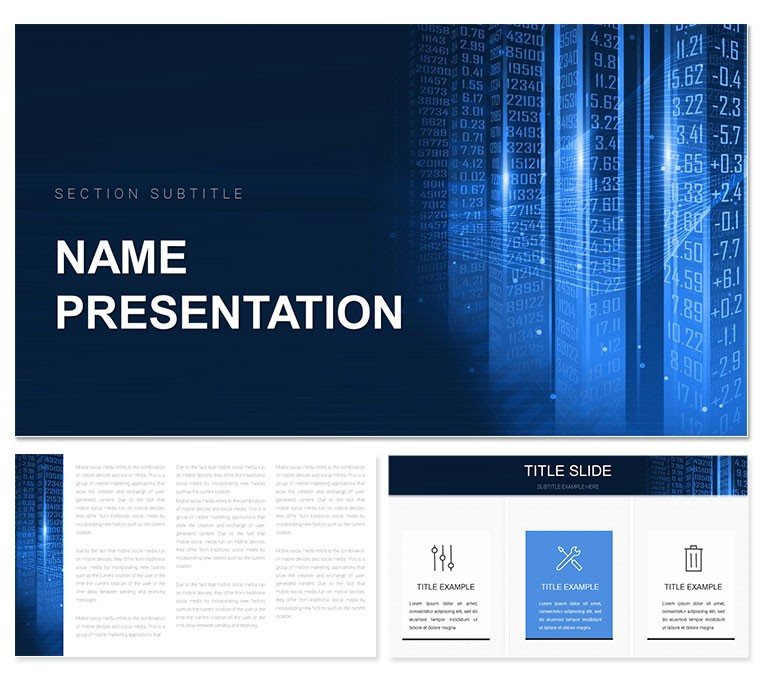
Data Information Keynote Template: Illuminating Business Insights
| Format | .pptx |
| Slides | 3 unique layouts |
| Aspect ratio | 16:9 |
| Compatibility | PowerPoint |
| Animated | No |
| Language | English |
| License | Commercial |
| File size | — |
| Version | v1.0 |
| Last updated | November 2024 |
What's inside
In the data-driven rush of e-commerce, where metrics dictate moves, your presentations must cut through noise to reveal actionable truths. This Keynote template empowers executives, analysts, and marketers to do just that, with 28 configurable diagrams that turn raw numbers into strategic narratives. Three masters and three backgrounds provide a modern scaffold for reports, proposals, and studies that command attention and inform decisions.
Geared for boardrooms and strategy sessions, its seven color schemes - from corporate grays to insight pops of teal - fit any corporate vibe. Aligned with Keynote's latest features on Apple platforms, it incorporates clean, tested designs that mirror the precision of analytics dashboards, helping you present with the poise of a seasoned consultant.
The template eases the burden of chart chaos by delivering layouts where KPIs slot in seamlessly: funnel analyses for conversion paths or heat maps for user behaviors. It's crafted to highlight value - showing not just what happened, but why it matters - fostering discussions that propel growth.
Powerful Features for Data Mastery
Three masters set the stage: a dashboard-style opener for key highlights, a detail master for deep dives, and a synthesis master for recommendations. Three backgrounds amplify - a metric grid for analytical edge, a subtle waveform for trend flows, or a minimalist void for focus.
Twenty-eight diagrams form the powerhouse: a donut chart for market shares, tweakable with live data links, or a scatter plot for correlation insights, all vector-sharp. Seven schemes ensure branding - neutral for finance decks or accented for marketing reviews.
- Dynamic Charts: Auto-update from linked sources for real-time relevance.
- Icon Sets: 50+ business motifs, from arrows to gears, for visual punch.
- Responsive Layouts: Adapt to portrait or landscape without rework.
Versatile Uses in E-Commerce and Finance
An e-tail manager reviewing quarterly sales deploys the template's cohort analysis diagram to track retention curves, overlaying promo impacts for a story that justifies budget shifts. Engagement soars, strategies sharpen.
A finance lead in market forecasting uses timeline variants to project revenues, sparking cross-team alignments on risks and opportunities.
Effortless Path to Insightful Decks
- Base Selection: Launch with the detail master and grid background for data immersion.
- Chart Placement: Embed the performance gauge, inputting metrics via paste.
- Palette Pick: Go with Scheme 6 for data-distinguishing contrasts.
- Asset Addition: Integrate screenshots or graphs into bays for context.
- Refine and Roll Out: Animate key reveals, then export for stakeholder syncs.
Harmonizes with Tableau exports or Google Sheets for fluid data handling.
Outpacing Plain Presentation Norms
While default slides smother in sameness, this template foresees data's demands - multi-axis graphs for multivariate trends, Sankey flows for attribution - unleashing time for interpretation over illustration. Echoing executive briefs' brevity, it amplifies authority.
Teams thrive on versioned shares; analysts appreciate one-click updates for agility.
Tactics for Persuasive Data Tells
- Lead with questions in titles, like "What's driving churn?" to frame findings.
- Sequence builds to uncover patterns gradually, mirroring discovery.
- Match schemes to reports - bold for sales, refined for audits.
Secure the Data Information Keynote template for $22 and decode success patterns.
Frequently Asked Questions
What diagram types are available?
28 including bars, lines, and funnels, all geared for business data.
Editing simplicity?
Intuitive with Keynote's interface; no coding required.
Supported platforms?
Keynote 2016+ on Mac, iPhone, iPad.
Data linking possible?
Yes, connect to spreadsheets for automated refreshes.
Background customization?
Three bases, editable for opacity and overlays.
Icon count?
Over 50, expandable with your uploads.
Good for
- Project roadmaps and sprint plans
- Product launch timelines
- Quarterly or annual review decks
- Company history and milestone summaries
Licence
reviews
Data information template illuminates with clean bar graphs and pie charts in professional blues. Helped my business insights deck shine.
Analyst: the dashboard mockups with key metrics icons were spot on for reports.
Practical under deadline: customized the trend line slides fast. Reliable design.
Enthusiastic: loved the big data flow visuals with connecting nodes.
Mixed: some heatmap styles dated but overall functional for stakeholders.
Student: the correlation matrices clarified my stats presentation.
FAQ
Will it work in Google Slides?
Are fonts embedded?
Can I use this for client work?
What's the refund policy?
Do you update the template after purchase?
Similar templates
See all Keynote templates →



All 1 slides