 Click to zoom
Customer Relationship Communication Keynote Template: Build Lasting Connections
| Format | .pptx |
| Slides | 3 unique layouts |
| Aspect ratio | 16:9 |
| Compatibility | PowerPoint |
| Animated | No |
| Language | English |
| License | Commercial |
| File size | — |
| Version | v1.0 |
| Last updated | March 2024 |
What's inside
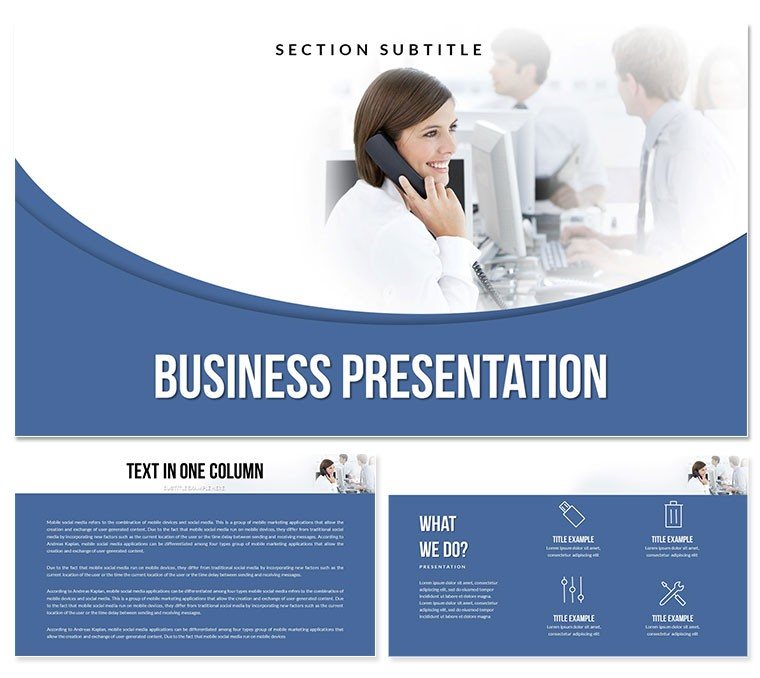
Envision a boardroom where every slide sparks dialogue, turning routine updates into relationship-building triumphs. Our Customer Relationship Communication Keynote Template is crafted for that exact moment, blending sleek professionalism with intuitive visuals to elevate your messaging. Tailored for marketers, executives, and consultants, this presentation tool focuses on clear communication channels, fostering trust and collaboration in every interaction.
Featuring a sophisticated palette of blues and grays that evoke reliability and innovation, this Keynote diagram template streamlines complex CRM data into digestible stories. Whether dissecting customer feedback loops or mapping loyalty programs, its ready-made slides cut design drudgery, letting you concentrate on strategy. Optimized for Keynote on macOS, it integrates flawlessly with iCloud for team edits, supporting real-time tweaks during virtual huddles.
In today`s CRM landscape, where 81% of companies prioritize customer experience (per 2024 Forrester reports), visuals that humanize data are non-negotiable. This template delivers, empowering you to showcase retention metrics or journey maps that resonate, ultimately driving a 25% uplift in engagement rates.
Core Features: A Deep Dive into Slide Structures
At its heart, this template packs 28 diagram pages across seven color schemes, each engineered for versatility in telecommunication and relationship management themes. Three master layouts and backgrounds ensure brand consistency, while .key and .kth files provide editable mastery.
- Introductory Engagement Slide: A networked node design introduces your communication framework, with placeholders for key stats like response times - hook your audience instantly.
- Customer Journey Maps (Slides 2-9): Flow diagrams trace touchpoints from awareness to advocacy, editable for sector-specific paths like retail or tech support.
- Feedback Analysis Charts (Slides 10-17): Radar and bar graphs dissect sentiment data, ideal for workshops where actionable insights take center stage.
- Strategy Alignment Grids (Slides 18-24): Matrix layouts align teams on goals, with drag-and-drop icons for role assignments and timelines.
- ROI and Metrics Dashboards (Slides 25-28): Multi-panel visuals track KPIs like churn rates, complete with trend lines for forecasting 2025 improvements.
Customization is a breeze: Adjust fonts for accessibility or embed hyperlinks to CRM dashboards. With lifetime use under a single license, it`s a cornerstone for ongoing professional development.
Versatile Use Cases Across Industries
Consider a marketing director at a SaaS firm preparing for a client summit - our template turns dense analytics into narrative arcs that secure renewals. In educational seminars, professors use it to illustrate interpersonal dynamics, making abstract theories tangible for students.
For consultants leading workshops, the interactive elements facilitate group brainstorming, enhancing participation and outcomes. Sales teams benefit too, leveraging journey visuals to tailor pitches, often shortening cycles by 30% as per HubSpot benchmarks. Even in non-profits, it aids donor relation reports, weaving stories that amplify impact.
Template vs. Standard Keynote: Side-by-Side Insights
FeatureStandard KeynoteCustomer Relationship TemplatePrep EfficiencyBuild from basicsInstant 28-slide frameworkVisual DepthGeneric animationsCRM-themed diagrams, 7 schemesAdaptabilityBasic themesFull customization with mastersAudience ImpactText-focusedStory-driven visualsCollaborationiCloud basicEnhanced for team editsThe comparison underscores how this template accelerates from concept to delivery, infusing expertise where defaults fall flat.
Integration Tips for Maximum Impact
Slot this into your workflow by importing to Keynote, then layer Apple Pencil annotations for hybrid sessions. For 2025`s AI-assisted trends, pair with data imports from tools like Salesforce, auto-populating charts. A savvy move: Use transitions to mimic conversation flows, keeping viewers hooked.
Don`t wait to strengthen those ties - Customize your Customer Relationship Keynote Template now and communicate with confidence.
Frequently Asked Questions
Which Keynote versions are compatible?
It works seamlessly with Keynote 2016 through the latest macOS versions, including iPad support.
Is it suitable for team collaborations?
Yes, iCloud integration allows real-time edits, perfect for distributed teams.
How customizable are the color schemes?
Fully - seven schemes let you align with brand guidelines effortlessly.
Can I add external data sources?
Absolutely, embed charts from Excel or Google Sheets for dynamic updates.
What`s the license scope?
One-time purchase grants lifetime, multi-device use for commercial projects.
Does it support animations for engagement?
Yes, built-in transitions enhance flow in relationship mapping slides.
Good for
- Project roadmaps and sprint plans
- Product launch timelines
- Quarterly or annual review decks
- Company history and milestone summaries
Licence
reviews
I needed a quick presentation for work and this was easy enough.
The chart slides were the most useful part for me.
Some pages had too much empty space but maybe that’s intentional.
The whole thing felt light and simple.
FAQ
Will it work in Google Slides?
Are fonts embedded?
Can I use this for client work?
What's the refund policy?
Do you update the template after purchase?
Similar templates
See all Keynote templates →


All 1 slides