 Click to zoom
Cultivating Your Financial Future Keynote Template
| Format | .pptx |
| Slides | 3 unique layouts |
| Aspect ratio | 16:9 |
| Compatibility | PowerPoint |
| Animated | No |
| Language | English |
| License | Commercial |
| File size | — |
| Version | v1.0 |
| Last updated | September 2024 |
What's inside
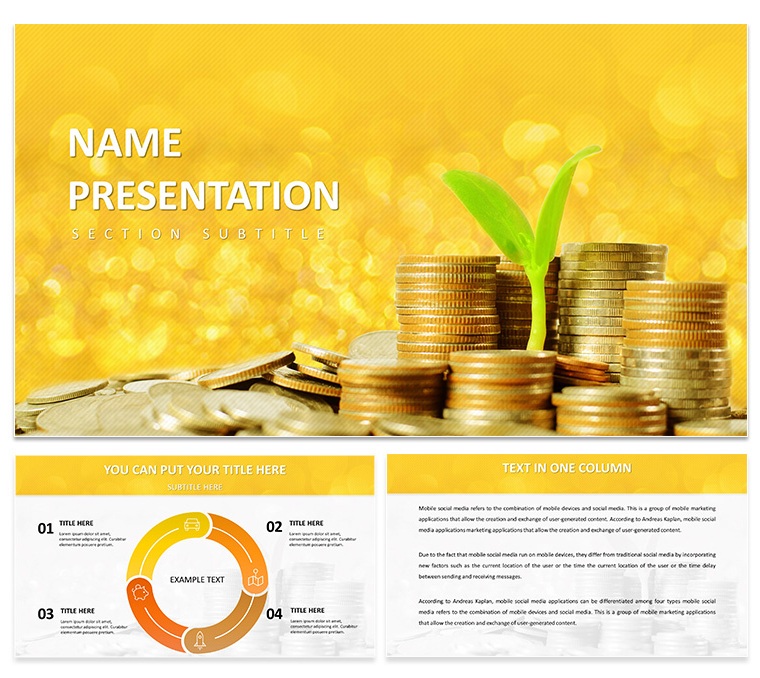
Envision a boardroom where your financial vision sprouts to life, not buried in spreadsheets but blooming through vivid storytelling. The Cultivating Your Financial Future Keynote Template does just that, blending botanical metaphors with fiscal smarts to help advisors, entrepreneurs, and finance coaches plant ideas that take root. Picture a seedling pushing through coins as your central motif - symbolizing steady growth amid market volatility. With 28 dynamic diagrams, three adaptable masters, and three evocative backgrounds, this template equips you to forecast revenues, map investment paths, or rally teams around budget goals, all while keeping your audience hooked.
Rooted in a fresh, organic aesthetic, it uses earthy greens and golds to evoke abundance, complemented by icons of sprouting charts and currency vines. Tailored for Keynote on Apple devices, it's drag-and-drop simple: import your CSV data into bar graphs, resize pie segments for asset allocations, or layer timelines with milestone markers. The result? Decks that don't just report numbers - they nurture understanding and action.
Key Elements That Fuel Financial Narratives
This template isn't a one-size-fits-all; it's a cultivated garden of tools, inspired by how firms like Vanguard streamline client recaps with thematic consistency.
- 28 Growth-Focused Diagrams: Line graphs tracing portfolio uptrends or funnel visuals for lead-to-loan conversions - each scalable and infused with leafy accents for thematic tie-in.
- Three Masters for Structured Bloom: Title slides with sprouting text animations, content layouts balancing text and visuals, and summary masters recapping key yields.
- Seven Vibrant Color Schemes: From verdant spring tones for optimistic projections to autumnal hues for risk assessments, each scheme harmonizes with the growth theme.
- Custom Icon Library: Dozens of finance-flora hybrids, like dollar-sign flowers or equity branches, ready to punctuate bullet points or annotate maps.
- Adaptive Animations: Gentle builds that mimic natural progression, such as roots extending across a slide to reveal quarterly gains.
Such features turned a startup founder's seed-round pitch into a funded reality, where the metaphor alone sparked investor buy-in.
Real-World Applications: Sowing Seeds in Finance Scenarios
From client meetings to strategy sessions, this template adapts to where money matters most. Here's how to deploy it effectively, with guided steps.
Advising Clients on Investment Strategies
As a financial planner, use the roadmap diagram (Slide 8) to plot client journeys: start with current assets as the soil base, branch out to diversified options like stocks and bonds. Input personalized yields via Keynote's data linker, then animate paths to show compound growth over five years. Pair with a radial chart (Slide 20) for risk-reward breakdowns, coloring high-volatility arms in cautionary orange. Wrap with an outcomes slide inviting scenario tweaks - empowering clients to envision their harvest.
Showcasing Business Plans to Stakeholders
For entrepreneurs unveiling ventures, kick off with the ecosystem overview (Slide 4), layering market analysis as interconnected roots. Progress to the Gantt-style grower (Slide 16), scheduling milestones from launch to scale-up, with adjustable bars reflecting funding phases. Highlight revenue streams in a waterfall diagram (Slide 27), cascading figures from top-line sales downward. This structure, akin to how fintech pitches at TechCrunch Disrupt, builds a narrative of inevitable expansion.
Delivering Corporate Finance Reports
In team huddles, the balance sheet balancer (Slide 11) shines: equate assets and liabilities with teetering vines, inserting formulas for real-time equilibrium checks. For variance analysis, employ the comparative bar set (Slide 23), side-by-side actuals versus budgets with sprouting differentials. Animate reveals to focus on variances first, guiding discussions toward corrective pruning. It's a method that clarified Q2 shortfalls for a mid-sized firm, steering toward surplus.
Extend its reach to annual reviews or webinar slides - versatility that multiplies your ROI on design time.
Pro Tips for Harvesting Maximum Engagement
Fine-tune your deck with these Keynote hacks to ensure your message takes deep root:
- Seed Data Dynamically: Link external spreadsheets to diagrams via Keynote's import feature; updates propagate instantly, ideal for live modeling.
- Prune for Pace: Limit slides to 15-20 by merging similar visuals, using the template's modular groups to recombine without rework.
- Foster Interactivity: Hyperlink icons to detailed appendices, turning passive viewers into active explorers of your projections.
- Season with Stories: Overlay brief anecdotes on metric slides, like a client's turnaround tale, to humanize the figures.
These refinements transform reports into rallying cries, much like a well-tended portfolio weathers storms.
Standing Tall Against Standard Templates
Unlike bland defaults that wilt under scrutiny, this one thrives with its narrative thread - growth imagery that reinforces every fiscal point. The seven schemes allow seasonal refreshes, and lighter file sizes mean fluid rehearsals. It's the difference between scattering seeds and cultivating a forest: deliberate, impactful design.
Time to nurture your next big idea? Secure the Cultivating Your Financial Future Keynote Template for $22 and watch your presentations flourish.
Frequently Asked Questions
How customizable are the growth diagrams?
Fully - resize, recolor, and reshape elements while preserving the organic theme; vector formats ensure no quality loss.
What Keynote versions does it support?
Compatible with Keynote 2016+, including seamless integration on iPad for on-the-go edits.
Are the icons scalable for large screens?
Yes, all 50+ icons are vector-based, maintaining sharpness in projector or virtual formats.
Can I adapt it for personal finance workshops?
Perfectly suited - swap business jargon for everyday tips, using simpler diagrams for broader appeal.
Does it include animation presets?
Indeed, with subtle builds tailored to the growth motif, adjustable for timing and sequence.
What's in the download package?
.key file, .kth theme, .jpg thumbnails, and a quick-start PDF guide.
Good for
- Project roadmaps and sprint plans
- Product launch timelines
- Quarterly or annual review decks
- Company history and milestone summaries
Licence
reviews
The structure of this template is very clean. Dropped in my data and the diagrams updated without any issues. The color palette was easy to adjust in the master.
Used this for a team presentation and the layout held up well. The icons are minimal which I liked. Took about ten minutes to get it ready for the meeting.
Not the fanciest template but it gets the job done. The charts are easy to edit and the flow is logical. Worked fine for a client presentation.
The free version gave me a good preview. Ended up buying the paid one for the extra slides. The master slide controls are easy to use.
The diagram variety is decent. Used it for a quarterly report and the timeline slides were particularly useful. The file opened without any issues on my Mac.
FAQ
Will it work in Google Slides?
Are fonts embedded?
Can I use this for client work?
What's the refund policy?
Do you update the template after purchase?
Similar templates
See all Keynote templates →



All 1 slides