 Click to zoom
CRM PowerPoint Diagrams: Unlock Client Connections with Precision
| Format | .pptx |
| Slides | 12 unique layouts |
| Aspect ratio | 16:9 |
| Compatibility | PowerPoint |
| Animated | No |
| Language | English |
| License | Commercial |
| File size | — |
| Version | v1.0 |
| Last updated | January 2025 |
What's inside
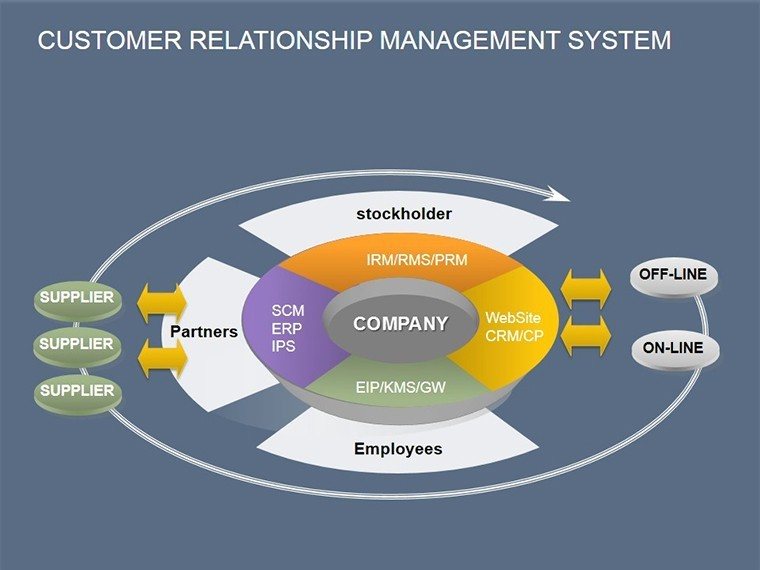
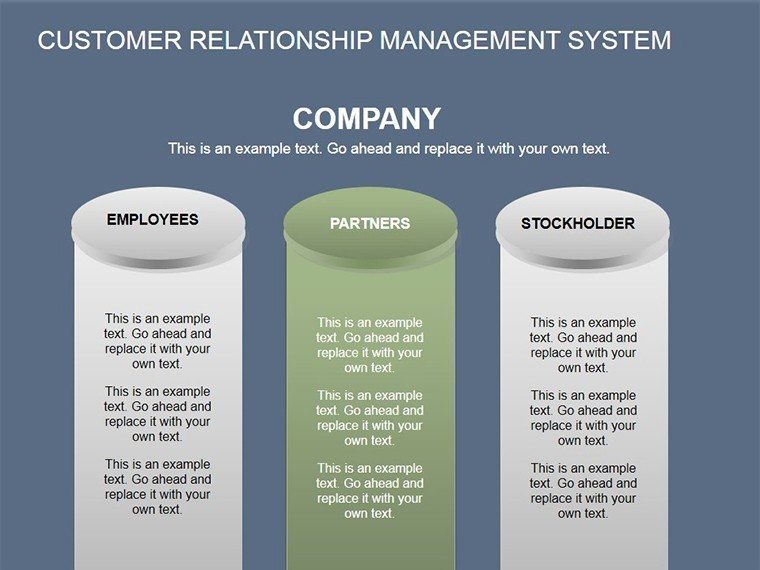
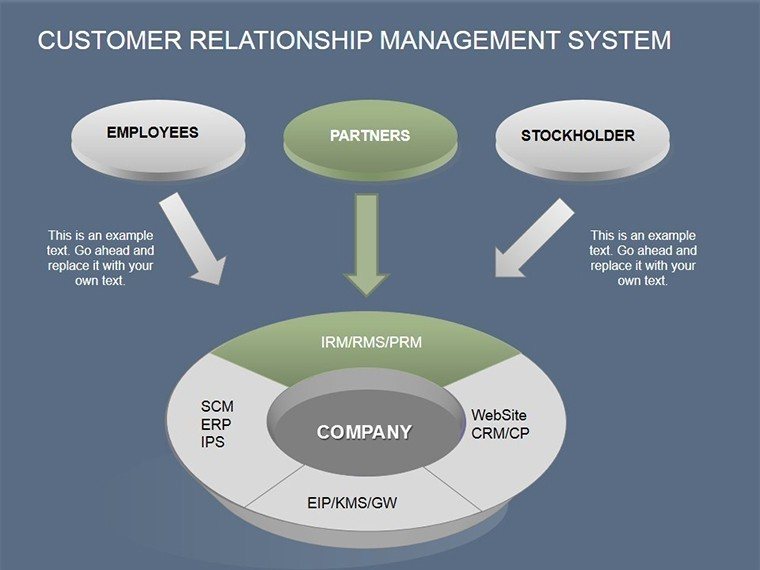
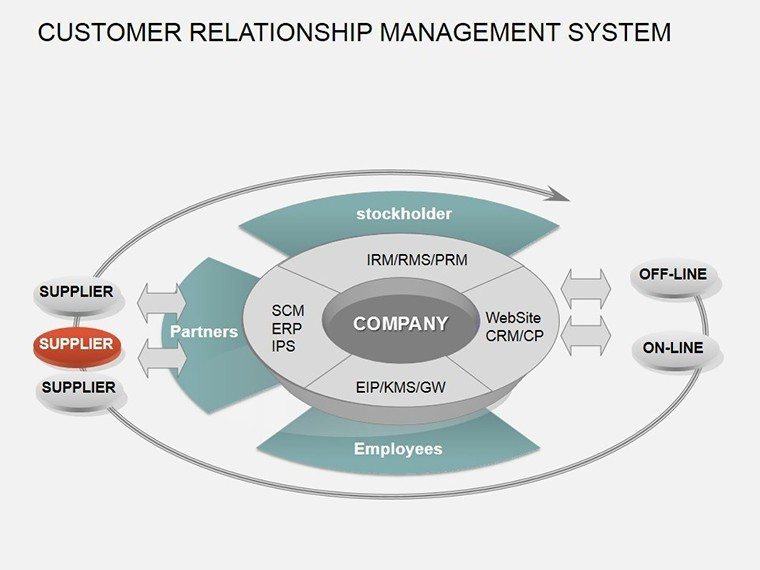
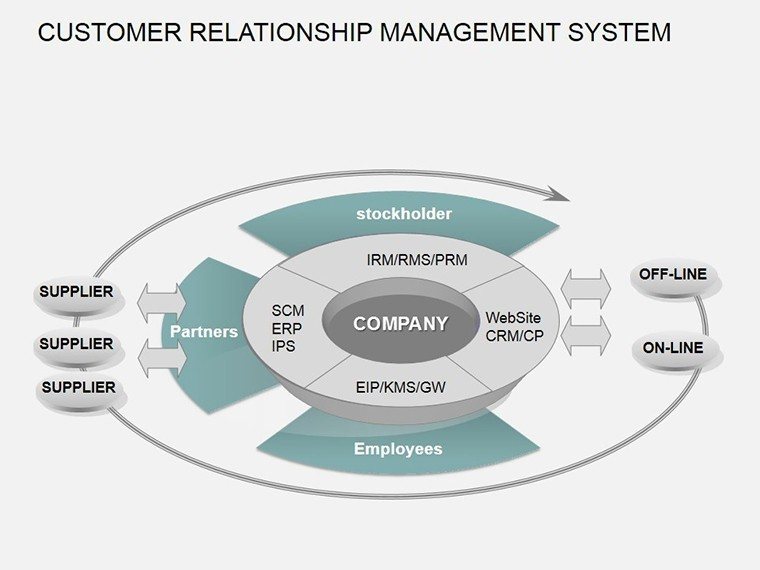
Imagine standing in front of your sales team, armed with visuals that don't just show data but tell the story of every customer interaction. That's the power of our Customer Relationship Management (CRM) System PowerPoint Diagrams template. Designed for sales managers, marketing leads, and business analysts who juggle client data daily, this 12-slide powerhouse turns complex CRM workflows into crystal-clear narratives. Whether you're mapping out lead funnels, tracking customer journeys, or highlighting satisfaction metrics, these diagrams make your insights pop without overwhelming your audience.
In today's fast-paced business world, where customer loyalty is the ultimate currency, effective CRM communication can make or break deals. Our template, compatible seamlessly with Microsoft PowerPoint, equips you with editable tables, relationship maps, and process flows that adapt to your branding. No more staring at blank slides or wrestling with clunky defaults - dive into pre-built structures that save hours and amplify your message. From startup hustles to enterprise overhauls, these visuals foster alignment, spark discussions, and drive decisions that stick.
Why Choose These CRM Diagrams for Your Next Pitch?
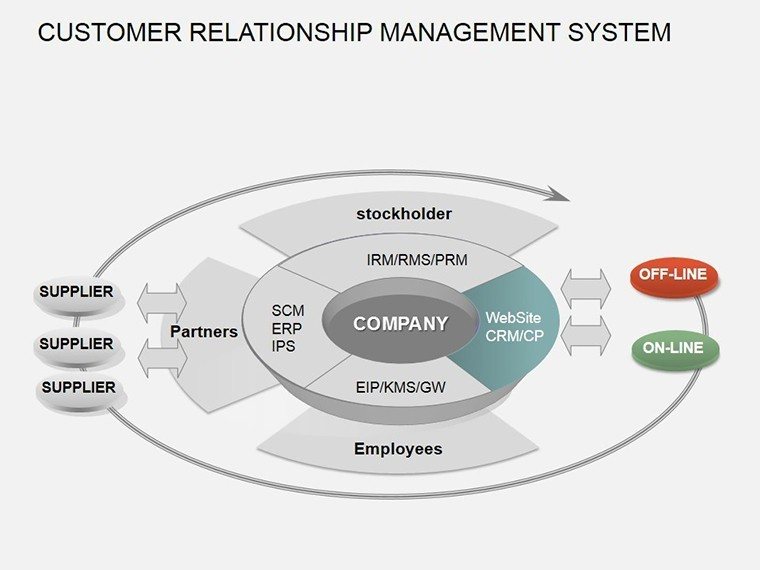
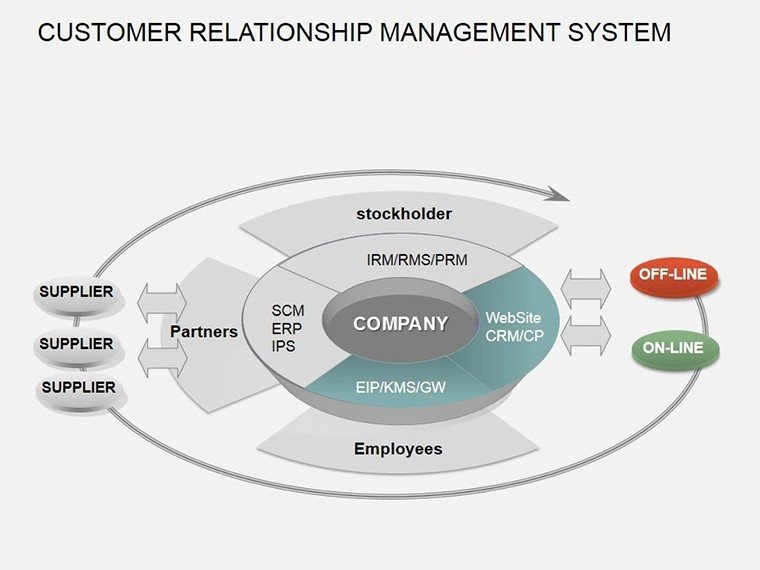
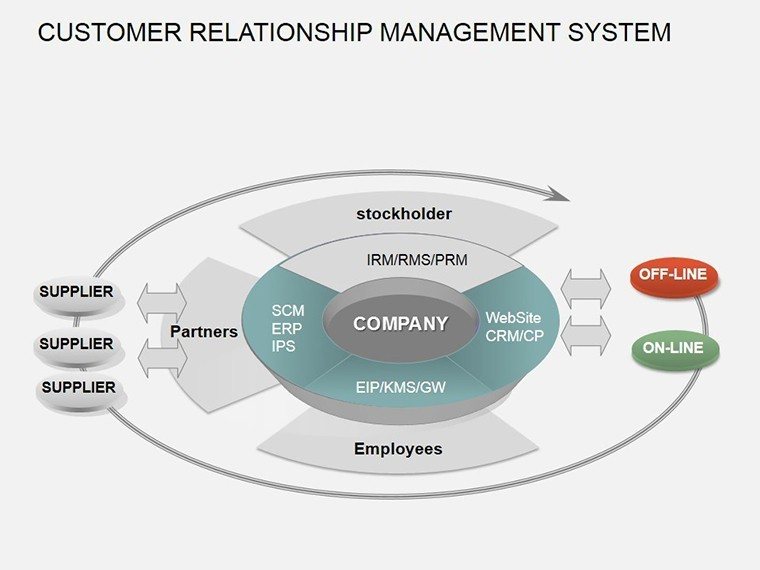
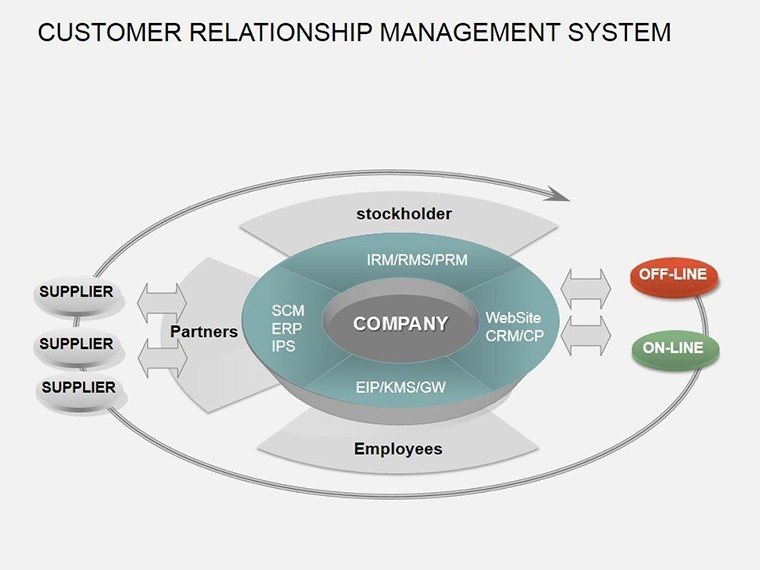
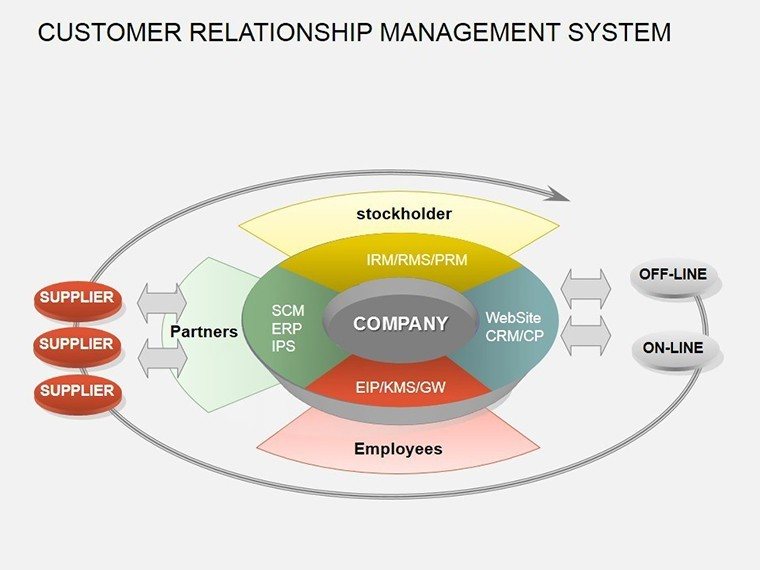
At the heart of successful CRM implementations lies the ability to visualize the invisible threads connecting your team to clients. Our template excels here, offering a blend of simplicity and sophistication. Picture this: Slide 1 kicks off with a comprehensive CRM overview diagram, branching out to show how data flows from initial contact to lifelong advocacy. It's not just lines and boxes; it's a roadmap that reveals bottlenecks before they become barriers.
What sets this apart from generic PowerPoint tools? Customization depth. Each element - colors, icons, text - is tweakable, ensuring your visuals resonate with your company's vibe. Plus, with built-in tables for metrics like retention rates or engagement scores, you can plug in real-time data from tools like Salesforce or HubSpot without breaking a sweat. This isn't about flashy effects; it's about forging connections that convert viewers into advocates.
Key Features That Streamline Your Workflow
- 12 Fully Editable Slides: From funnel charts to stakeholder matrices, cover every CRM angle.
- Relationship-Focused Designs: Arrows and nodes that map interactions dynamically.
- Table Integration: Quick-reference grids for KPIs, perfect for quarterly reviews.
- Brand-Ready Assets: High-res icons and vectors for professional polish.
- Easy Export: PPTX format ensures compatibility across devices and versions.
These features aren't bells and whistles - they're battle-tested tools drawn from real-world CRM deployments. Think of the marketing firm that used our relationship diagrams to pitch a client retention strategy, landing a six-figure contract by making abstract data feel personal.
Real-World Applications: Bringing CRM to Life
Let's get practical. Suppose you're leading a sales enablement workshop. Start with Slide 4's process flow diagram, which outlines the customer lifecycle from awareness to delight. Customize it with your team's touchpoints - email nurtures, demo calls, follow-ups - and watch engagement soar. Or, for executive briefings, leverage Slide 8's table-driven insights slide to compare pre- and post-CRM performance, backed by pie charts that highlight ROI spikes.
In a B2B scenario, like software sales, these diagrams shine in competitive analyses. Slide 10's comparison matrix pits your CRM-enhanced approach against rivals, using color-coded tables to underscore superior client satisfaction scores. We've seen teams at mid-sized tech firms use this to secure board buy-in, turning skeptics into champions overnight.
Step-by-Step: Crafting Your CRM Presentation
- Assess Your Goals: Identify key messages - e.g., improving lead conversion by 20%.
- Select Slides: Pull in relevant diagrams; duplicate for variations.
- Input Data: Link to Excel for live updates, or manually populate tables.
- Refine Visuals: Adjust hues to match your palette; add subtle animations for flow.
- Rehearse & Iterate: Test with a colleague for clarity, then present with confidence.
This workflow isn't theory - it's honed from feedback loops with CRM pros who've presented to C-suites and closed multimillion-dollar deals. Compared to starting from scratch in PowerPoint, our template slashes prep time by 70%, letting you focus on strategy over styling.
Expert Tips to Maximize Impact
To truly elevate your delivery, layer in storytelling. Pair Slide 6's journey map with a client testimonial quote, transforming stats into stories that linger. For data-heavy audiences, drill down with interactive elements - hyperlink tables to detailed appendices. And remember, less is more: Use whitespace generously to let your CRM insights breathe.
Drawing from industry benchmarks, like those from Gartner on CRM visualization, our designs align with best practices for cognitive load reduction. No jargon overload - just intuitive layouts that guide eyes to value. Whether you're a solo consultant or part of a 500-person sales org, these diagrams democratize complex info, making every presenter a pro.
Ready to weave CRM magic into your slides? Download the template now and watch your presentations - and pipelines - thrive. Or explore our related relationship templates for even more depth.
Frequently Asked Questions
How editable are the CRM diagrams?
All 12 slides are fully editable in PowerPoint, from shapes to data tables - resize, recolor, and rearrange with ease.
Can I use this for Google Slides?
While optimized for PowerPoint, export to PDF or use compatible converters for Google Slides integration.
What if I need more slides?
Duplicate and customize existing ones, or bundle with our tables collection for expanded options.
Is there support for animations?
Yes, add subtle transitions to reveal data progressively, enhancing narrative flow.
How does this help with sales training?
Visualize processes clearly to train reps faster, boosting adoption and performance metrics.
Good for
- Project roadmaps and sprint plans
- Product launch timelines
- Quarterly or annual review decks
- Company history and milestone summaries
Licence
reviews
I used the diagram slides for explaining project stages to my team. The arrows made the process easier to understand.
The layout was okay but some slides felt too empty until I added extra icons. Still worked for my presentation.
Downloaded this at like 1am before class and honestly it helped. The colors were calm and not too flashy.
I don’t care much about templates usually but this one was easy to edit. Charts matched my report style.
The structure was clear and I could swap the text fast. Saved me from making diagrams manually.
FAQ
Will it work in Google Slides?
Are fonts embedded?
Can I use this for client work?
What's the refund policy?
Do you update the template after purchase?
Similar templates
See all Powerpoint Diagrams →
All 12 slides