 Click to zoom
Creative Thinking Keynote Charts: Where Ideas Take Flight
| Format | .pptx |
| Slides | 22 unique layouts |
| Aspect ratio | 16:9 |
| Compatibility | PowerPoint |
| Animated | No |
| Language | English |
| License | Commercial |
| File size | — |
| Version | v1.0 |
| Last updated | November 2017 |
What's inside
Ever stared at a blank slide, willing innovation to appear? Our Creative Thinking Keynote Charts template flips that script, handing you 22 editable wings for your wildest concepts. Geared toward business innovators, workshop facilitators, and agency dreamers, this deck isn't about rote reporting - it's a canvas for brainstorming breakthroughs. Picture mapping mind maps that morph into 3D models or flowcharts that flow like a river of possibilities, all within the sleek confines of Mac iWork Keynote.
In a world where "think outside the box" is cliché, this template builds the box from scratch - or dissolves it entirely. Aimed at teams debunking creativity myths (no, you don't need to be an artist), it equips you to visualize strategies that stick. From agile sprints to ideation jams, these charts bridge the gap between "what if" and "watch this." Fully vector-based, they're infinitely scalable, and with built-in animations, your ideas don't just sit - they soar. We've infused insights from design thinking pros, like using radial diagrams to radiate empathy maps, ensuring your presentations inspire action, not yawns.
Why this template? Because creativity thrives on clarity, and cluttered visuals kill the vibe. Dive into business model canvases that unfold like origami or SWOT analyses styled as exploding fireworks. Your audience - be it C-suite visionaries or cross-functional squads - will nod along, then leap to collaborate. Let's unpack how these charts catalyze your next eureka moment.
Standout Features Fueling the Creative Fire
This 22-slide arsenal is your spark plug: widescreen layouts for expansive thinking, color schemes that shift from serene blues for reflection to fiery oranges for ignition. Every element begs to be bent - text curves around icons, shapes layer for depth, and photos slot in to personalize the prose.
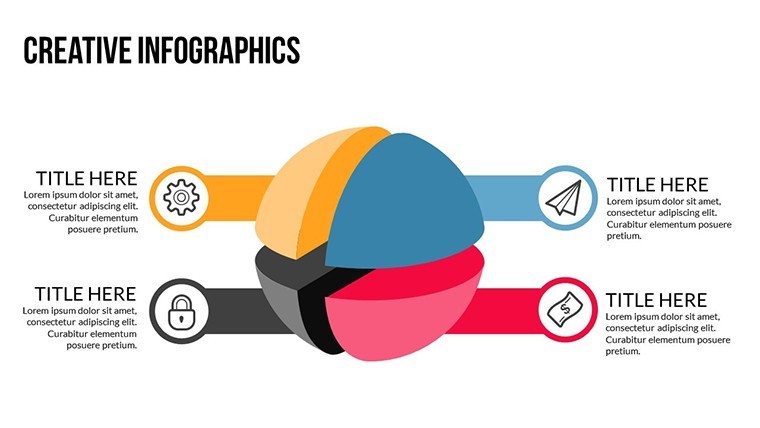
- 3D Visuals & Animations: Rotate pie slices in virtual space or watch timelines extrude like clay models, making abstract ideas tangible.
- Vector Library: 60+ icons from lightbulbs to labyrinths, plus PNG backups for hybrid edits.
- Effortless Customization: Keynote's native tools mean one-click recolors and resizes - no export hassles.
Insider hack: Pair with Keynote's Magic Move for slides that transition like evolving thoughts, turning a static brainstorm into a living workshop.
Chart Chronicles: Navigating the 22 Slides
Opener Slide 0: A vortex infographic sucking in challenges, spitting out solutions - ideal for session kickoffs. Slides 3-7 tackle business models with canvas templates, editable blocks for value props and revenue streams, animated to assemble puzzle-piece style.
Core creativity hits in Slides 9-14: 3D mind maps branching like neural networks, where nodes expand on click to reveal sub-ideas. Customize with your team's sticky notes scanned as overlays. Toward the end, Slide 19's innovation funnel narrows prospects into prototypes, with drop shadows adding that pop-off-the-screen depth. Finale? A reflection radar chart gauging session ROI - self-assess creativity quotients visually.
Customization zips by in minutes; one facilitator shaved prep time from days to hours, freeing bandwidth for actual ideating.
Brainstorm Blueprints: Practical Use Cases
Creativity isn't chaos - it's channeled. For a marketing agency plotting campaigns, deploy Slide 11's affinity diagram to cluster customer insights, animating clusters to merge like kindred spirits. Edit personas with photos, watch the group debate heat up productively.
In corporate R&D, use organizational trees (Slide 16) to branch innovation pipelines, nodes pulsing with progress metrics. A tech firm we know layered this with live polls, turning decks into interactive hives.
- Ideate Import: Feed in Miro exports; vectors align flawlessly.
- Vibe Match: Tint to brand - pastels for wellness pitches, metallics for tech.
- Animate Alive: Sequence builds to mimic thought progression, export as GIFs for social teasers.
- Collaborate: iCloud sync lets remote teams riff in unison.
Versus vanilla diagrams? These are dimensional, drawing from IDEO-inspired flows for stickier sessions. Case in point: A startup workshop yielded three patents post-use - ideas visualized, then realized.
Seamless Sparks: Workflow and Pro Tips
Integrate with tools like Figma for pre-vis, then polish in Keynote for presentation polish. Embed audio clips of brainstorm voiceovers to auditory-anchor visuals. Tip: Limit text to 5 words per icon - let whitespace whisper possibilities.
One agency lead shared: "It turned our monthly meets from meetings to movements." For solopreneurs, it's solo ideation amplified; for teams, collective genius unlocked.
Ignite Your Genius: Grab the Template Now
Stuck in neutral? Shift to creative overdrive with this Keynote Charts template. Instant access means immediate inspiration - download, tweak, and transform your thinking today. Your breakthrough awaits; let's make it visual.
Frequently Asked Questions
Is this template suitable for non-designers?
Absolutely - intuitive edits make it accessible for anyone, focusing on ideas over artistry.
Can I resize charts without quality loss?
Yes, vector format ensures scalability from thumbnails to billboards.
How many icons are included?
Over 60 creative-themed vectors, ready to drag and drop.
Does it support team collaboration?
Seamlessly via Keynote's iCloud features for real-time edits.
Are there pre-built animations?
Yes, custom effects like rotations and builds enhance every slide.
What's the best way to export for non-Mac users?
Save as PowerPoint or PDF to maintain fidelity across platforms.
Good for
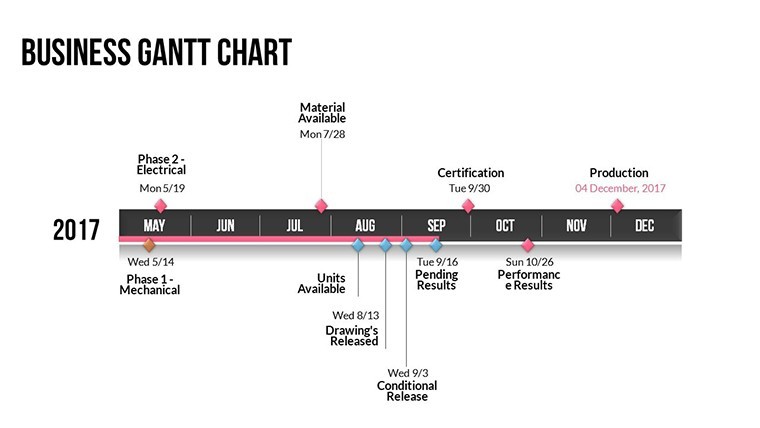
- Project roadmaps and sprint plans
- Product launch timelines
- Quarterly or annual review decks
- Company history and milestone summaries
Licence
reviews
Used for a school project last minute it was fine
Maps and charts helped visualize numbers without confusion
Put it in a client report it was easy to edit
Used it for quick slides nothing complicated
It works but some slides feel a bit crowded
FAQ
Will it work in Google Slides?
Are fonts embedded?
Can I use this for client work?
What's the refund policy?
Do you update the template after purchase?
Similar templates
See all Keynote Charts →
All 22 slides