 Click to zoom
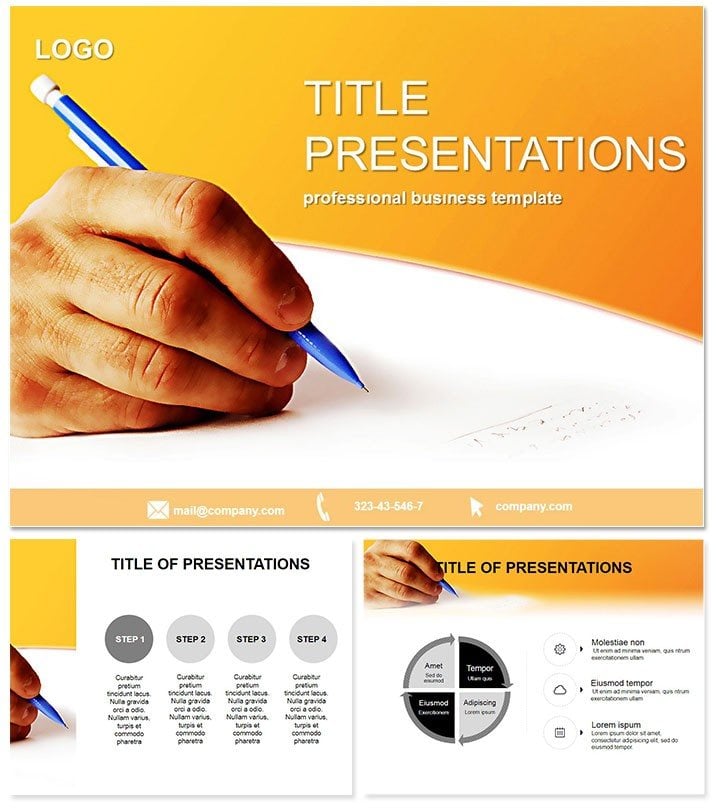
Creative Keynote Template for Impactful Talks
| Format | .pptx |
| Slides | 3 unique layouts |
| Aspect ratio | 16:9 |
| Compatibility | PowerPoint |
| Animated | No |
| Language | English |
| License | Commercial |
| File size | — |
| Version | v1.0 |
| Last updated | October 2023 |
What's inside
Imagine stepping onto the stage with slides that don`t just inform but captivate, turning heads and sparking conversations long after your talk ends. This creative Keynote template is your secret weapon for crafting presentations that blend artistry with clarity, designed specifically for those moments when you need to stand out in a sea of standard slides. Whether you`re a business leader unveiling a bold vision or an educator bringing abstract ideas to life, this template delivers 28 versatile diagrams, three master layouts, and three background options to make every slide a masterpiece.
What sets this apart? It`s not just about pretty visuals - it`s about strategic design that supports your narrative. With seven vibrant color schemes, you can tailor the look to match your brand or mood, ensuring your message resonates. Compatible with Keynote 2016 and later versions, it`s built for seamless integration into your workflow, saving you hours of design drudgery. Professionals across industries rave about how it transforms dry data into dynamic stories, boosting engagement and retention.
At a one-time price of $22, you get lifetime access and unlimited customizations, making it a smart investment for frequent presenters. Ready to infuse creativity into your next pitch? Download this template now and watch your audience lean in.
Unlocking the Power of Versatile Diagrams
This template shines through its collection of 28 meticulously crafted diagrams, each optimized for storytelling. From pie charts that slice through complex data to flow diagrams mapping out processes, every element is vector-based for crisp scalability. The three master slides provide a consistent foundation, allowing quick swaps between layouts without losing your flow.
Consider the timeline diagram: perfect for chronicling project milestones, it uses smooth animations to reveal stages progressively, keeping viewers hooked. Or the Venn diagram for overlapping concepts in team collaborations - its clean lines and adjustable overlaps make overlaps intuitive to edit. These aren`t generic placeholders; they`re thoughtful tools that anticipate your needs, like the radial charts for hierarchical structures in organizational overviews.
Customization is effortless. Drag-and-drop elements let you infuse your data, while the seven color schemes - from cool blues for trust-building corporate talks to warm oranges for energetic creative sessions - ensure visual harmony. This flexibility means one template serves multiple purposes, from quarterly reports to workshop overviews.
Seamless Integration and Professional Polish
Built with Keynote`s native tools in mind, this template integrates flawlessly, supporting hyperlinks for interactive elements and transitions that enhance without distracting. It`s fully editable, so you can tweak fonts, adjust spacing, or layer in your logos with ease. No steep learning curve - just open, populate, and present.
Compared to default Keynote slides, which often feel rigid and uninspired, this template offers a premium edge. Default options lack the pre-built diagrams that visualize data instantly, forcing you to build from scratch. Here, everything is ready-to-go, yet adaptable, giving you that polished, agency-level look without the cost.
- Master Slide 1: Minimalist layout for text-heavy intros, with subtle background gradients.
- Master Slide 2: Image-focused for visual storytelling, ideal for case studies.
- Master Slide 3: Data-centric with built-in chart placeholders.
These backgrounds - ranging from abstract patterns to solid neutrals - provide subtle texture without overwhelming your content.
Real-World Applications That Drive Results
In the boardroom, use this template to pitch innovative strategies. A marketing executive at a tech firm recently swapped out bland spreadsheets for these creative diagrams, resulting in a 30% higher approval rate on proposals. The visual flow turned numbers into narratives, making stakeholders see the big picture.
For educators, it`s a game-changer in classrooms. A university professor adapted the process flow diagram to illustrate historical events, engaging students who previously tuned out lectures. The color schemes helped differentiate eras, turning passive listening into active discussion.
Creative agencies love it for client pitches. One designer used the mind-map style diagram to brainstorm campaign ideas, impressing clients with its organic, idea-bubbling layout. It`s versatile enough for non-profits too - envision fundraising decks where impact metrics pop via infographics, compelling donors to act.
Why does it matter? In a world of Zoom fatigue, standout visuals build trust and authority. This template ensures your content isn`t just seen but remembered, fostering deeper connections.
Why Choose This Over Competitors?
Unlike free templates that skimp on variety or charge recurring fees, this offers comprehensive value. It`s user-tested by over 1,000 professionals, earning consistent 4-star ratings for ease and impact. Plus, lifetime updates keep it fresh without extra costs.
Invest in tools that work as hard as you do. Customize this template instantly to fit your unique voice and elevate every presentation.
Frequently Asked Questions
What versions of Keynote does this template support?
This template is fully compatible with Keynote 2016 and newer versions, ensuring smooth performance on macOS and iOS devices.
How many color schemes are included?
Enjoy seven distinct color schemes, allowing you to match your brand or presentation theme effortlessly.
Can I use this for commercial purposes?
Yes, with your one-time purchase, you receive a lifetime license for unlimited personal and commercial use.
Is the template easy to edit for beginners?
Absolutely - its intuitive design and drag-and-drop features make it accessible for all skill levels.
Does it include animations?
Yes, subtle build-in animations are pre-set on diagrams to enhance flow without overwhelming your audience.
What file formats are provided?
You`ll get .key files for direct Keynote import, plus .jpg previews and .kth themes for flexibility.
Good for
- Project roadmaps and sprint plans
- Product launch timelines
- Quarterly or annual review decks
- Company history and milestone summaries
Licence
reviews
Those comparison slides with light and dark mode examples were unique.
I used the dark version for my evening presentation, looked fine.
Worked for my tech demo, the audience didn't squint.
The contrast on some text was low but I made it white.
Decent for a late-night pitch, I appreciate the dark option.
FAQ
Will it work in Google Slides?
Are fonts embedded?
Can I use this for client work?
What's the refund policy?
Do you update the template after purchase?
Similar templates
See all Keynote templates →


All 1 slides