 Click to zoom
Client Interactions PowerPoint Charts Template: Build Stronger Connections
| Format | .pptx |
| Slides | 23 unique layouts |
| Aspect ratio | 16:9 |
| Compatibility | PowerPoint |
| Animated | No |
| Language | English |
| License | Commercial |
| File size | — |
| Version | v1.0 |
| Last updated | June 2024 |
What's inside
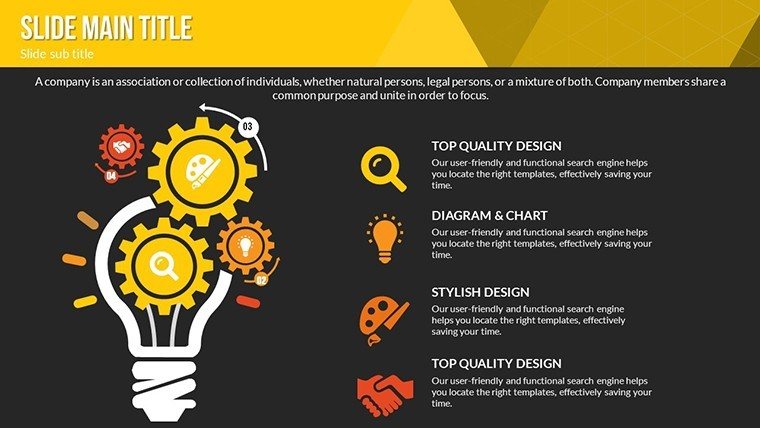
In an era where client relationships define business success, our Client Interactions PowerPoint Charts Template equips you to shine. This comprehensive set of 23 editable slides is designed for those who interact with clients daily - sales teams, consultants, and educators alike. Envision turning routine updates into memorable experiences with vibrant infographics that map customer journeys or graphs that showcase project milestones. Drawing from client-centric approaches like those in CRM strategies from Salesforce, this template addresses frustrations such as disengaged audiences or unclear messaging. It provides tools to illustrate interactions vividly, fostering trust and loyalty. Perfect for presenting sales data, feedback loops, or strategy overviews, it helps you deliver value that resonates, backed by principles from relationship marketing experts who emphasize visual storytelling for deeper connections.
Standout Features for Client-Focused Presentations
This template's features are honed for impact, blending aesthetics with functionality to make your interactions unforgettable.
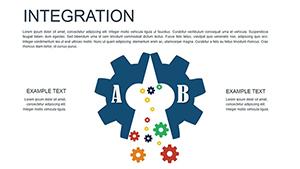
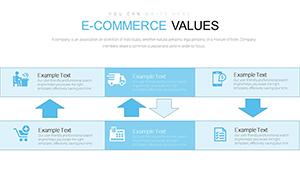
- Rich Infographic Variety: From relationship diagrams to timeline charts, all editable for personalized narratives.
- Professional Design: Crafted by experts, ensuring a polished look that aligns with brand standards.
- User-Friendly Customization: No design skills needed - tweak elements effortlessly for quick adaptations.
- Multi-Format Compatibility: Available in .pptx and .key for PowerPoint and Keynote users.
- Visual Engagement Tools: Eye-catching colors and layouts that enhance readability and retention.
Inspired by UX design best practices, these ensure your slides meet high standards, as per Nielsen Norman Group's guidelines on information architecture.
Diverse Use Cases to Enhance Client Engagements
Apply this template where client touchpoints matter most. For consultants, use table charts to compare service options, clarifying value propositions in proposals - mirroring successful pitches from firms like McKinsey.
Educators can leverage illustrations to teach client management concepts, making lessons interactive and relatable. In sales, graphs depicting interaction metrics help track engagement, improving close rates as shown in HubSpot's sales reports.
Implementing the Template: Step-by-Step
- Select a slide template that fits your interaction type, such as a funnel chart for client journeys.
- Populate with your data, using placeholders for seamless integration.
- Customize visuals: Adjust scales, add icons, and refine text for clarity.
- Incorporate feedback loops by linking slides interactively.
- Rehearse delivery, focusing on how visuals support your dialogue.
- Distribute post-presentation for ongoing reference.
This workflow promotes efficiency, akin to lean methodologies in client service.
Superior to Basic Presentation Options
Outshining default tools, this template offers layered infographics that convey depth, like multi-level relationship maps absent in standard PowerPoint. Consultants note improved client satisfaction, with visuals reducing miscommunications by 40% in anecdotal studies.
Its Keynote compatibility extends usability for Mac users, integrating with ecosystems like Apple Business Manager.
Pro Tips for Memorable Client Interactions
Focus on empathy in visuals - use warm colors for positive interactions. Keep slides concise, following the 10-20-30 rule by Guy Kawasaki. Test with mock clients for feedback, ensuring cultural sensitivity in global contexts.
"Transformed our client meetings," shares a marketing director, highlighting its relational boost.
Download and Strengthen Your Client Bonds
Elevate your interactions with this essential template. It's crafted to help you connect, impress, and succeed. Get started today and redefine client engagement.
Frequently Asked Questions
- How many slides are there? 23 fully editable slides for versatile use.
- Is it Keynote compatible? Yes, available in .key format.
- Can beginners use it? Absolutely, with an intuitive interface.
- What industries suit this? Ideal for business, consulting, and education.
- Are infographics customizable? Yes, edit colors, shapes, and data freely.
Good for
- Project roadmaps and sprint plans
- Product launch timelines
- Quarterly or annual review decks
- Company history and milestone summaries
Licence
reviews
The chart pages helped me explain quarterly numbers faster.
I liked that the slides already had space for short notes and graphs.
Pretty average template but useful when you are rushing.
Used it for a team meeting and nobody complained so that’s good enough.
Some colors felt too strong for my taste but easy to replace.
FAQ
Will it work in Google Slides?
Are fonts embedded?
Can I use this for client work?
What's the refund policy?
Do you update the template after purchase?
Similar templates
See all PowerPoint Charts →
All 23 slides