 Click to zoom
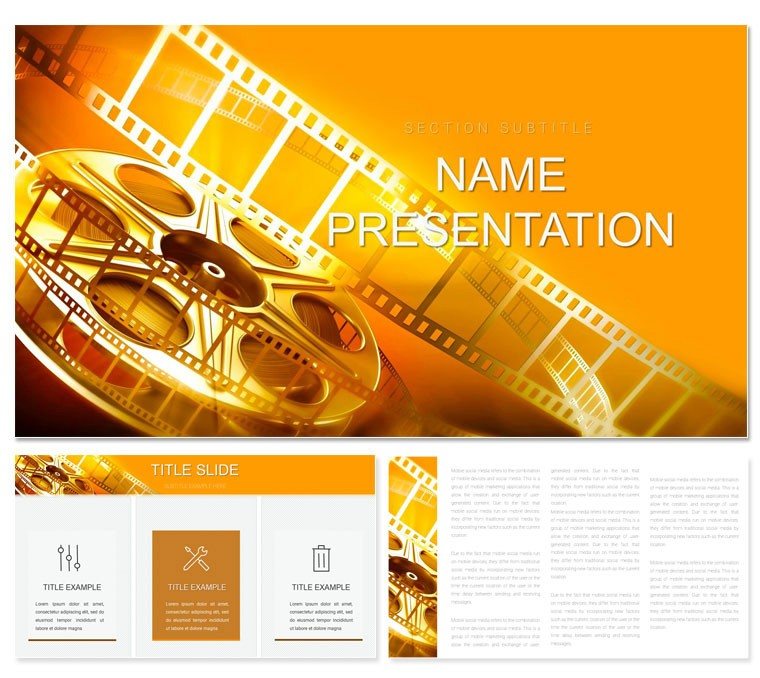
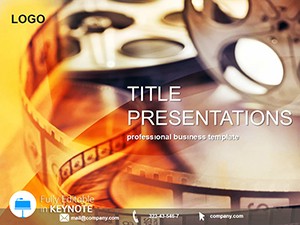
Cinema Movies Keynote Template: Lights, Camera, Impact
| Format | .pptx |
| Slides | 3 unique layouts |
| Aspect ratio | 16:9 |
| Compatibility | PowerPoint |
| Animated | No |
| Language | English |
| License | Commercial |
| File size | — |
| Version | v1.0 |
| Last updated | February 2026 |
What's inside
What if your presentations could evoke the thrill of a midnight premiere, where every slide builds anticipation like a plot twist? The Movies Playing Keynote Template delivers exactly that for enthusiasts in theater, entertainment, and film. Packed with 28 evocative diagrams, three master templates for act structures, and three atmospheric backgrounds, it's your shortcut to decks that play out like a feature film. Ideal for casting calls, festival entries, or retrospective analyses, this tool lets you sequence scenes, embed trailers, and highlight character arcs with effortless drag-and-drop.
Rooted in cinematic storytelling, the template captures the essence of reel magic - think velvet curtains framing your key messages. Built for Keynote 2016+, it thrives in 16:9 widescreen, perfect for projections or virtual screenings. Seven color palettes, from golden-hour warms to midnight blues, adapt to genres, ensuring your visuals sync with the story's soul.
Behind the Scenes: Essential Features Unveiled
Peel back the layers, and you'll discover a set designed for directors of discourse. Masters cover opening credits, rising action, and denouement, each primed for multimedia inserts.
- 28 Cinematic Diagrams: Scene breakdowns via split-screens, plot pyramids for tension mapping, and credit crawls for acknowledgments.
- Immersive Backgrounds: Marquee lights or starry nights to set the stage without stealing it.
- Palette Power: Seven schemes to evoke noir grit or rom-com glow.
Take a climax chart: populate with pivotal moments, animate rises and falls to mirror emotional beats, and suddenly your pitch feels alive, outshining plain Keynote bar graphs.
From Script to Screen: Your Customization Roadmap
- Set the Scene: Launch the .key file, pick a master to establish your narrative arc.
- Direct the Action: Insert clips into frames, sync builds for dramatic reveals.
- Adjust the Lens: Cycle through colors to fine-tune the vibe.
- Cut and Export: Render as video for shares or static for prints.
This method mirrors pre-production planning, condensing weeks of mockups into moments.
Curtain Call: Applications in Entertainment
For theater troupes, the rehearsal timeline slide orchestrates run-throughs, embedding notes for cast feedback. Film critics could use review matrices to rate elements side-by-side, sparking lively debates.
In educational settings, dissect genres with radial diagrams, turning lectures into interactive encores. Marketing for blockbusters? Montage slides compile hype clips into viral teasers.
Genre-Specific Spotlights
For Directors: Map shooting scripts with sequence boards, visualizing shots on the fly.
For Critics: Balance pros and cons in ledger-style slides for balanced takes.
For Educators: Trace evolution via timelines, from silent era to streaming.
It's akin to how Sundance panels use visuals to sell indies - concise, captivating.
Extra Takes: Tips to Amplify Your Show
Employ Keynote's magic move for seamless scene shifts, or embed QR codes linking to full features. Stick to bold typography for marquee impact, and rehearse with audio tracks for full immersion. Vectors ensure crispness on any screen, from iPads to IMAX.
Sync with Adobe Premiere by pulling stills as assets, weaving design into post workflows. The payoff: presentations that don't end - they linger, like a great film's afterglow.
Ready for your close-up? Claim this Cinema Movies Keynote Template for $22 and let the show begin.
Frequently Asked Questions
Does it support multimedia embeds?
Yes, with dedicated placeholders for videos, audio, and high-res images.
What's the slide format?
16:9 widescreen, optimized for modern displays and exports.
How editable are the diagrams?
Fully - shapes, texts, and paths adjust independently.
Best for which film aspects?
Theater productions, movie analyses, and entertainment marketing.
Include transitions?
Built-in builds; customize for custom pacing.
Good for
- Project roadmaps and sprint plans
- Product launch timelines
- Quarterly or annual review decks
- Company history and milestone summaries
Licence
reviews
Used the comparison charts for a product meeting.
I liked that the graphs didn’t take over the whole slide.
Some pages felt repetitive after editing for an hour.
My teacher actually complimented the layout for once.
It worked fine even after exporting to PowerPoint.
FAQ
Will it work in Google Slides?
Are fonts embedded?
Can I use this for client work?
What's the refund policy?
Do you update the template after purchase?
Similar templates
See all Keynote templates →
All 1 slides