 Click to zoom
Christmas - Holiday Calendar PowerPoint template
| Format | .pptx |
| Slides | 3 unique layouts |
| Aspect ratio | 16:9 |
| Compatibility | PowerPoint |
| Animated | No |
| Language | English |
| License | Commercial |
| File size | — |
| Version | v1.0 |
| Last updated | February 2023 |
What's inside
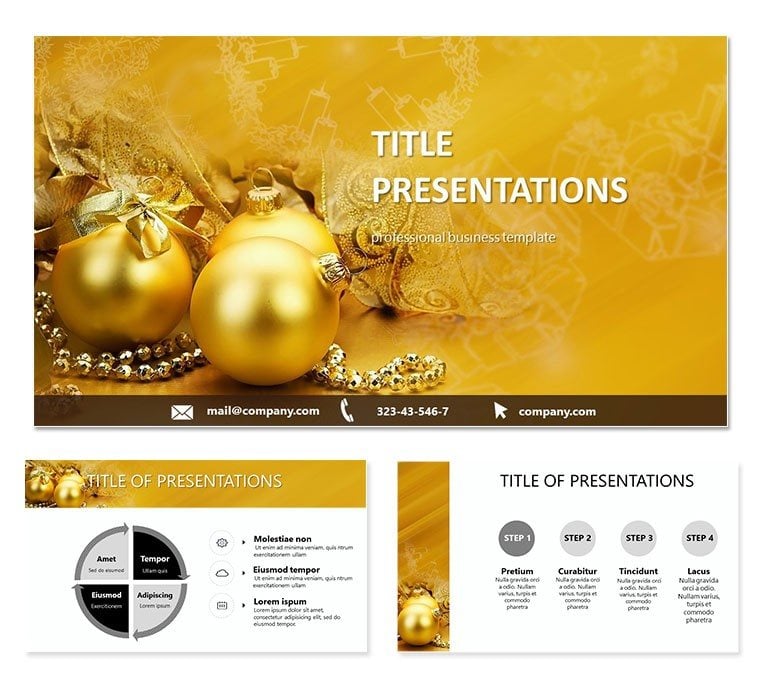
The Christmas - Holiday Calendar PowerPoint template is a versatile and visually appealing tool for businesses and individuals to create a calendar for the holiday season. The template is designed with a festive theme, featuring classic Christmas colors, such as red and green, and includes customizable icons and images related to the holiday.
The template includes 31 slides, with one slide for each day in December leading up to Christmas. Each slide includes a date, a day of the week, and a visual representation of the day. The visual representation can be customized to include images, icons, or graphics related to the holiday, such as Christmas trees, presents, or Santa Claus.
In addition to the calendar slides, the template includes several customizable slides for introducing the holiday season, such as a title slide and a slide for highlighting important dates, such as Christmas Eve and Christmas Day. The template also includes slides for adding notes or reminders, such as a slide for keeping track of holiday parties or a slide for jotting down gift ideas.
Overall, the Christmas - Holiday Calendar PowerPoint template is an excellent tool for businesses and individuals to create a festive and practical holiday calendar. With its customizable features and festive design, the template can be used for a variety of purposes, such as marketing campaigns, social media content, or personal use.
Good for
- Project roadmaps and sprint plans
- Product launch timelines
- Quarterly or annual review decks
- Company history and milestone summaries
Licence
reviews
The piggy bank icons and savings graphs were helpful for my personal finance workshop.
Used the budget comparison charts for a financial literacy class
The 7 color schemes included some nice greens for money but the design is pretty basic.
The coin stack diagrams and investment growth charts saved me time building from scratch.
It's fine for educational content but not professional enough for a bank presentation.
FAQ
Will it work in Google Slides?
Are fonts embedded?
Can I use this for client work?
What's the refund policy?
Do you update the template after purchase?
Similar templates
See all PowerPoint Templates →


All 1 slides