 Click to zoom
Car Sales Dynamics PowerPoint Template and Charts
| Format | .pptx |
| Slides | 30 unique layouts |
| Aspect ratio | 130/73 |
| Compatibility | PowerPoint |
| Animated | No |
| Language | English |
| License | Commercial |
| File size | — |
| Version | v1.0 |
| Last updated | June 2026 |
What's inside
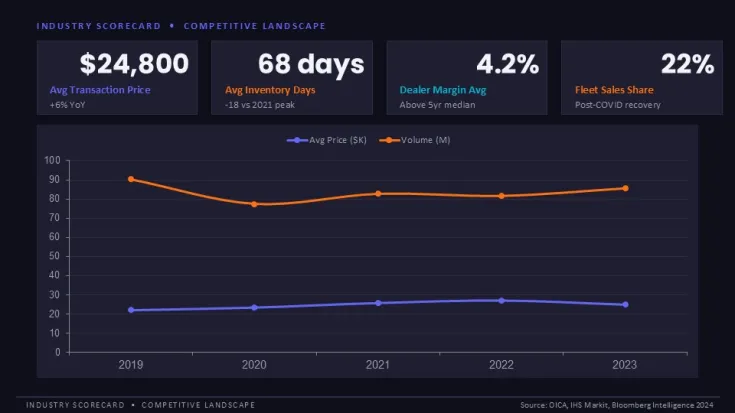
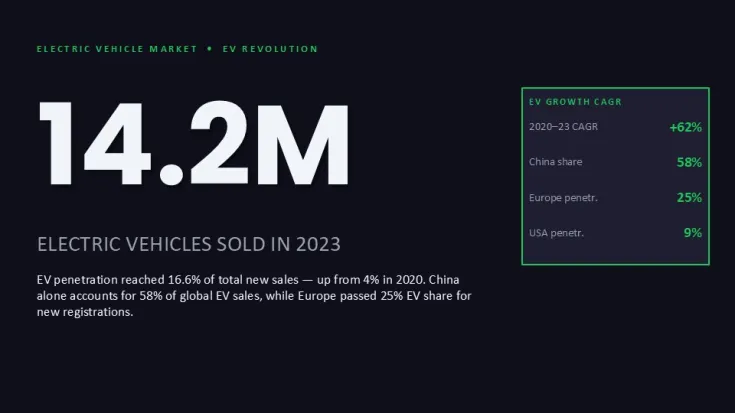
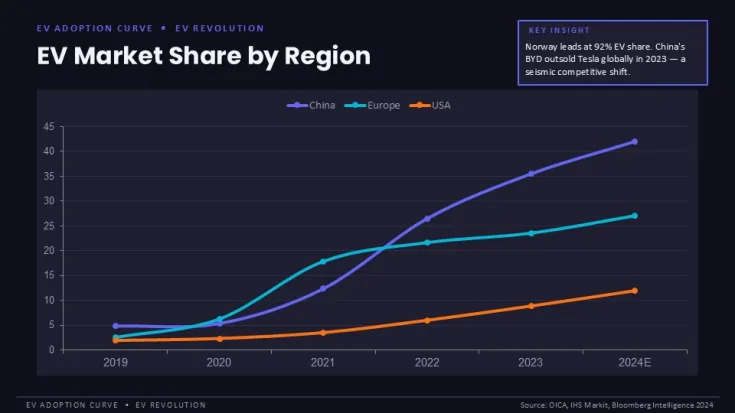
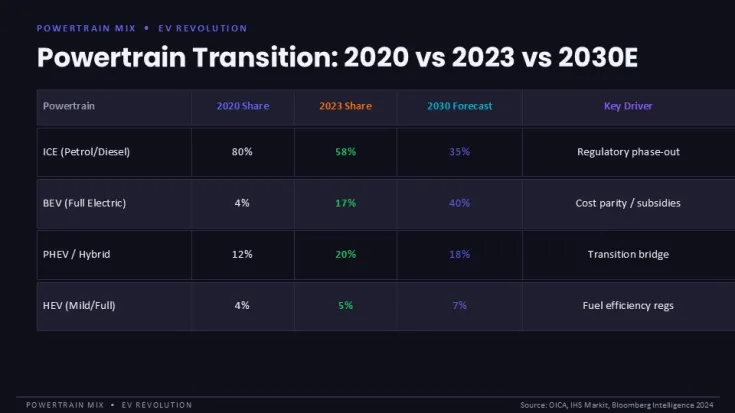
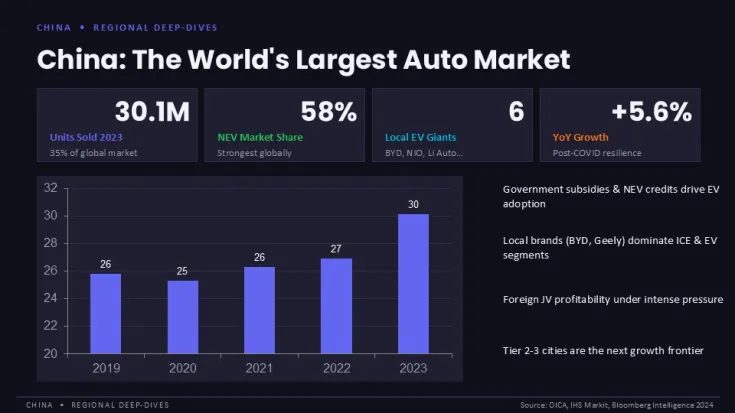
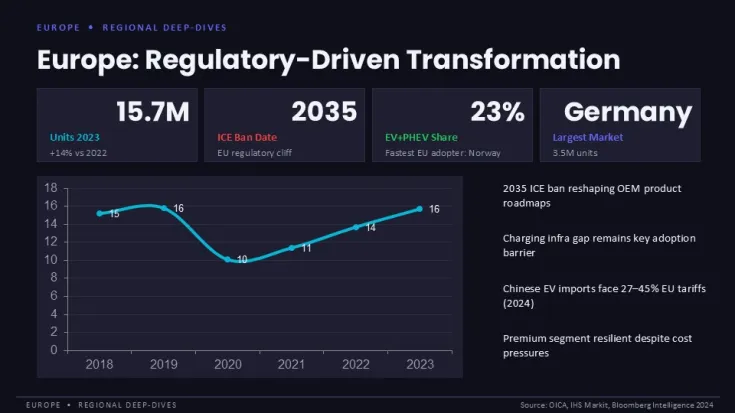
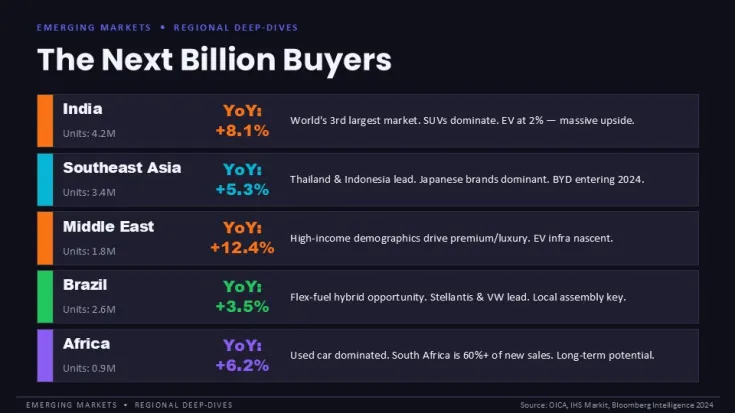
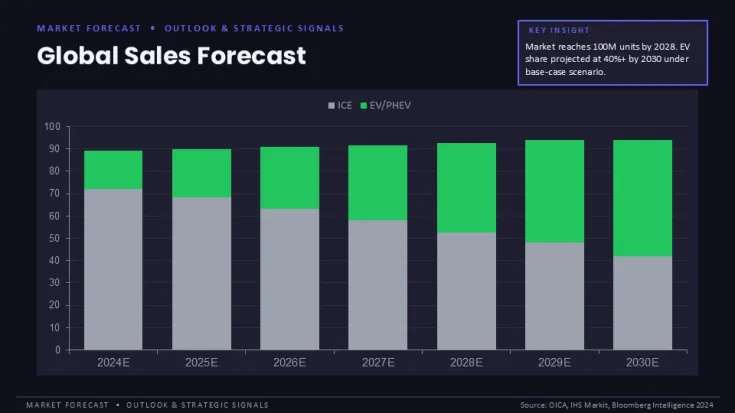
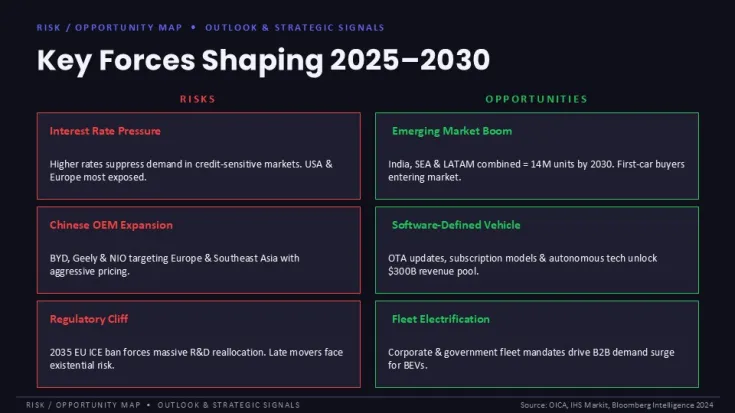
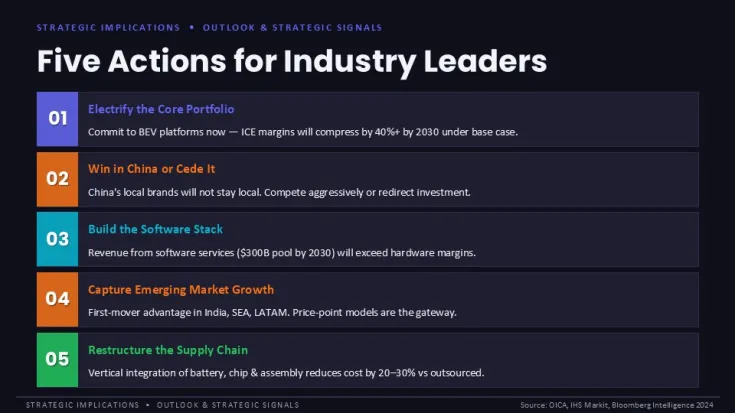
This PowerPoint chart template provides structured slides for presenting car sales performance, market trends, and competitive dynamics. Sales managers and automotive analysts can use the 30 editable slides to visualize quarterly results, regional comparisons, and forecast data without rebuilding charts from scratch.
Practical editing behavior: Chart placeholders accept direct data entry - update numbers in the embedded Excel sheet, and bars, lines, or pie segments redraw automatically. Color changes applied through Slide Master affect all charts globally, but individual series can be recolored separately. Grouped chart elements (axes, labels, gridlines) ungroup cleanly if you need granular control, though maintaining the group preserves alignment when resizing.
- Vector-based charts: All charts are vector shapes, not raster images. Scale without pixelation, and edit individual data points or labels directly.
- Slide Master controls: Modify fonts, background colors, or logo placement across all slides in one place. Chart theme colors follow the master palette.
- Pre-attached data sheets: Each chart includes a linked Excel workbook. Update source data, and the presentation updates instantly.
- Drag-and-drop ready: Copy any chart slide into an existing deck. Layouts maintain spacing and don't shift when inserted.
- 16:9 widescreen: Slides render correctly on projectors, laptops, and video conferencing tools without letterboxing.
FAQ
Can I edit the charts in Keynote?The .pptx file opens in Keynote, but chart data linking and some vector behaviors may change. For full editing compatibility, use PowerPoint 2016 or later.
How do I change all chart colors at once?Go to View > Slide Master, then Colors > Customize Colors. Update the accent colors, and all charts using the theme palette update automatically.
Can I use this template for commercial client work?Good for
- Project roadmaps and sprint plans
- Product launch timelines
- Quarterly or annual review decks
- Company history and milestone summaries
Licence
reviews
No reviews yet. Be the first!
FAQ
Will it work in Google Slides?
Are fonts embedded?
Can I use this for client work?
What's the refund policy?
Do you update the template after purchase?
Similar templates
See all PowerPoint Charts →


All 30 slides