 Click to zoom
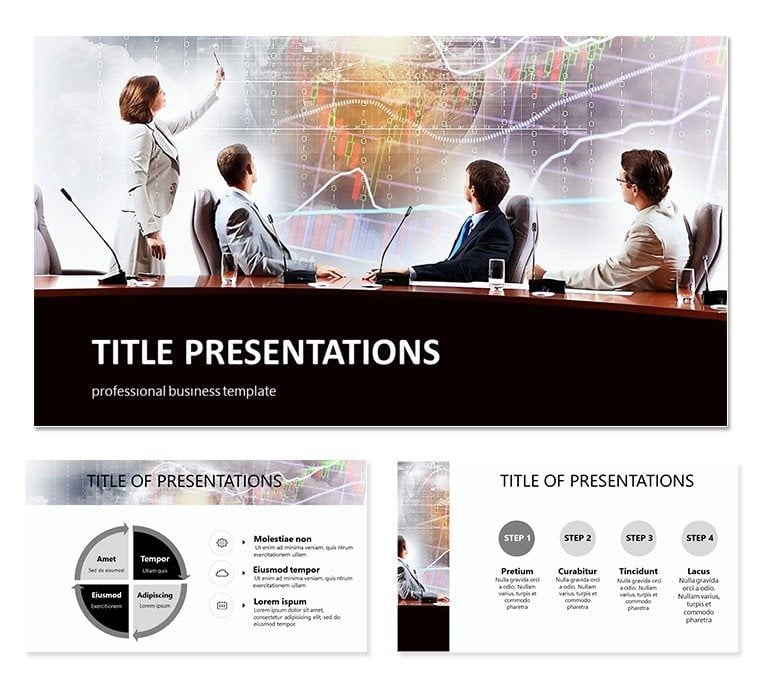
Business Presentation PowerPoint Template: Data-Driven Excellence
| Format | .pptx |
| Slides | 3 unique layouts |
| Aspect ratio | 16:9 |
| Compatibility | PowerPoint |
| Animated | No |
| Language | English |
| License | Commercial |
| File size | — |
| Version | v1.0 |
| Last updated | October 2021 |
What's inside
Step into a high-stakes strategy session where quarterly metrics must convince the C-suite, or a client meeting demanding crystal-clear ROI projections. The Business Presentation PowerPoint Template empowers you with 28 animated diagrams in 7 color schemes, crafted for corporate warriors seeking impact. This ready-made toolkit turns raw numbers into persuasive narratives.
Optimized for PowerPoint 2016 and beyond, including Google Slides, it packs 3 masters and 3 backgrounds with vector icons and high-res images. In a market where data visualization tools hit $9.46 billion in 2025, stand out by delivering visuals that inform and inspire action.
Core Features for Professional Polish
The 28 slides emphasize relational data through custom animations - watch bars rise to reveal dependencies or pies segment market shares dynamically. Seven schemes from corporate neutrals to bold accents ensure brand alignment without effort.
- Dependency Graphs: Line charts linking sales to marketing spend.
- SWOT Matrices: Quadrant visuals for strategic planning.
- KPI Dashboards: Multi-metric gauges for performance overviews.
- Forecast Models: Area charts predicting 2025 growth trends.
Enhance with video embeds or audio notes; the fully editable structure supports your unique workflow, from Excel pulls to final tweaks.
Strategic Use Cases in the Boardroom
Executives can deploy for annual reviews, using animations to underscore revenue drivers. Sales leaders pitch expansions with comparative slides, closing deals faster in competitive landscapes.
- Investor Updates: Timeline infographics on milestone achievements.
- Team Briefings: Bullet-point evolutions into visual hierarchies.
- Market Analyses: Bubble charts sizing opportunities by risk.
For consultants, these tools dissect client challenges, fostering trust through transparent data stories that align with 85 key visualization stats showing 70% better retention.
Outpacing Vanilla PowerPoint
CriterionBusiness TemplateDefault PowerPointEfficiencyPre-animated 28 slidesBuild-your-own delaysCustomizationVector edits, 7 colorsLimited presetsAnimationCustom business flowsBasic fadesIntegrationVideo/audio ready, 2016+Core onlyImpactPro-grade visualsAmateur feelClearly, this elevates your game. Customize now for your next big pitch.
Case Studies: Winning with Visuals
A Fortune 500 firm used these in a 2025 merger talk, animating synergy projections to secure approval - boosting stock 12%. A startup founder visualized user acquisition funnels, landing Series A funding. Amid trends like interactive reports, this template delivers the edge, per Zebra BI insights.
Harness its power for your success. Download the Business Presentation PowerPoint Template today and command the conversation.
Frequently Asked Questions
Key strengths? Animated effects and editable diagrams for business data clarity.
File formats? .pptx with .jpg/.potx sources, PowerPoint/Google compatible.
Edit features? Easy color/text changes, video/audio inserts.
Scheme count? 7 for varied corporate aesthetics.
What`s bundled? 3 masters, 3 backgrounds, 28 diagrams.
License scope? Perpetual access post-purchase.
Good for
- Project roadmaps and sprint plans
- Product launch timelines
- Quarterly or annual review decks
- Company history and milestone summaries
Licence
reviews
The storefront icons and shopping cart graphics were perfect for my e-commerce business plan.
Used the sales funnel flowcharts for a marketing presentation
the team understood the customer journey.
The 7 color schemes included some nice retail blues but the layout felt a bit cluttered.
The product comparison tables and checkout process diagrams saved me time.
It's functional for online business pitches but nothing special visually.
FAQ
Will it work in Google Slides?
Are fonts embedded?
Can I use this for client work?
What's the refund policy?
Do you update the template after purchase?
Similar templates
See all PowerPoint Templates →



All 1 slides